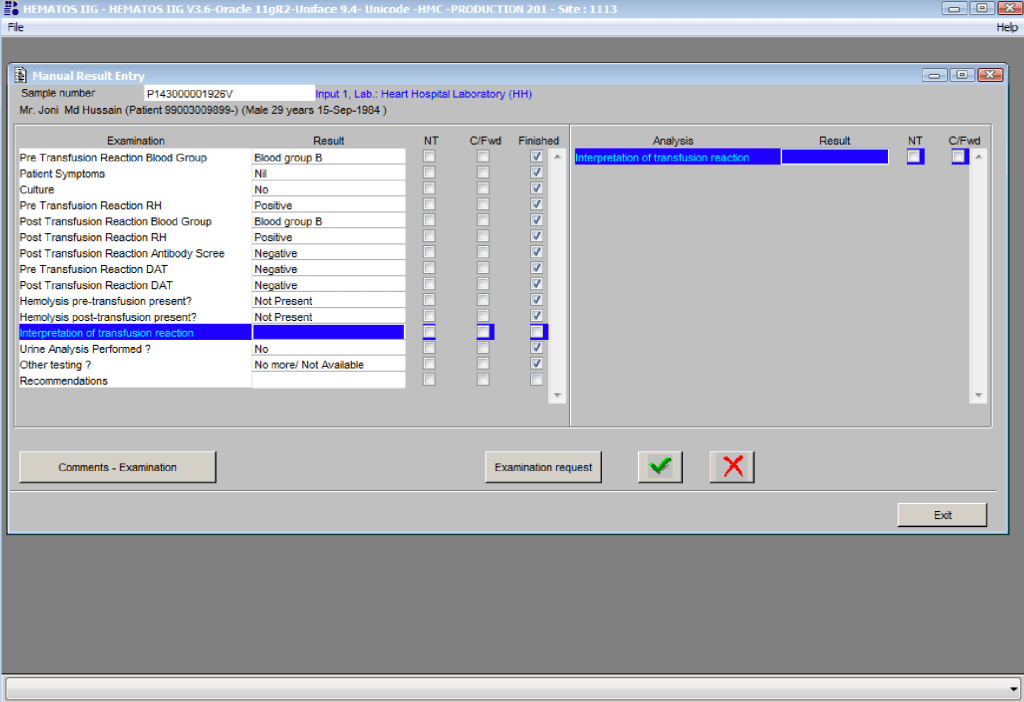
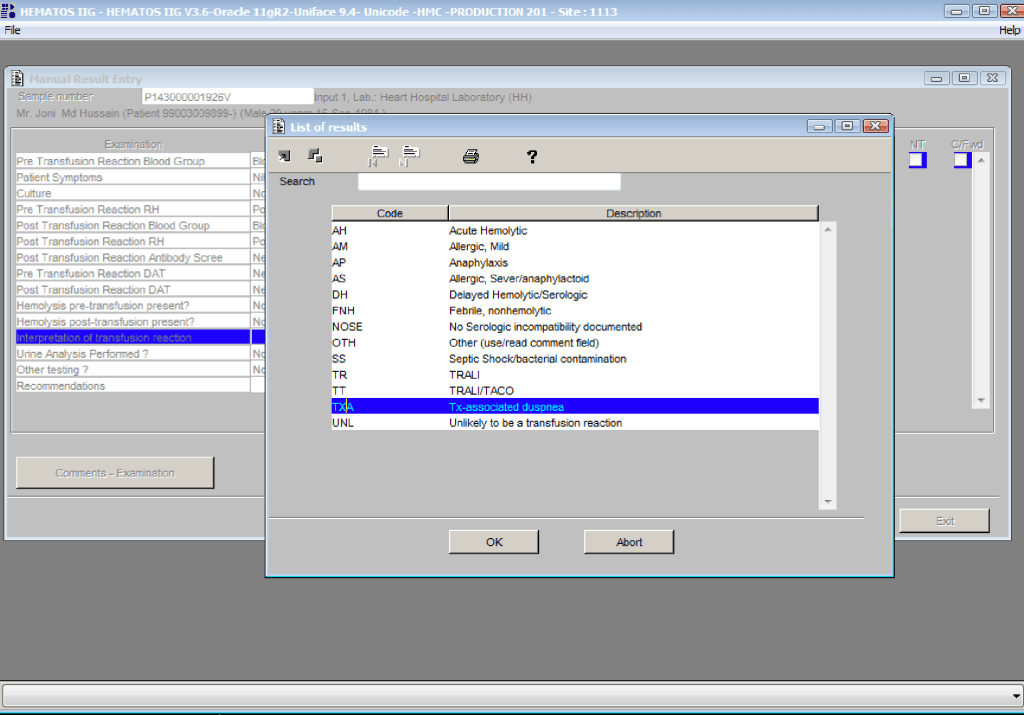
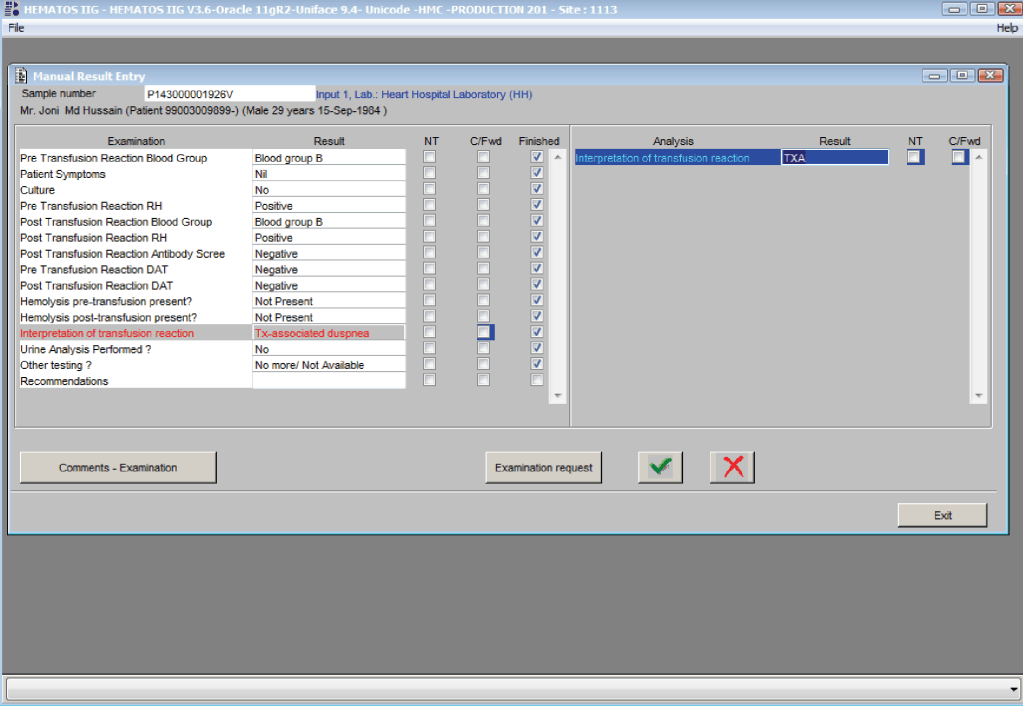
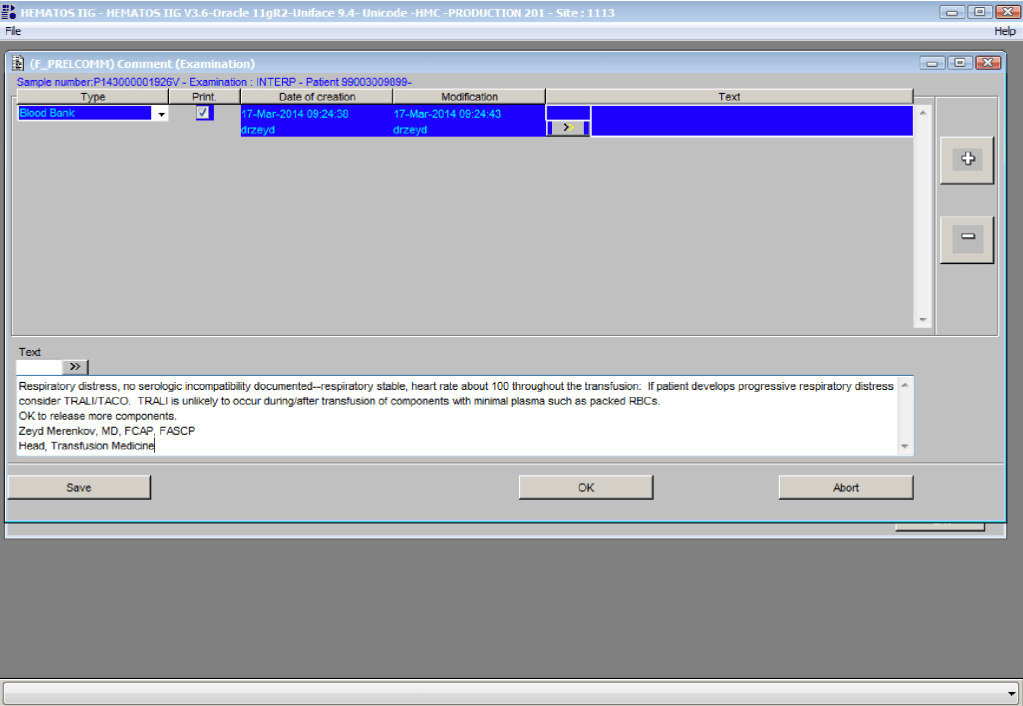
Antiglobulin AHG Phase Crossmatch

The antiglobulin phase crossmatch is the same indirect antiglobulin test IAT used for antibody screening, only instead of reagent RBCs we use the donor’s RBCs.  One question I like to ask my students is to describe the difference between the IAT and the antibody screen.  Most don’t realize they are the same thing, the same procedure, i.e. mixing plasma/serum with RBCs and then detecting a reaction using the AHG reagen

In Medinfo, the AHG phase crossmatch will be required unless the criteria for electronic crossmatch have been met (see my previous post on this topic).  In emergency mode, one can also do a class II release using immediate-spin to detect ABO incompatibility.  Medinfo will check the historical records for previous antibodies.

Notice that the process includes contingencies for room and even lower temperature conditions as well as immediate-spin.

I warn my students that we can make any tube, gel or glass-bead well react if we do not strictly adhere to the manufacturer’s recommendations.  The simplest example is to leave the reaction mixture to incubate longer than the time limit for LISS (e.g. 60 minutes).

If the antiglobulin phase crossmatch is positive (i.e. nonnegative reactions), then the unit is rejected or a least-incompatible crossmatch mode is activated.  The latter requires the transfusion medicine physician to specifically approve the allocation and release of this component.

The following is the Medinfo process I used:

To Be Continued

21/7/20

Antibody Titration including Software Processes

Processes and Software Building—Part 20

My practice across the globe has exposed me different rationales to performing antibody titration.  In my American training and practice (and also at international institutions following the American version of AABB accreditation), I only routinely performed titration of anti-D for Rh(D) hemolytic disease of the newborn and anti-A/anti-B for ABO-incompatible stem cell transplants AND ABO-incompatible renal transplants.

I have had heated arguments with some physicians who insisted they wanted titers for other antibodies.  The AABB Standards do not require this but leave it to the discretion of the Transfusion Service Medical Director.

In my entire career, I never worked in a blood bank or blood center which had optimal staffing or resources.  I focused on what was medically/technically necessary and even then still had shortages.  If performing a test will not change the clinical treatment, why perform it unless you are doing a research project!

Titration is a time-consuming, and until recently, a tedious manual task.  Recently some of the automated immunohematology analyzers offer a titration program.  We used the Ortho Vision Max which could perform both IgG and IgM titers within one hour—walk away!!  However, during that time, the titration procedure monopolized the analyzer.

The ABO-incompatible renal transplant program at HMC Qatar was modelled after Sweden’s Karolinska Institute.  However the latter site performed manual IgG and IgM titrations using Biorad/Diamed gels.

I did not have sufficient resources to commit staff to manual titration at HMC so I did a comparison study between the Ortho Max and the Biorad methods.  We were able to get good correlation and used the automated method for the transplant.

I am still biased against performing titrations for other antibodies.  I always ask, ‘Does the titration correlate with clinical severity?’  Unlike anti-D, antibodies such as anti-Kell and anti-c may be low titer but cause death.  Can anyone show me a definitive study that titers are useful except for transplants and Rh(D) hemolytic disease of the fetus/newborn?

Since the method was working well on the Ortho equipment, I next established an interface to Medinfo.  The test was performed separately for IgG and IgM antibodies.  Medinfo recorded the reactions in all the wells.  The last well showing a 1+ reaction was interpreted as the titer (e.g. if 1:64 were the last 1+ reaction, then the titer was 64 in Medinfo).

The Medinfo process is shown below.

20/7/20

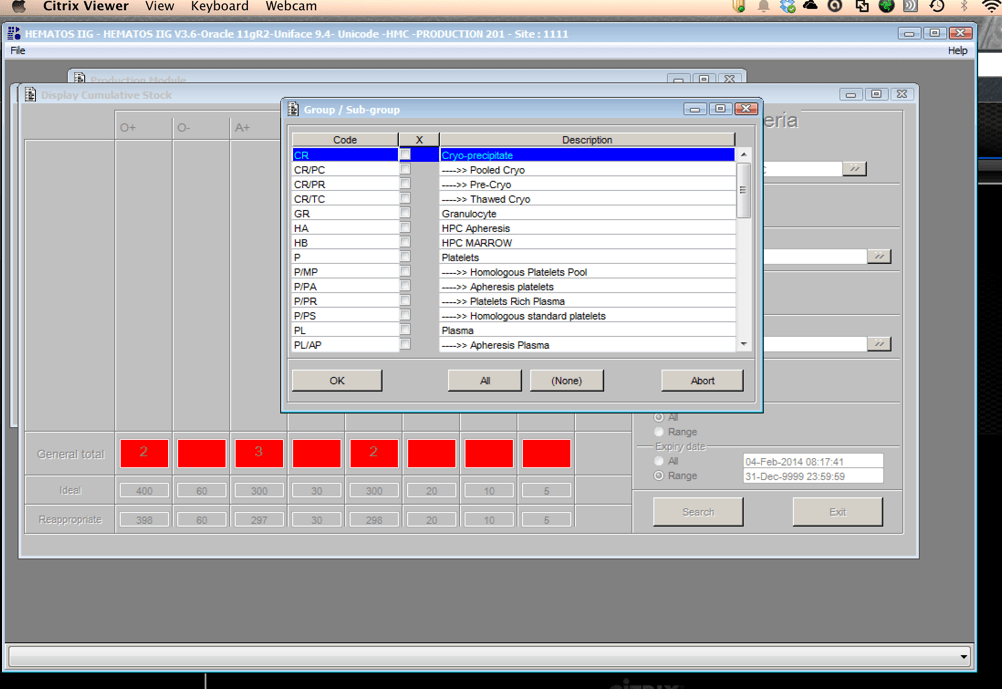
Platelet and Plasma Allocation Rules

Processes and Software Building—Part 20

Medinfo software is rules-based so the institution may set its own custom rules for all processes.  One chooses a framework and then adds any additional rules it needs for optimization.  Turnkey systems do not offer this flexibility.

The rules for platelet and plasma components are much simpler than those for RBCs since usually we only consider ABO type.  There are two modes:  regular and emergency, the latter applying if not all the patient testing (including historical checking) is available.  The components, on the other hand, must meet all criteria before being considered for patient use.

Example rules for plasma follow:

For platelets, note that for adults and anyone else >= 20 kg, I gave any type of platelet pool or plateletpheresis component without regard to ABO matching.  With our production method, I did not give Rh immunoprophylaxis to females of child-bearing age receiving platelets from D-positive donors based on our clean (essentially RBC-free) Reveos automated production process.

Similarly, allocation rules for granulocytes, etc. could be made and enforced by the software.  Low-B-titer group A universal plasma would also be easy to implement.

To Be Continued:

19/7/20

RBC Antigen Matching and Software Processes

Processes and Software Building—Part 19

In the previous post I outlined how Medinfo handled antibody screening and identification.  This post reviews how antigen matching is used based on these results.

There are two modes, regular and emergency.  If the patient has not had at least two ABO/D determinations and/or does not have a recent antibody screen, then emergency mode must be selected with its own rules.  Otherwise, the regular mode applies.

Regular Mode:

In general, if there is a clinically significant antibody, an RBC unit which has not been matched for the corresponding antigen or has the corresponding antigen cannot be routinely selected.  However there is a hierarchy here also:

  1. Absolutely prohibited release—no one can override the logic (e.g. giving group O to a patient with anti-H)—not even the transfusion medicine physician can override this
  2. Restricted release—only certain staff can release the incompatible or untested unit (e.g. giving C-positive unit to someone with anti-C)
  3. Least-incompatible for WAIHA:  requires transfusion medicine physician approval
  4. Informational release:  authorized staff may release antigen-incompatible or untested unit but a pop-up menu appears and asks them to accept (e.g. Lewis untested unit in a patient with anti-Lea).
  5. Antigen-specificity matched—the usual mode for patients with antibodies

Examples of Regular Mode rules follow (these are not the complete lists but just provided to show the complexity of the process).

Emergency Mode:

This is much more restricted for selection of ABO/D and other antigen typings.  An example follows:

A similar hierarchy exits for platelet and plasma allocation and will be considered in a future post.

To Be Continued:

18/7/20

Antibody Identification and Software Processes

Processes and Software Building—Part 18

The blood bank is one of the last bastions of manual testing, especially for complex procedures.  Basic antigen typing, direct antiglobulin tests, and antibody screening adapt well for routine automation, but the actual antibody identification requires multiple methods and requires considerable experience to complete. At least today, a machine cannot replace the blood banker!!

One could take the approach to perform antibody panels in an automated system and record the results.  However, these are worthless unless you have the actual panel in hand.  Artificial intelligence to analyze the panel results is limited.  You still have to manually review everything.  In Medinfo, we could also scan the manually performed panels and add them to the record.

While I was at HMC, some of the hospital transfusion services elected to run panels automatically and then review the results manually.  We prepared a contingency to record the panel results but these by themselves could only be used with the actual red cell panels in use.

Examples of 11-R and 15-cell panel result importation follow:

What we absolutely had to do was enter the antibody specificity in a way that it could trigger our algorithms, i.e. our rules-based system of RBC allocation according the permissible blood types.  Each antibody specificity and each antigen typing had its own unique codeIt could not be entered free text!  Workflows follow:

Next, the antibody specificity test would trigger antigen typings for the correspond antigen and/or closely related antigens:

Based on the antibody specificity and antigen typings, a whole series of rules for routine and emergency-mode release were triggered.  This will be discussed in a subsequent post.

To Be Continued:

17/7/20

Elution Indications and Software Implementation

Processes and Software Building—Part 17

The direct antiglobulin test DAT may be the first or last place that a delayed hemolytic transfusion reaction can be detected.  In my practice, I always performed it the first time I encountered a patient with a positive DAT.  If the subsequent DAT testing is of the same strength and there is no change in the clinical status of the patient, then I might empirically repeat the elution after 14 days, i.e. just when new antibody emergence may be detected.

In summary, my criteria for elution after a positive DAT are:

  1. First patient encounter with a positive DAT
  2. At least 14 days since the previous elution
  3. DAT strength has increased since the previous exam (at least 1+ increase in strength in either IgG or C3)
  4. Patient shows evidence of hemolysis
  5. Suspected cases of drug-related hemolysis
  6. Transfusion Medicine physician specifically orders it otherwise

In the software processes, the following parameters were recorded:

  1. Technique of elution (acid glycine, dichloromethane, digitonin, ether, etc.)
  2. Number of washes (too many may remove the antibody from the RBCs)
  3. Last wash result (must be negative to accept conclusion)
  4. Manufacturer of the elution kit (if any)
  5. Elution result based on panel testing

Note:

  1. All indeterminate or positive eluates would trigger an antibody identification.
  2. All results would be reviewed by me or the covering Transfusion Medicine physician.  A comment would be entered into the results that could be viewed by the clinician either directly from Medinfo or through the hospital information system.

If the DAT was only positive for complement, it was up to the Transfusion Medicine Consultant to decide whether to proceed with elution.  Personally, I would usually proceed because the eluate is more concentrated and may occasionally detect an antibody that was not noted in the patient’s plasma.

The attached Medinfo workflow shows the process designed by me for use at HMC Doha.

Software Processes for the Antibody Screen

Based on the previous software post, I use the antiglobulin test algorithms to construct the antibody screen ABS, namely an INDIRECT antiglobulin test, i.e. incubate reagent red cells with the donor or patient’s plasma and then perform the DAT.  At HMC Doha and at NGHA in Riyadh, we mainly used three cell screens (no pooled cells for donors). The reactions could be machine-read (we had the interface) but the interpretation of the specificities found was done manually.

Donor ABS:

We screened all donors for irregular antibodies.  I disqualified most donor with non-negative screens from donation (my personal preference).  However, for nonspecific antibodies, I might elect to discard the current collection and then reassess the donor’s status at the next encounter.  Not everyone would agree with this most restrictive approach but I would not use the platelets or plasma in such situations.  I also did not use the donor RBCs, even though they were in SAGM—but I could elect to override this decision in Medinfo if there were a rare blood group (e.g. r’r’).

Example #1 (following) shows a sample donor ABS process:

Patient ABS:

Excluding emergency release, if the patient did not qualify for the electronic (computer) crossmatch, then the AHG crossmatch was required.  A three-cell antibody screen including R1R1, R2R2, and rr RBCs was used that usually included cells homozygous for the Kell, Duffy, Kidd, MNS antigens.  For any case with a non-negative antibody screen, either donor or patient, an antibody identification was performed.

Note that I did not use any other software to make antibody identifications.  I required my technologists to be proficient in identifying basic and intermediate-level testing.  The actual antigen makeup of each lot number of antibody screen or identification panel was NOT stored in Medinfo.  We scanned the antibody screen and panel workups and could store those in Medinfo.

Example #2 (following) shows a sample patient ABS process:

Patient ABS Fix for Interface Regression Caused by HIS:

Regretfully, with a software update from the hospital information system HIS vendor, a major regression occurred.  It would not discard results from Medinfo if more than one antibody result (e.g. anti-E and anti-c) was sent back.  We could see the results in Medinfo, but those outside Transfusion Medicine could not see antibody results.  The entire interface for antibody identification had to be rewritten so that the HIS would see each result uniquely and thus all results could be sent back to it.

Regression Example:

Anti-Kell sent from Medinfo:  one antibody result, HIS would store and show this result.

Anti-E and anti-c sent from Medinfo:  No antibody results shown, both results kicked out.

Regression Fix:

Anti-E sent as Method Type1-Antibody 1 and anti-c sent as Method Type 1-Antibody 2:  both results displayed in HIS.

Example #3 (following) shows the regression fix.

Software Processes–Direct Antiglobulin Test

Tests and Reagents:

There are many variations for this most important test.  In the very least, this consists of:

  1. Screening polyspecific AHG for detecting IgG and/or complement
  2. If positive, reflex monospecific tests to distinguish IgG from C3 reactivity

There are many kinds of reagents:

  1. Immunoglobulin:  whole molecule IgG, monospecific gamma heavy chain, monospecific alpha heavy chain, monospecific mu heavy chain
  2. Complement:  C3d, C3c, C3b, C5, etc

Regretfully, some of the monospecific are not really monospecific (e.g. whole molecule IgG detects both heavy and light chains and thus may detect IgG and give weaker results for IgM or even IgA.)

Read More »

Processes and Software Building 13: Validation of Electronic Crossmatch

The electronic/computer crossmatch is vital to the hospital blood bank’s operation.  It allows us to reduce unnecessary work and redeploy a very limited, precious workforce.  As demonstrated in the previous post, it has many rules for current and previous testing and historical transfusion records.

This is NOT a one-time validation:  it must be repeated to check for regression errors when updating the software version, regardless if there are any changes to its logic.  It required many Super-Users to perform:

  1. A test environment distinct from the live was used.
  2. Patients had to be created and specific test results entered to match the algorithm below.
  3. Donors had to be created and components made (including testing, production, release, inter-depot transfer)
  4. Hospital blood bank had to receive the created units and enter them into active stock (and repeat the ABO/D testing to do this)

This is a sample validation plan created by me and used at HMC Doha for the Medinfo Hematos IIG software:

  1. Special Electronic Crossmatch Testing
    1. Make 100 patients:
    2. 60 patients matching electronic crossmatching criteria:
      1. 2 ABO/D determinations, one current within 72 hours
      2. Second determination from history or second current sample
      3. No ABO/D typing discrepancies
      4. Negative antibody screen
      5. No history of antibodies
    3. 40 patients with contraindications to electronic crossmatch:
      1. 10 with history of antibody
      2. 10 with current antibody
      3. 10 without 2 ABO/D determinations
      4. 10 with emergency release
    4. Try to release RBC unit without further testing in each case.

Super Users had to capture screen shots of the transactions and send them to me as Division Head, Transfusion Medicine/LIS for review and acceptance.

Criteria for Acceptability:

  1. All tested processes must complete without error, including recognition of ABO/D discrepancies as such.
  2. System only allows computer release (electronic crossmatch) in those cases meeting computer-crossmatch criteria as shown in the following interim policy.

INTERIM POLICY:  ELECTRONIC (COMPUTER) CROSSMATCH

Revised Date:  1/2/18

Principle:

In selected patient categories, no classical crossmatch may be required for release of RBC components.  The criteria are specified here as applicable in our Medinfo Hematos IIG computer system HIIG.

Policy:

  1. An electronic crossmatch without antiglobulin or immediate-spin phase testing may be used for the following patient categories:
    1. The current ABO/D type matches the historical ABO/D type.
    2. The ABO/D type (forward and reverse) is clearly defined without any discrepancies.
    3. Two determination of the ABO/D group must be made:
      1. One from a current specimen (within the past 72 hours)
      2. The second by one of the following methods:
        1. Testing a second current specimen
        2. Comparison with previous records of ABO/D typing
        3. Retesting the same specimen
    4. The current antibody screen is negative
    5. There is no history of RBC antibodies or a non-negative antibody screen.
  2. General computer system safeguards:
    1. The system contains the donor unit number, component name, confirmed ABO/D typing, two unique recipient identifiers, recipient ABO/D, antibody screen typing, and interpretation of compatibility
    2. A method exists to verify correct entry of data before release of blood or blood components.
    3. The system contains logic to alert the user to discrepancies between donor ABO/D group on the unit label and those determined by blood confirmatory tests and to ABO incompatibility between the recipient and donor unit.
  3. HIIG will enforce the above rules.

References:

  1. HIIG Workflow 1004, Patient Testing, 2013
  2. Section 5.16, Standards for Blood Banks and Transfusion Services, Current Edition, AABB, Bethesda, MD, USA
  3. FDA Guidance for Industry:  Computer Crossmatch (Computer Analysis of the Compatibility between the Donor’s Cell Type and the Recipient’s Serum or Plasma Type), April, 2011

Processes and Software Building 12: Electronic (Computer) Crossmatch

As much as 90% of the RBC component allocation can be performed without an actual crossmatch test—AHG or immediate-spin provided that certain criteria are met.

Enforcing these rules, however, can be cumbersome unless one has blood bank software that verifies that each rule is met.  In the Medinfo patient module, the transfusion history database is checked automatically.  If the rules are met, then Medinfo allows the selection (allocation) of RBC units without performing a crossmatch test.  Otherwise, it will check to see if the AHG crossmatch has been done within the past 3 days.  If not, it will prompt for new crossmatch testing with a new specimen.  If the situation is urgent, one can go to Emergency Mode and release components without the crossmatch.

The following is the latest document I prepared on this process before leaving HMC.  Please note that there was an extensive validation before this was activated for patient use.

INTERIM POLICY:  ELECTRONIC (COMPUTER) CROSSMATCH

Revised Date:  1/2/18

Principle:

In selected patient categories, no classical crossmatch may be required for release of RBC components.  The criteria are specified here as applicable in our Medinfo Hematos IIG computer system HIIG.

Policy:

  1. An electronic crossmatch without antiglobulin or immediate-spin phase testing may be used for the following patient categories:
    1. The current ABO/D type matches the historical ABO/D type.
    2. The ABO/D type (forward and reverse) is clearly defined without any discrepancies.
    3. Two determination of the ABO/D group must be made:
      1. One from a current specimen (within the past 72 hours)
      2. The second by one of the following methods:
        1. Testing a second current specimen
        2. Comparison with previous records of ABO/D typing
        3. Retesting the same specimen
    4. The current antibody screen is negative
    5. There is no history of RBC antibodies or a non-negative antibody screen.
  2. General computer system safeguards:
    1. The system contains the donor unit number, component name, confirmed ABO/D typing, two unique recipient identifiers, recipient ABO/D, antibody screen typing, and interpretation of compatibility
    2. A method exists to verify correct entry of data before release of blood or blood components.
    3. The system contains logic to alert the user to discrepancies between donor ABO/D group on the unit label and those determined by blood confirmatory tests and to ABO incompatibility between the recipient and donor unit.
  3. HIIG will enforce the above rules.

References:

  1. HIIG Workflow 1004, Patient Testing, 2013
  2. Section 5.16, Standards for Blood Banks and Transfusion Services, Current Edition, AABB, Bethesda, MD, USA
  3. FDA Guidance for Industry:  Computer Crossmatch (Computer Analysis of the Compatibility between the Donor’s Cell Type and the Recipient’s Serum or Plasma Type), April, 2011