Processes and Software Building 10: Hospital Blood Bank/Transfusion Services Overview

The following post is based on my experience 2011-2020 at HMC through 16/4/20:

I have had many posts about the Blood Donor Center from registration, collection, processing, testing, and dispatch (inter-depot transfer).  The hospital transfusion service or hospital blood bank continues the process on selection of the appropriate blood component for the patient.  Specifically, it:

  1. Verifies the ABO/D type of RBCs and ABO type of plasma components received
  2. Physically examines each unit checking for leaks, labelling errors, etc.
  3. Receives into stock the various components
  4. Performs basic type and screen (group and save) testing of the patient including ABO/D type and antibody screen
  5. Identifies antibodies if the antibody screen is non-negative
  6. Performs direct antiglobulin test and elution if positive
  7. Modifies components (thawing, aliquoting, irradiating, washing, pooling)—although in some sites, these latter functions may be performed in the Blood Donor Center
  8. Performs compatibility testing and selects the appropriate method (electronic, immediate-spin, antiglobulin phase crossmatch)
  9. Releases blood components to outside staff (nurses, doctors, etc. as allowed by the local authority)
  10. Investigates transfusion reactions

When I was at HMC which included many hospital blood banks, we standardizes our methodologies/processes as much as possible, but we still had some differences based on the equipment at each site.  When we built the blood bank computer system, we had to build a specific process for each test, taking into account the methodology and the type of reagents used.  We used the manufacturer’s recommendations when establishing the criteria for each test.

There were manual and multiple automated tests, e.g. for ABO/D typing.  Rules were established when automated release was allowed and when a manual review was necessary.  Complicated cases were referred to the transfusion medicine physician for review and comment.

In our system, all tests could be ordered and performed from all sites.  Transfusion medicine physicians could review all work from all sites.  For technologists, they were restricted to the sites they worked or supervised except to review results.

All patient results across the entire system from the current and previous system were available and could be used to make/enforce rules.

In general, certain categories of results were referred to the transfusion medicine physician for review, but any test could reviewed by him/her, especially if a clinician requested it.  Everything was documented in the software.

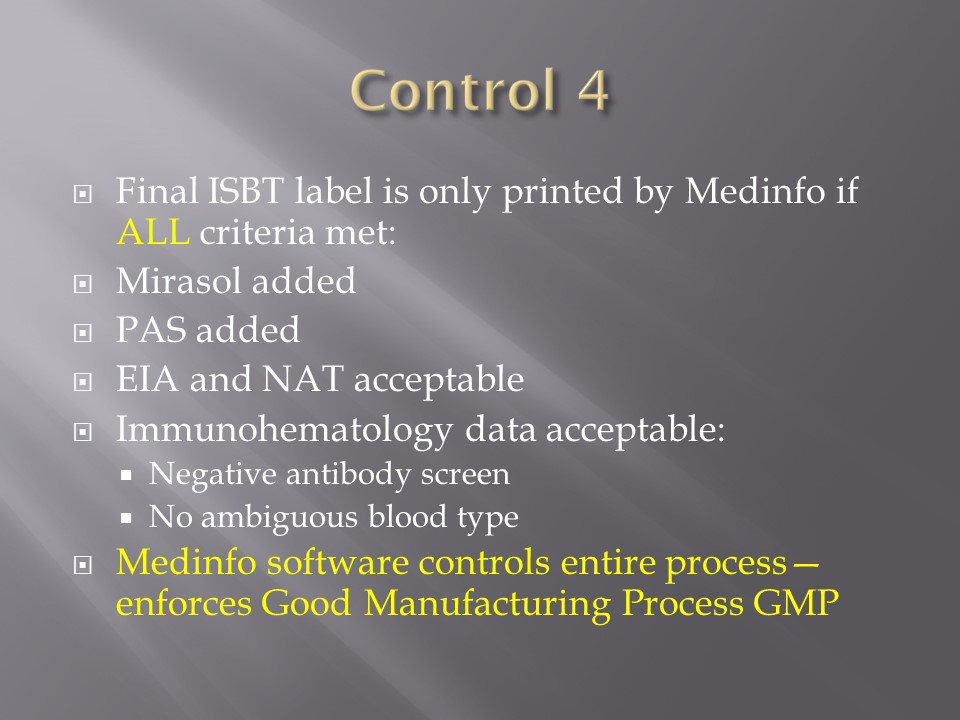
Component modification (thawing, aliquoting, irradiating, pooling, washing) processes were the same at all sites AND the blood donor center.  Each modification changed the ISBT designation of the component, a new ISBT label was printed, and the outdate of the components were updated.

Antibody workups were still performed manually, but direct antiglobulin tests could be  manual or automated.  In each case,  review with an interpretative comment was made by the transfusion medicine physicians and might include recommendations for selection and use of components.  Rules enforced by the software could be made to enforce these recommendations.

To Be Continued:

1/7/20

Processes and Software Building 7: Interfaces 2

Blood Bank instruments may perform tests and release test results in a numerical or alphanumeric format or both.  For example, nucleic acid and enzyme immunoassay may release a qualitative result (e.g. positive, reactive, borderline/grayzone, negative, nonreactive).  Alternatively, the machine may release the signal to cutoff ratio (S/CO) as a numeric result.

Blood bank software may use either kind of result on which to base interpretative rules for acceptability of the donor.  The qualitative result criteria are based on the quantitative SC/O but the equipment automatically interprets this.  The S/CO ratio of 1 is the cut-off point.  Thus a value of 0.99 is negative and the value 1.01 is positive.  But is it really so clear-cut since the difference between the two is so small?  Thus, some people have added the term grayzone for values close to but below the cutoff.  Could a value of 0.95 be an early infection?

I personally prefer to see the actual cutoff but use the manufacturer’s criteria for interpretation.  As a physician, it is good to review the S/CO on serial exams.  If a borderline or grayzone result becomes positive, then perhaps the original result indicated early infection.  The question still remains, what is the grayzone?  0.95 to 0.99, 0.90 to 0.99, etc.  Some accrediting schema have not used grayzone for interpretation.

With Medinfo’s blood bank software, I could chose either option or both—or at least store the S/CO as a nonreported result for subsequent review.  I could even chose, test by test, in a series between reporting either S/CO or the qualitative result.

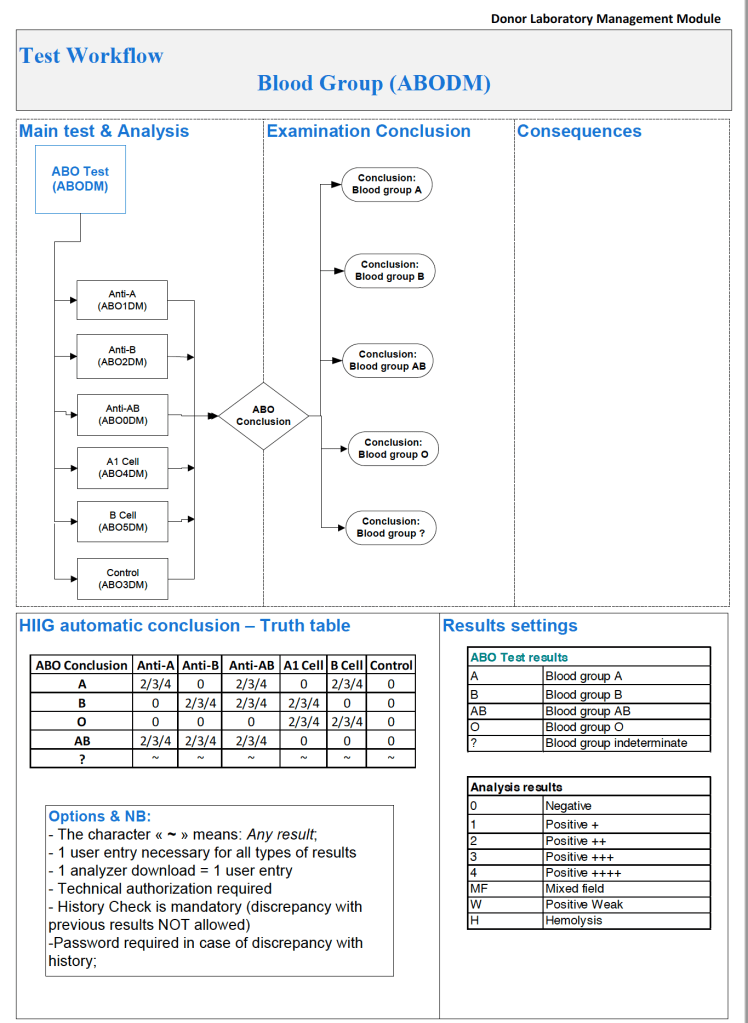
Semiquantitative results, e.g. in {0, 1+, 2+, 3+, 4+} are qualitative and could also include mixed field (mf) and hemolyzed (h).  I showed examples of this with ABO/D antigen typing in a previous post—see attachment.

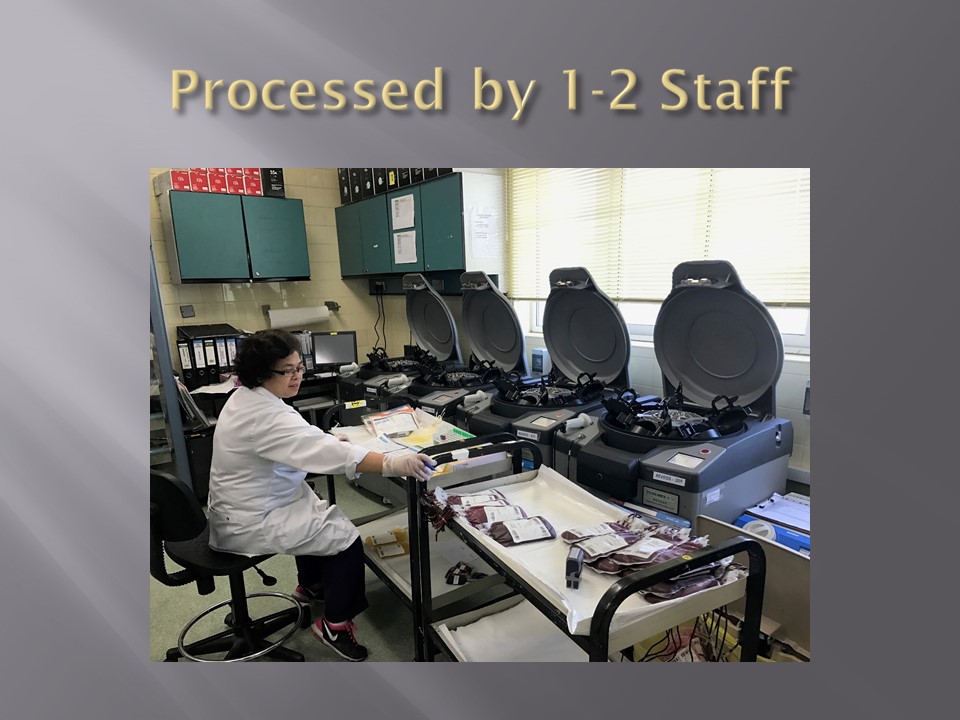
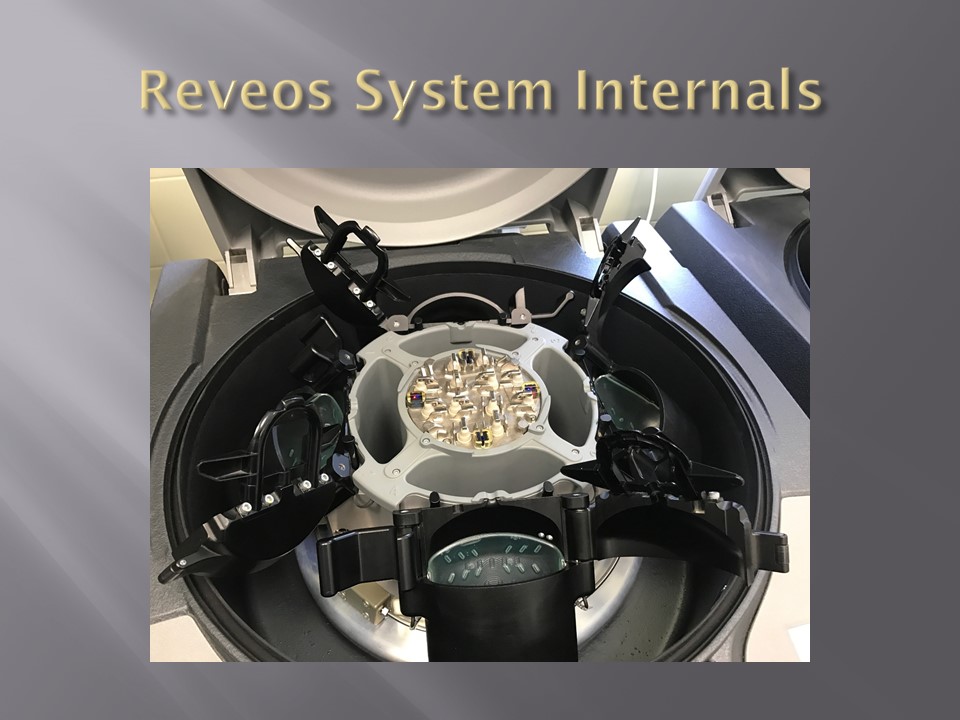
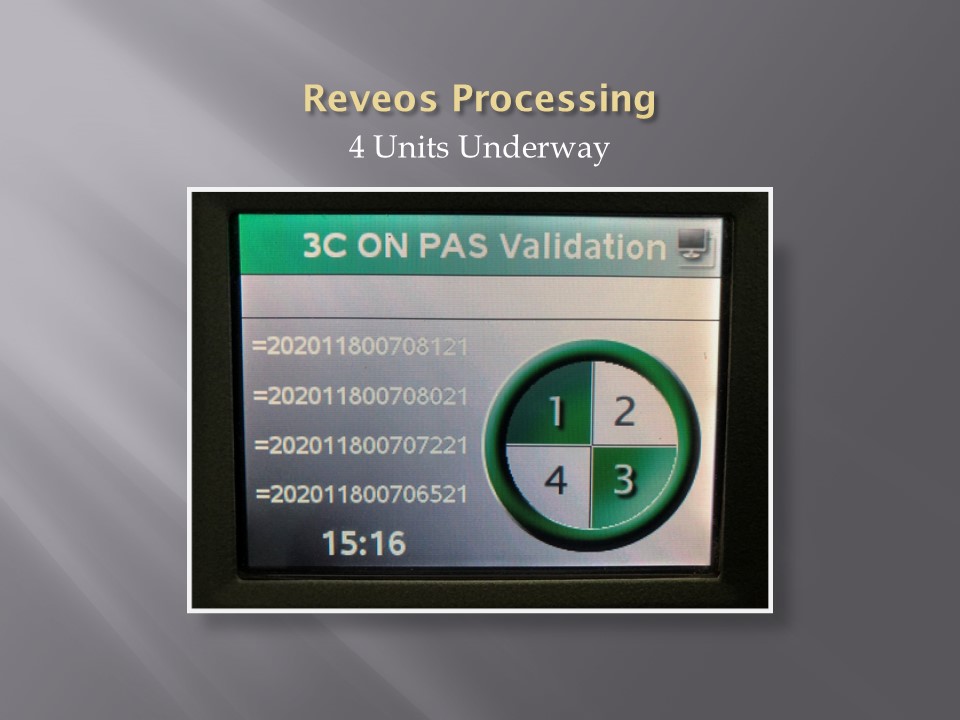
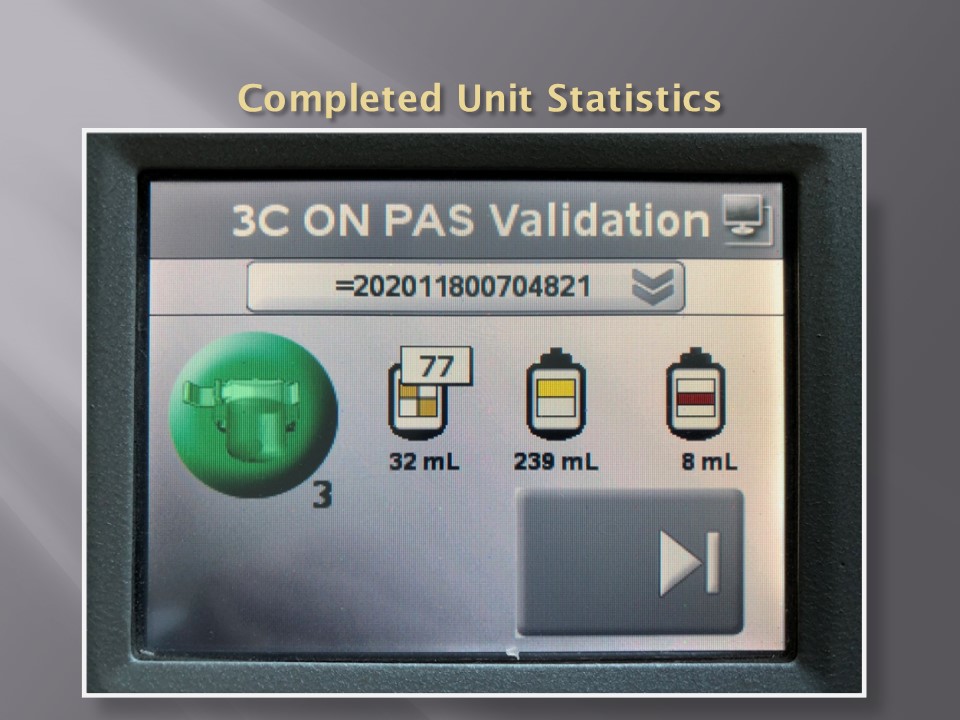
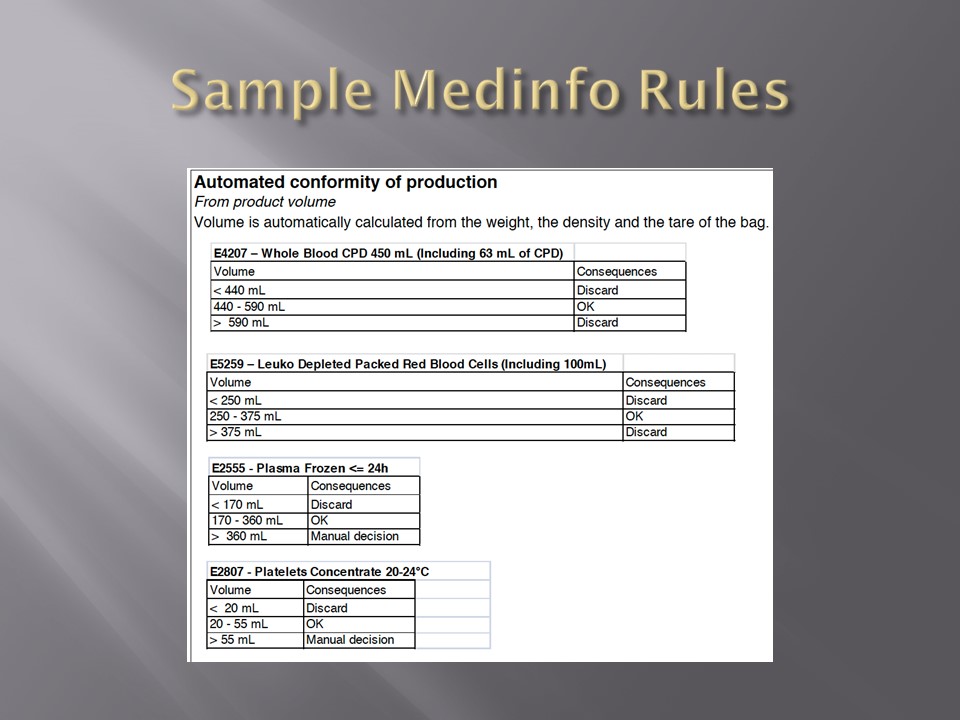
On the contrary, the results from blood production equipment may include parameters such as time of preparation, original volume, final volumes for each component, platelet yield index as an indirect measure of platelet count.  When there is pooling, the final total volume is critical to determine if pathogen-inactivation procedures and platelet additive solution can be used.  This is a much more complicated interface.

The blood production equipment interface issues will be considered in a future post.

Attachment:

ABO/D sample typing process in Medinfo

To Be Continued:

24/6/20
Processes and Software Building 6: Interfaces–General Considerations

When buying equipment while planning/implementing new laboratory software, I originally had a rule not to purchase anything that the vendor did not have a ready interface.  Even that was not so clear since some vendors had interfaces listed as alpha, beta, and completed.

Could you use an alpha or beta interface?  Was it safe for patient care?  What was the development cycle for new interfaces with your vendor—months, years?

Even if the vendor had a completed interface?  How “complete” was it?  Did it accept all data from the machine?  Did the data stream require reformatting?  Who would write the transformational script?

Even if the vendor could support it, could your local IT organization and the local agent’s IT staff do it?  I had plenty of headaches over this.  The best equipment with the best interface that the local agent could not support was worthless to me.

Some finished interfaces took months to install because of connectivity issues?  What version of the operating system was used?  Was it secure?  Did our IT department accept that version (e.g. Windows 7) and the provided malware protection?  I have seen malware spread across a network from the interface software installed by the vendor, threatening the entire corporate system. 

Did the solution require middleware?  What were the implications of having middleware and its affect on the main software program, especially at the time of its upgrade or the main software?

I have seen vendors using Windows 2000 for their interface software as late as 2017.  It was difficult for some of them to update to current, more secure versions.  Anyway, our corporate IT department gave them all a deadline to update to the current operating system—they all complied or risked losing all connectivity to the network.

Almost every instrument vendor has told me that they can communicate with my laboratory system.  I guess that is true:  one talks in Russian and the other Sanskrit—they do communicate but is it effective?  Talking is not necessarily communication!

I remember one open EIA machine that had a TCP/IP port but it was not functional by the standard protocols.  One had to emulate a serial port to get some rudimentary communication.  The port’s light blinked, however.  I never imagined that someone would put a nonfunctional port as a mere decoration.

On the other hand, I have had excellent experience with another software vendor Medinfo.  Even if the vendor did not have the interface developed, they could build it from scratch in a few weeks.  Paradoxically, it was faster for these new interfaces than some so-called already interfaces.

I must emphasize:  This is a collaborative team effort between the blood bank information system, software vendor, instrument vendor, and your institution’s IT staff.  There must be excellent cooperation between them for a successful result.

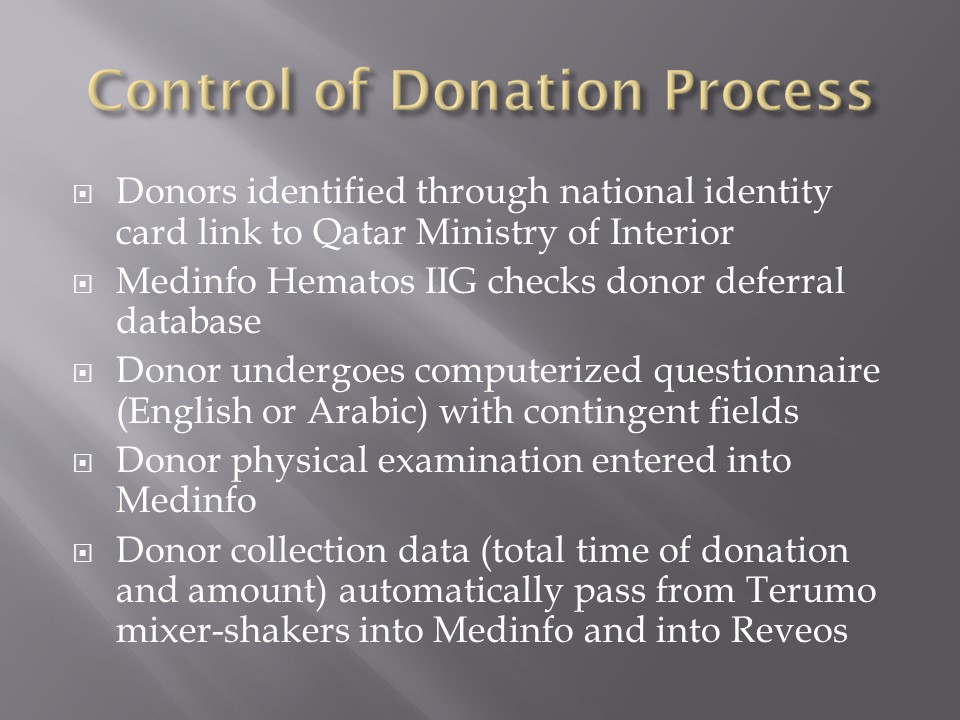
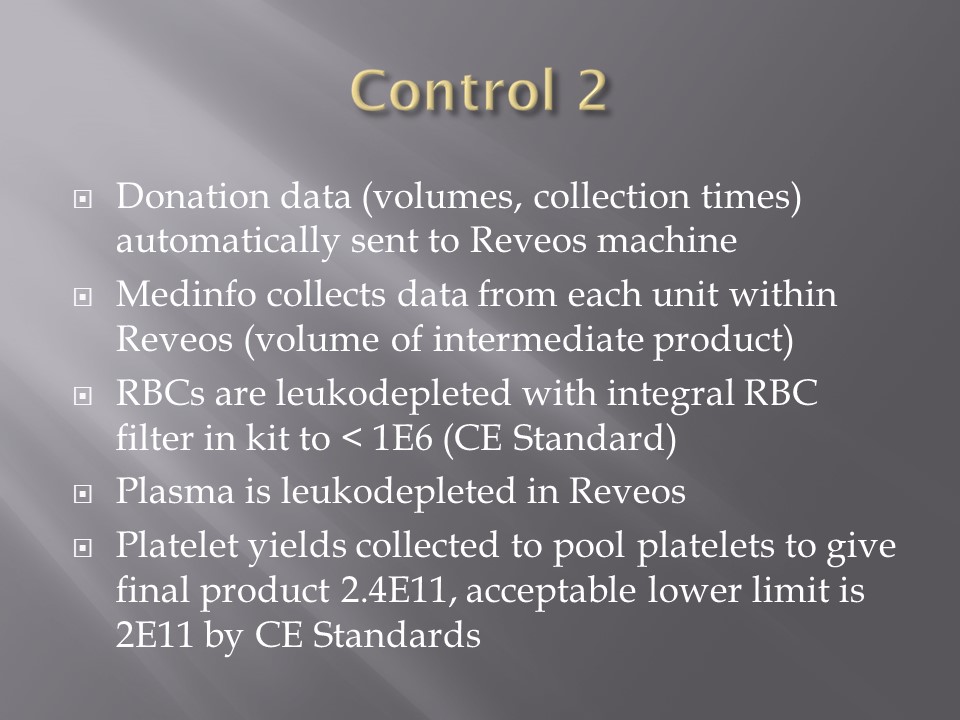
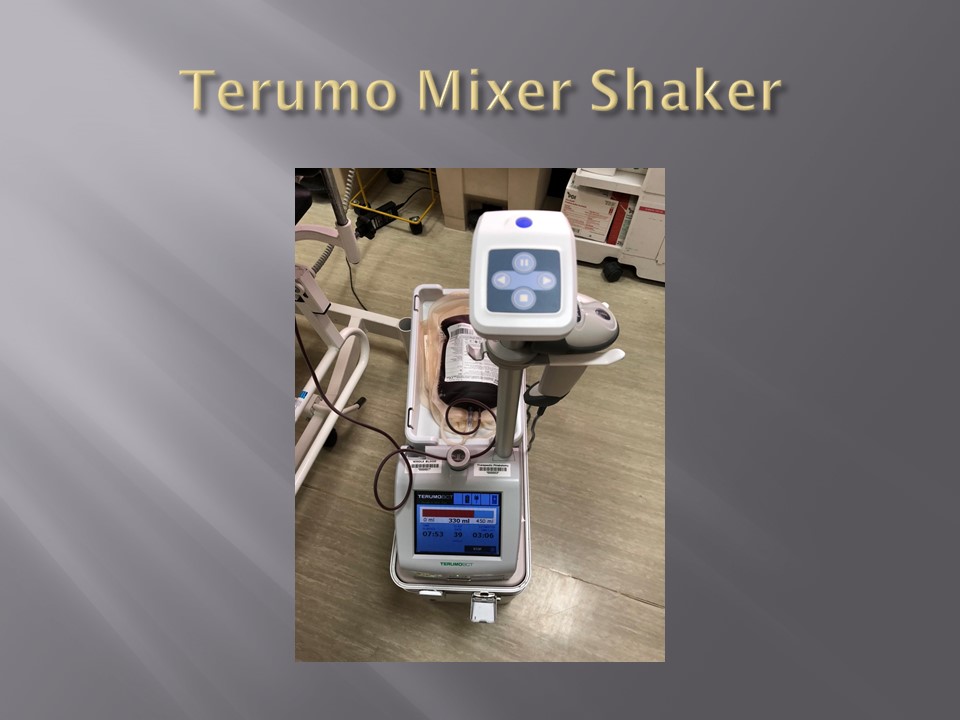
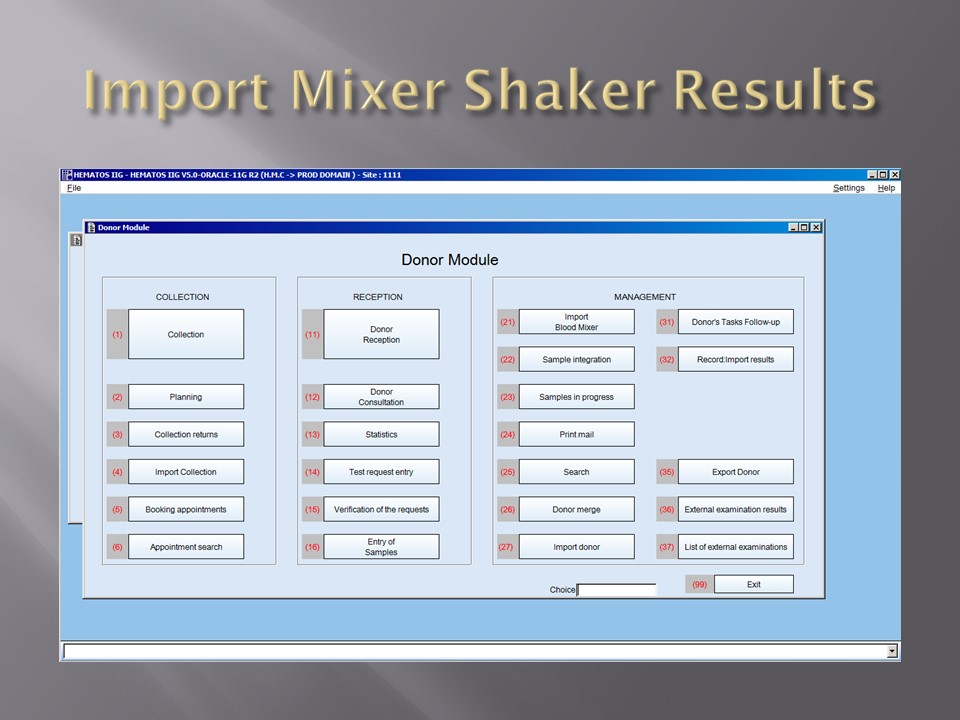
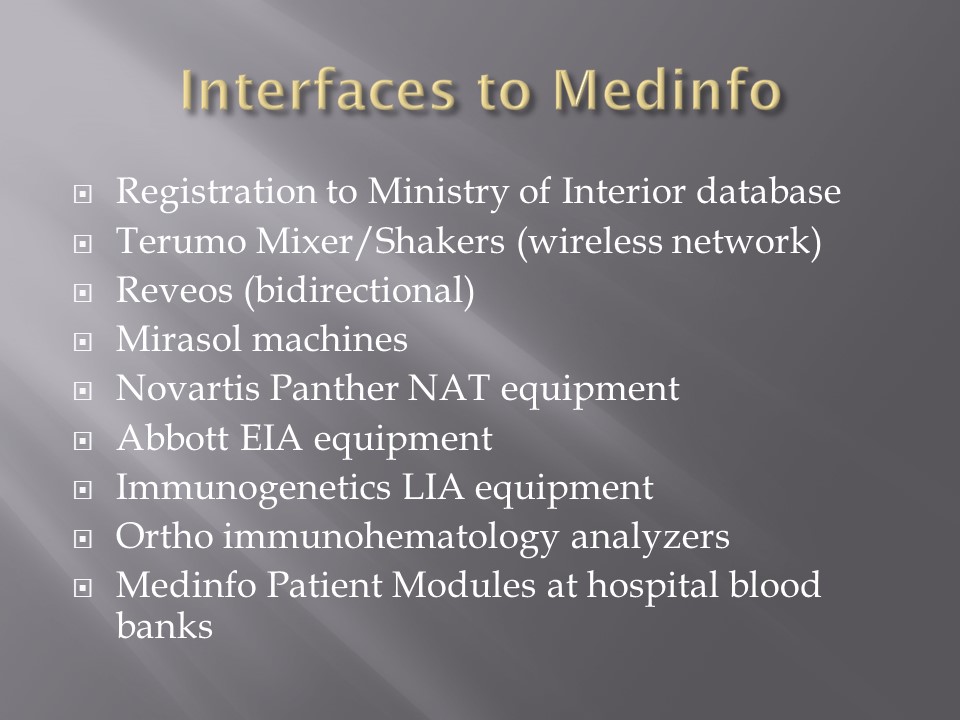
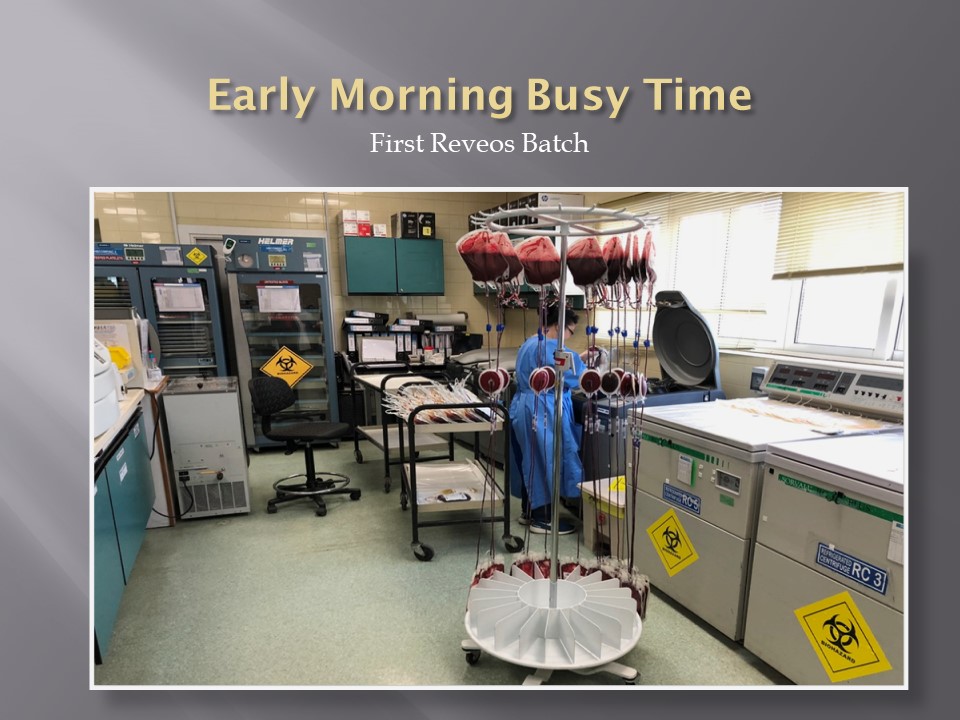
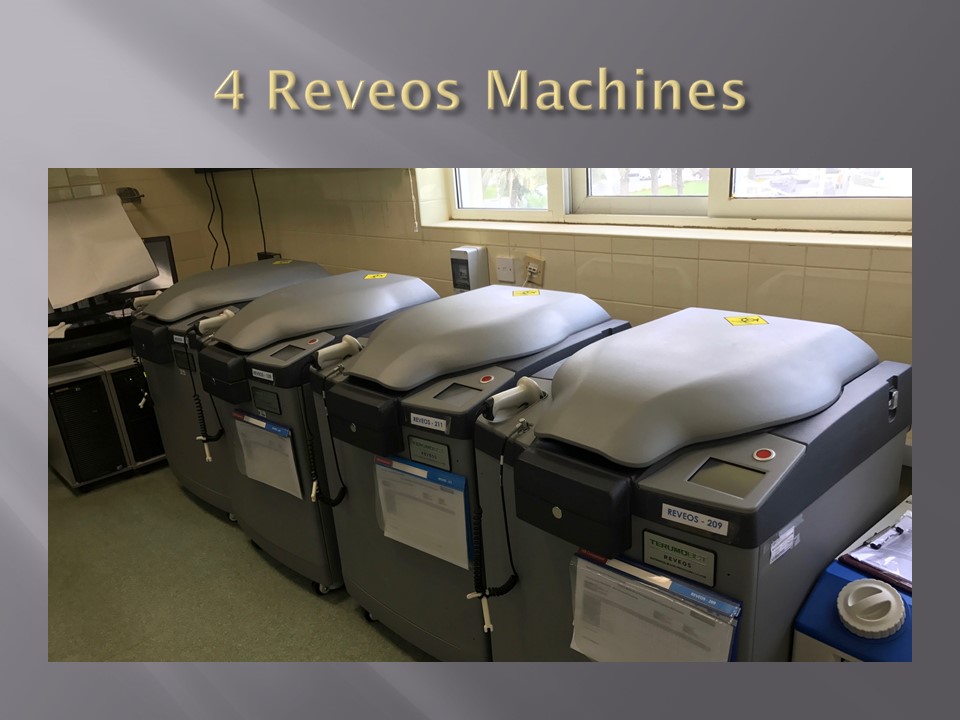
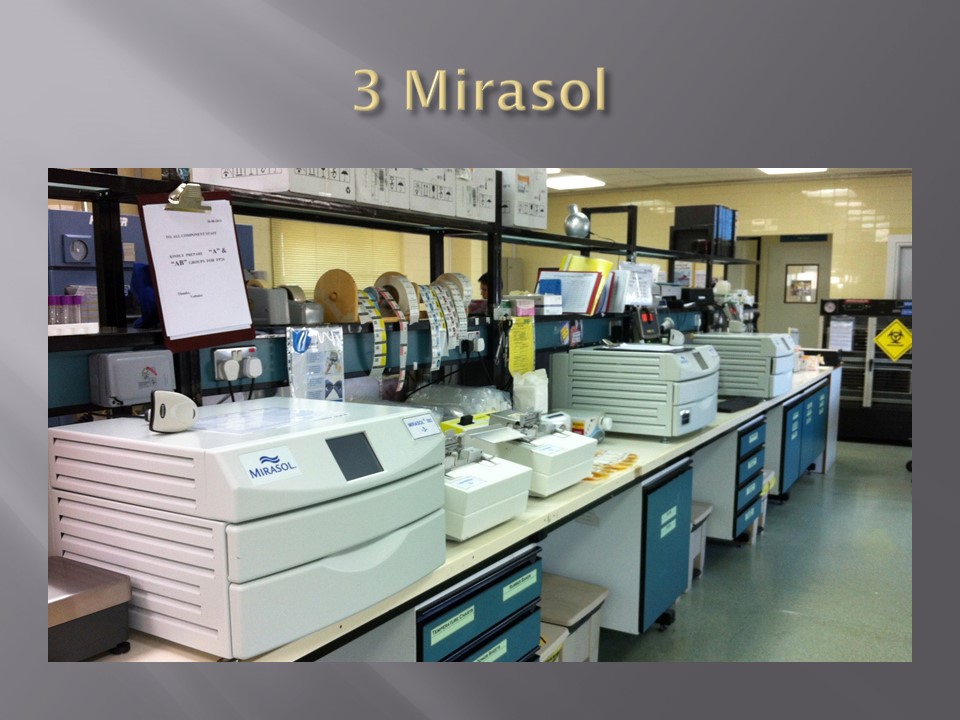
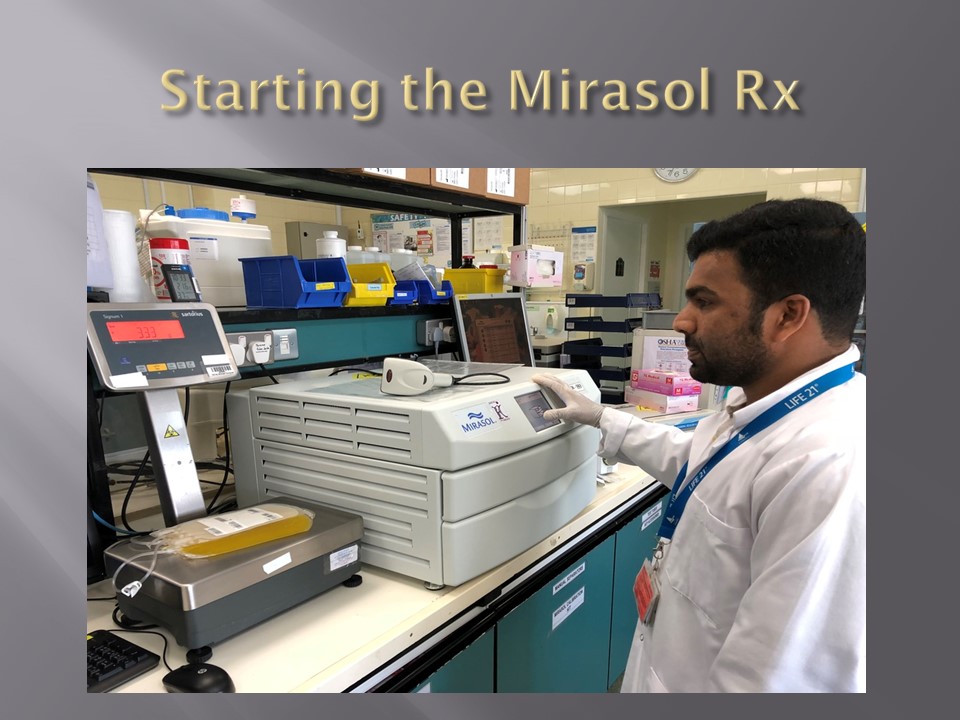
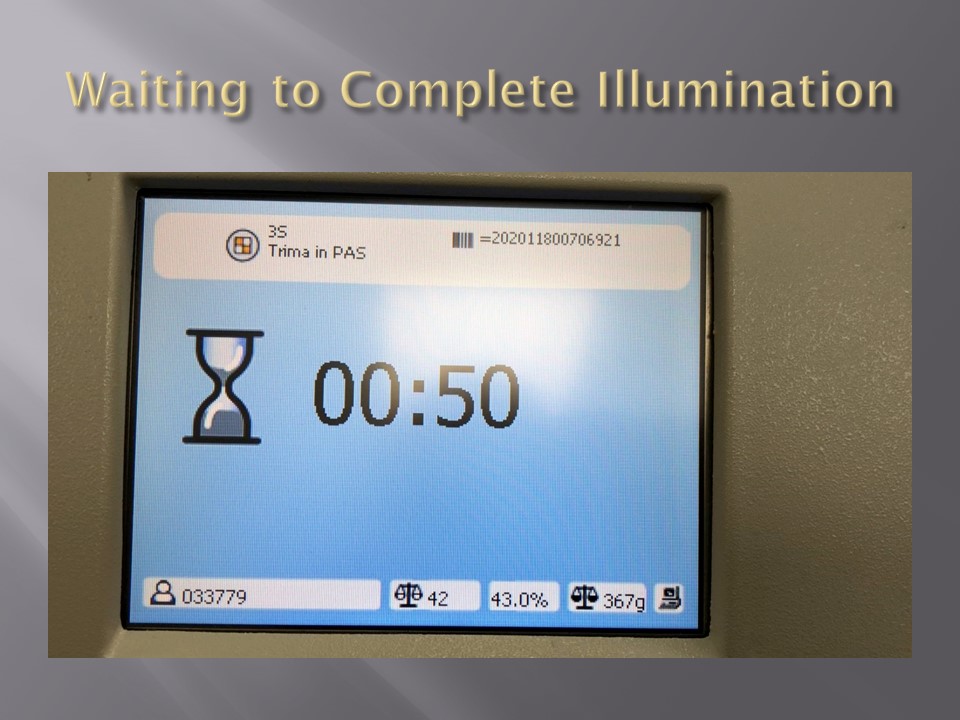
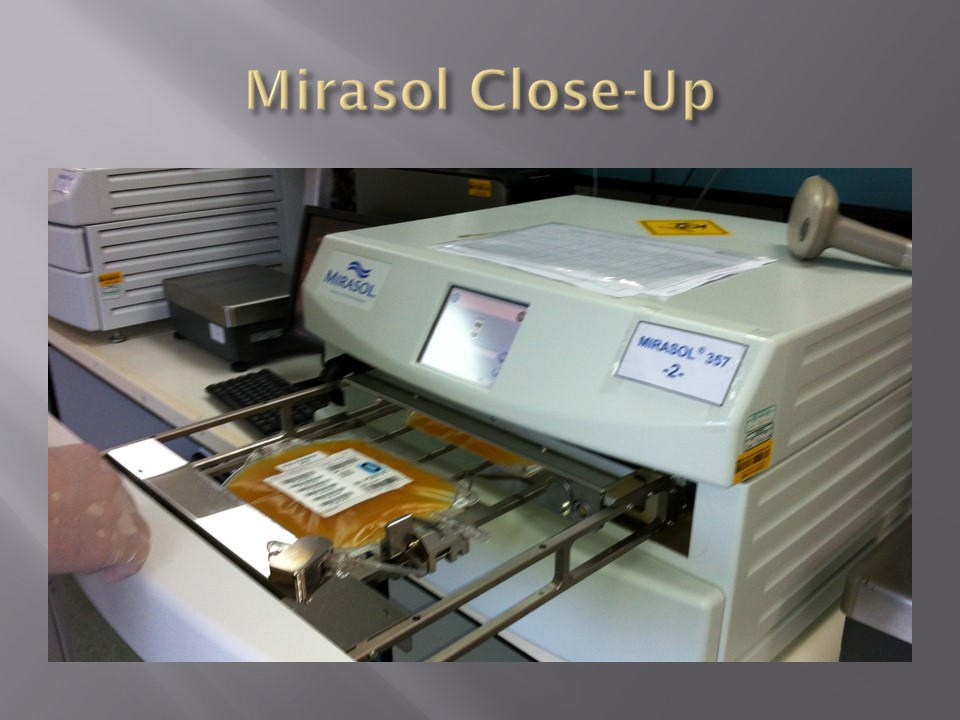
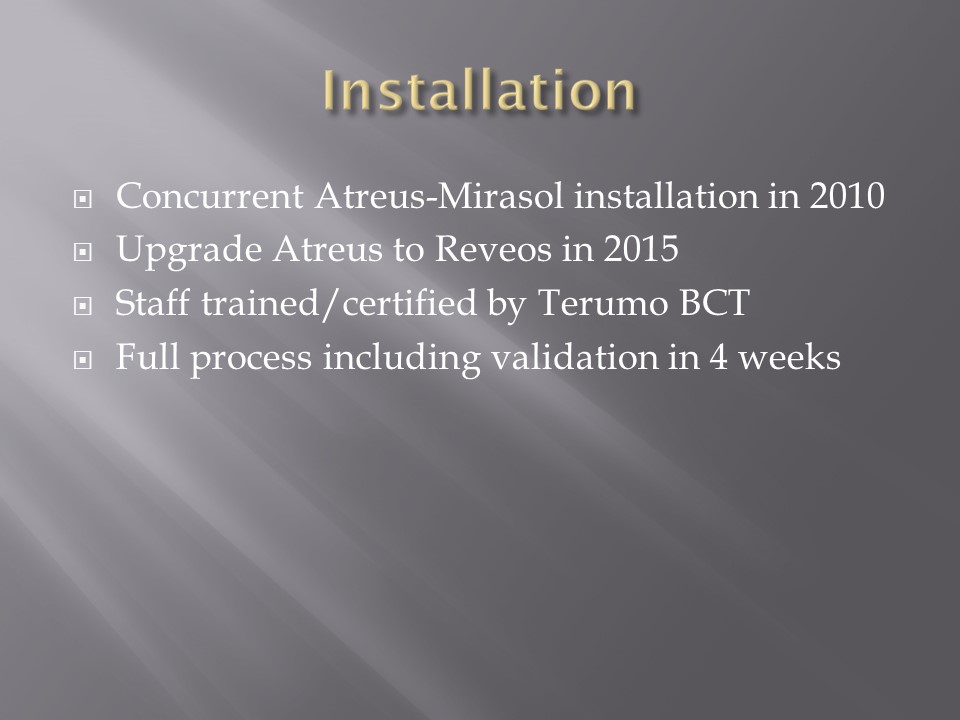
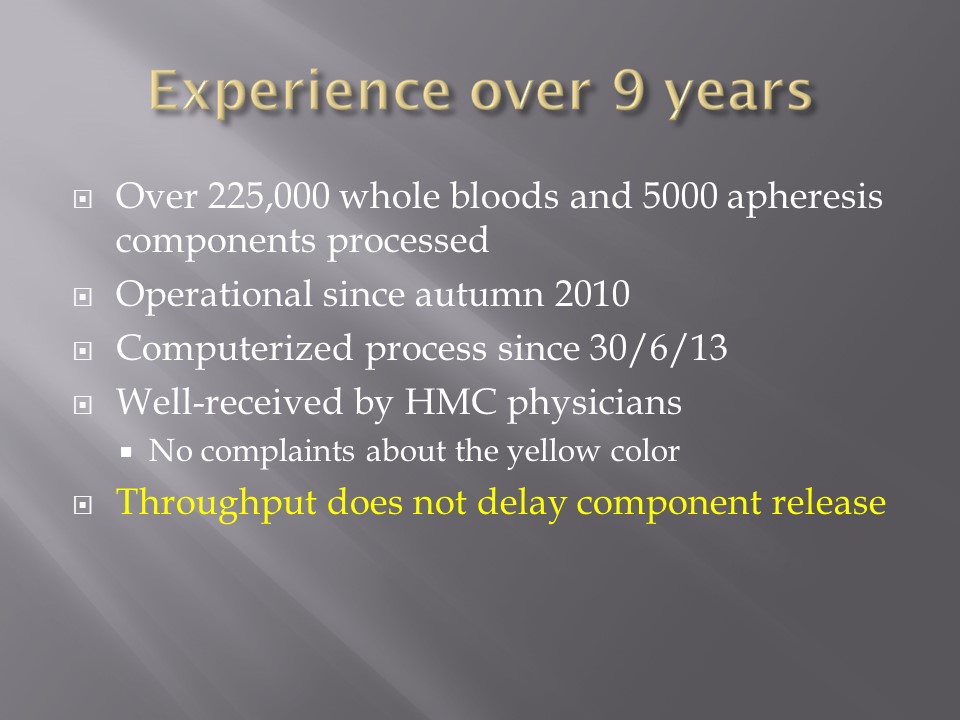
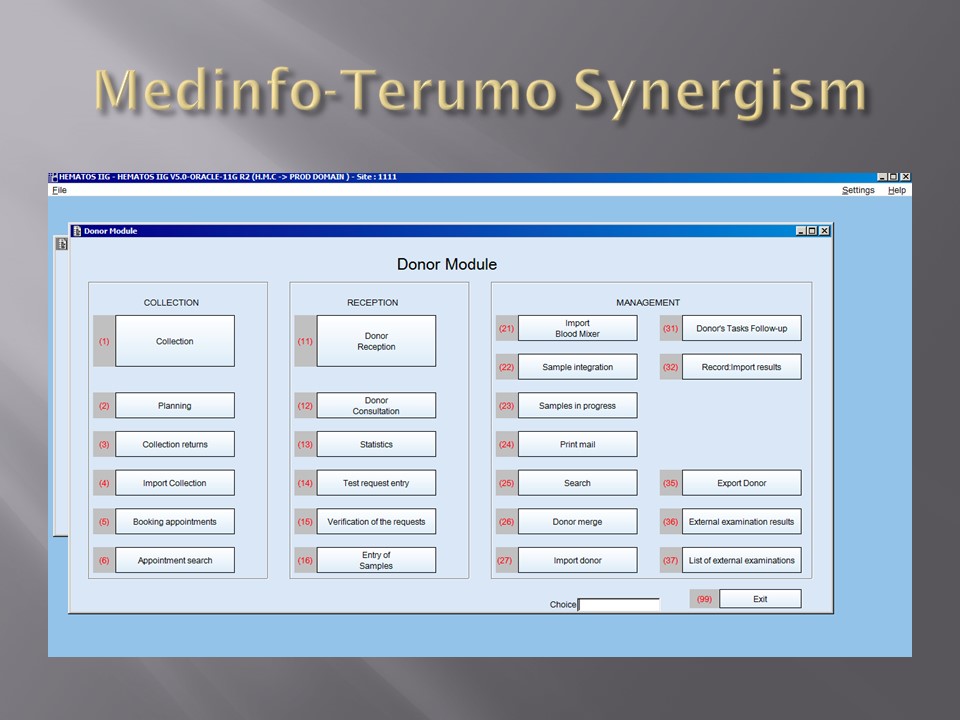
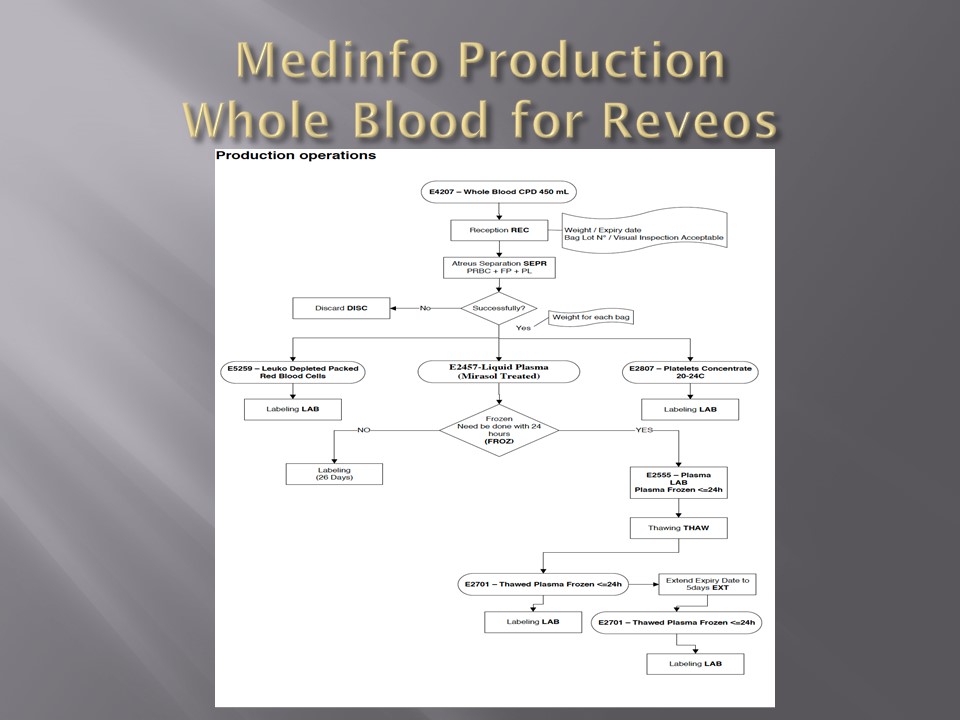
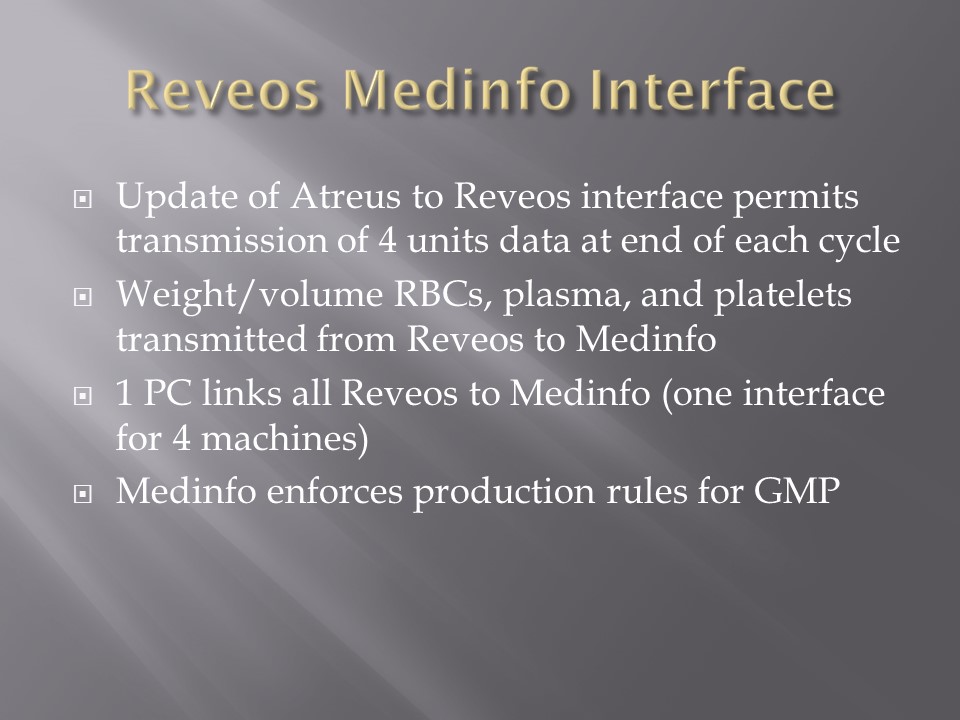
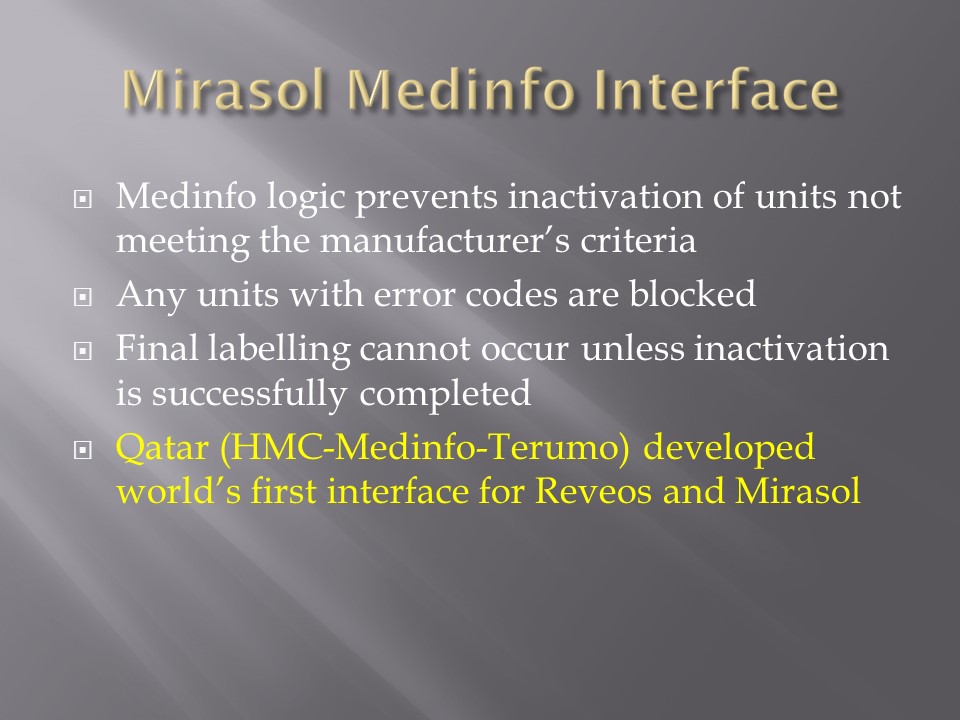
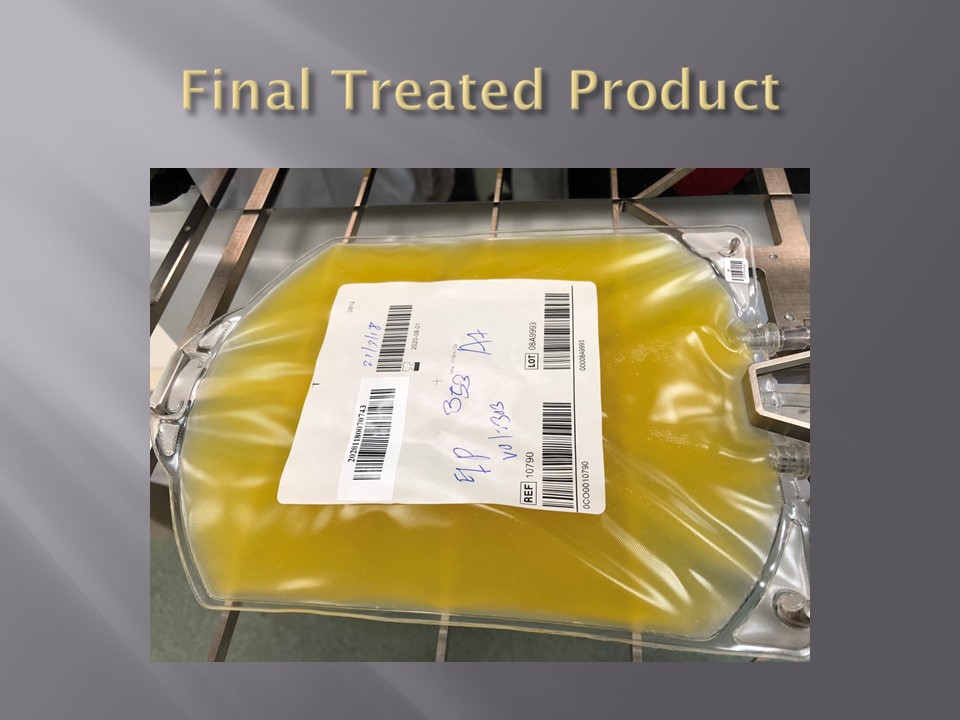
When installing the Medinfo Hematos IIG software, many of our most important interfaces (the Terumo mixed shaker, Trima, Reveos and its predecessor Atreus, Mirasol illuminator) had no developed interfaces when we started,  This was a risk;  but actually those interfaces were developed in a few weeks and fully functional.  In fact, we were the first site in the world to have those interfaces working—and without any Middleware.

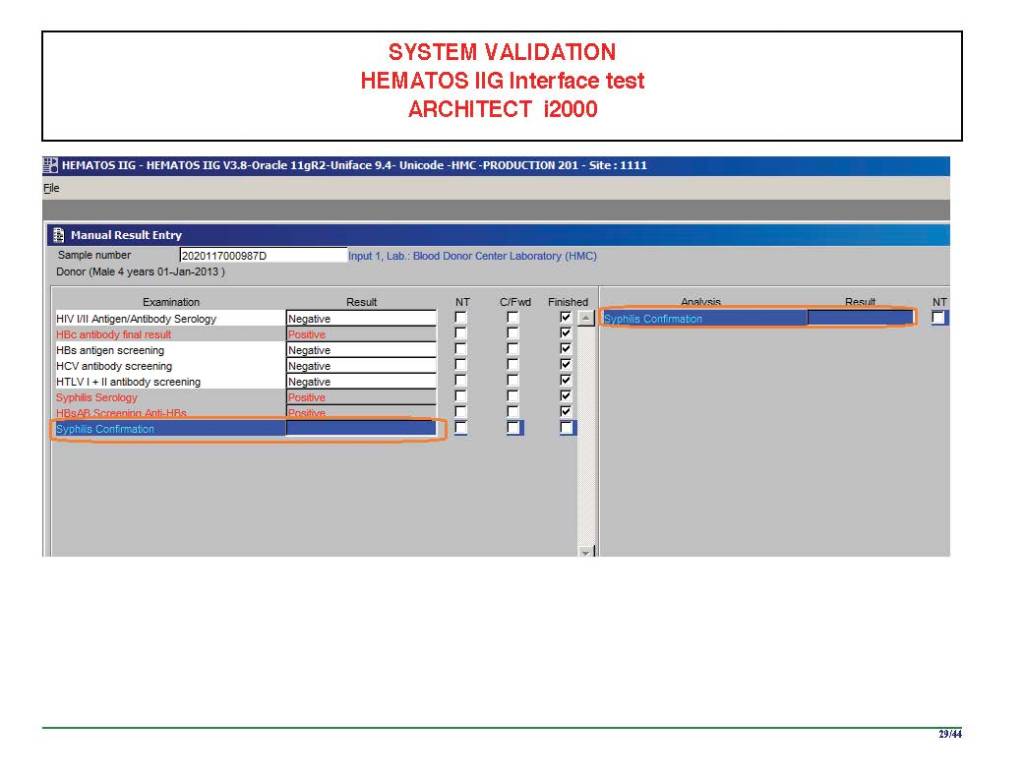
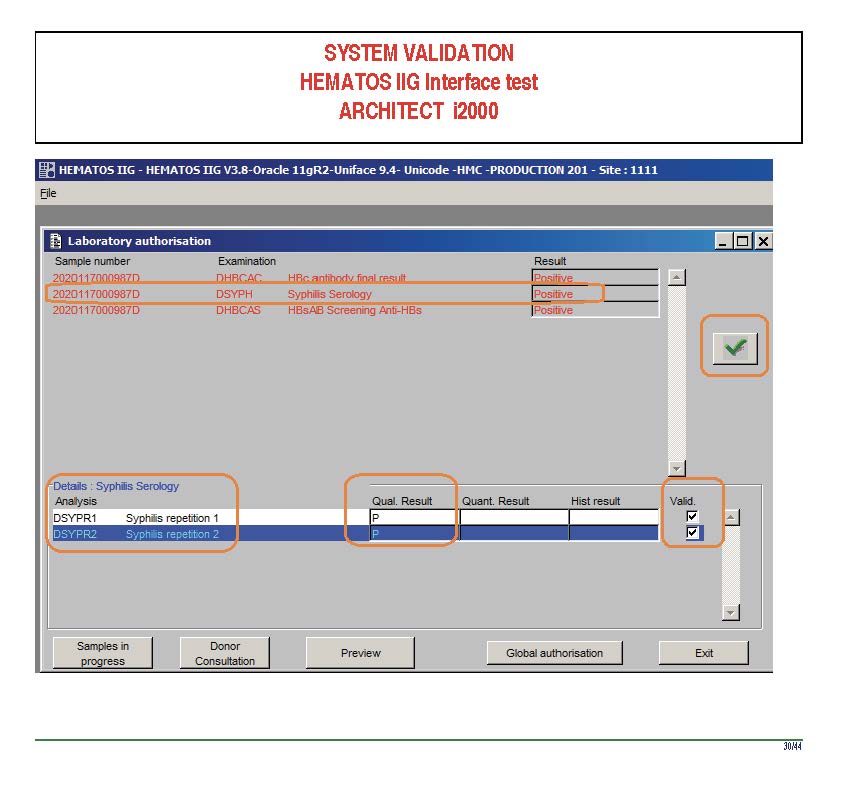
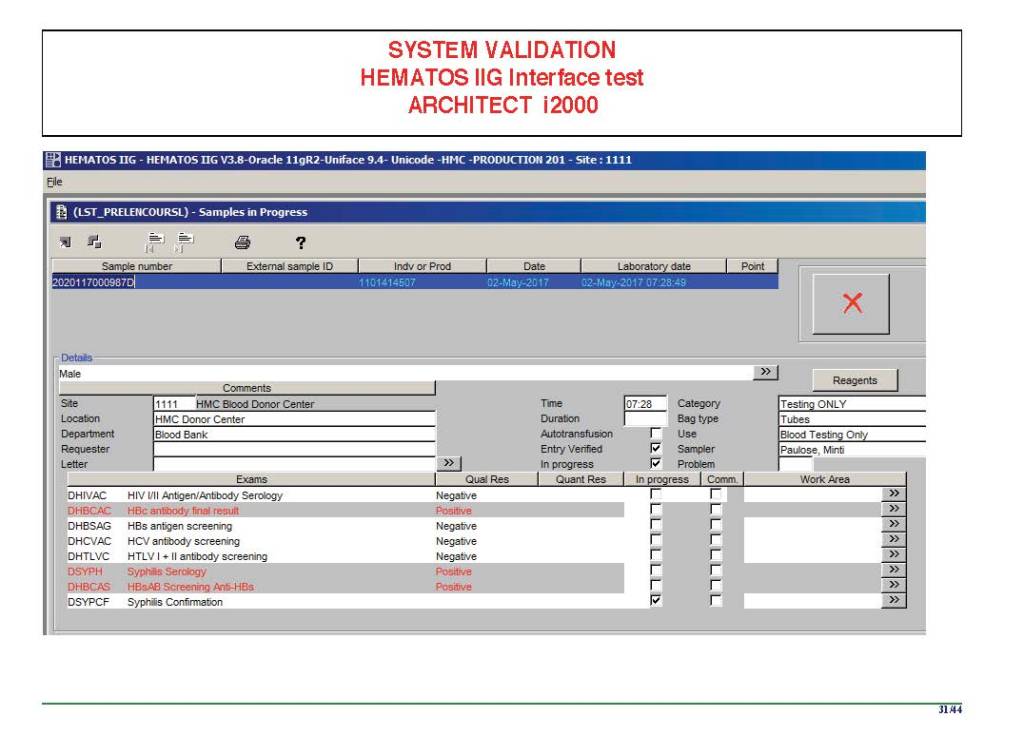
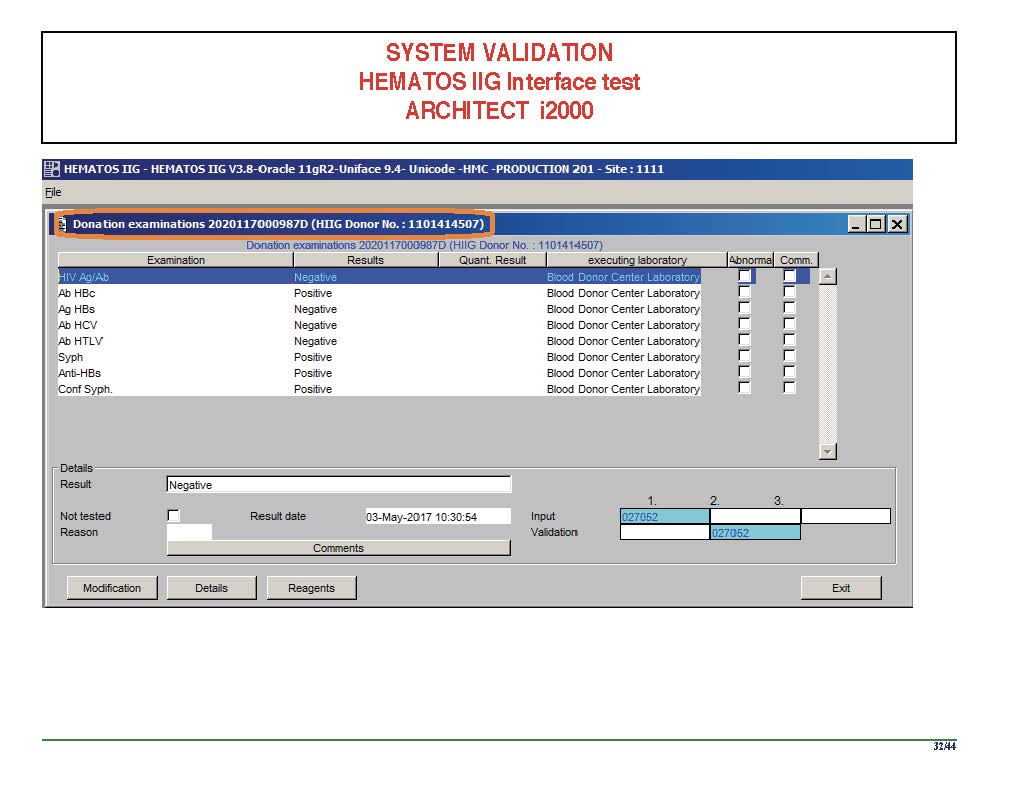
In general, the blood bank software vendor installed the completed interface and did some low-level testing.  Then, my blood bank computer team did the testing.  The final responsibility for testing and acceptance was with the end-user blood bank team.

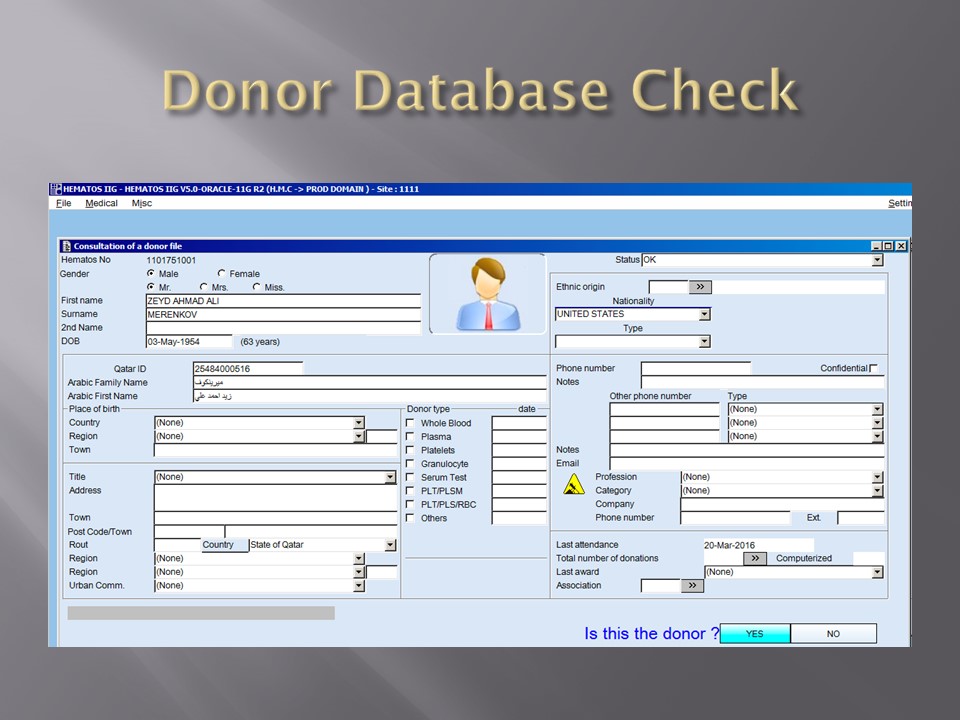
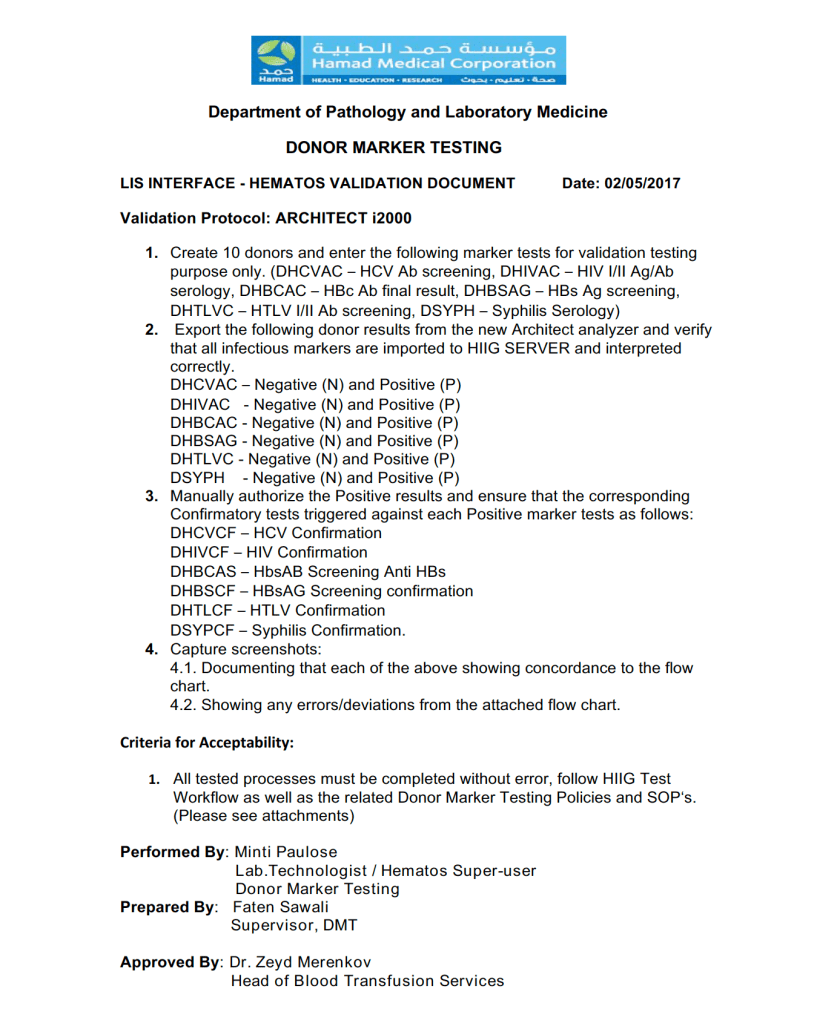
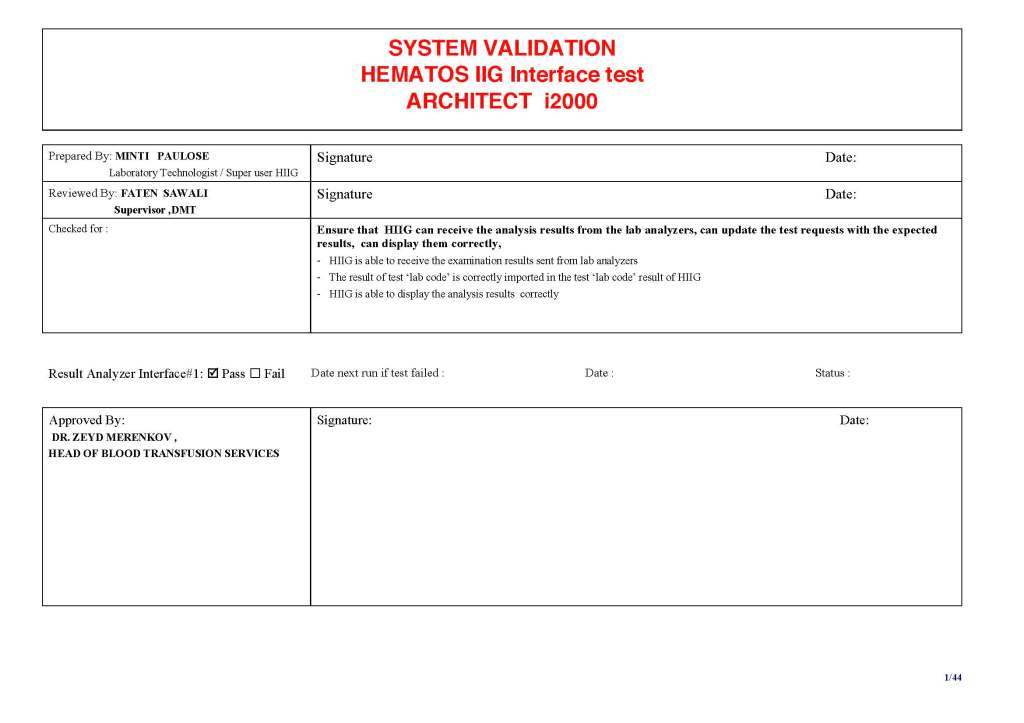
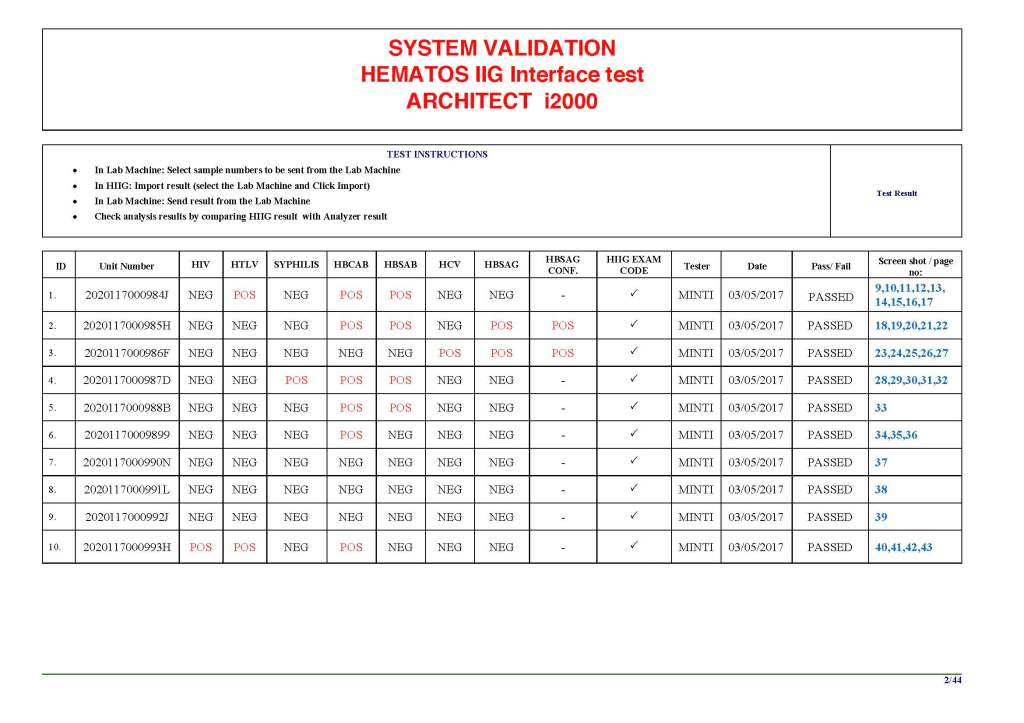
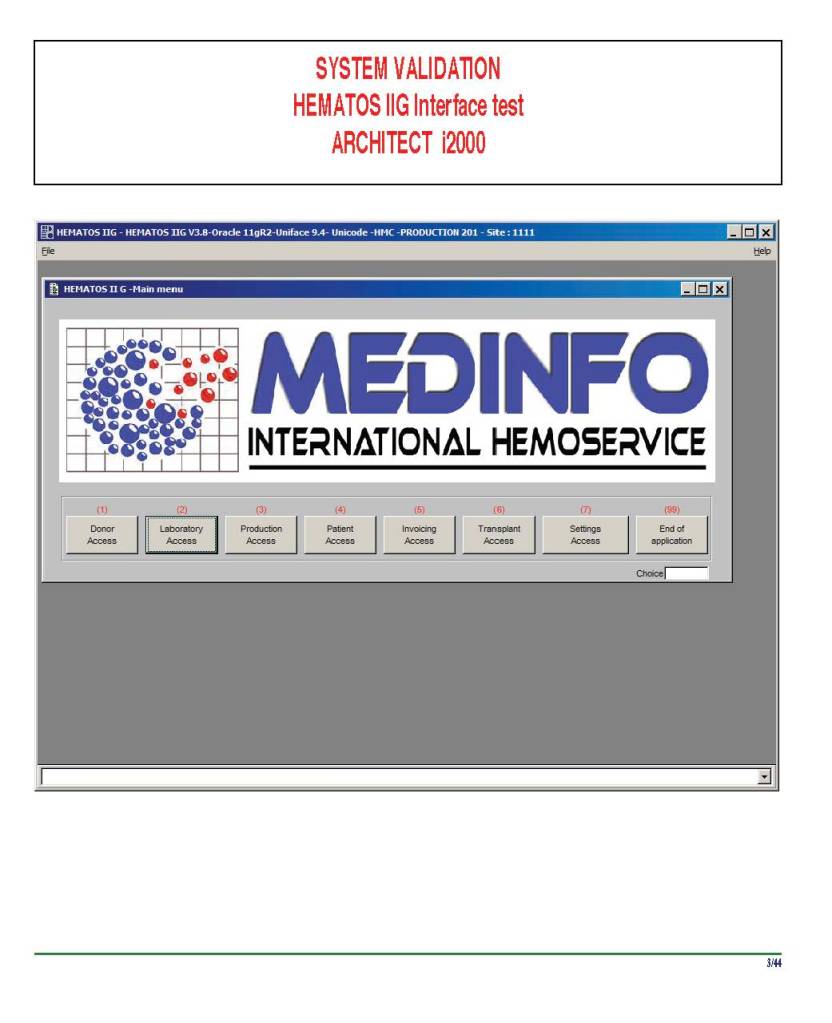
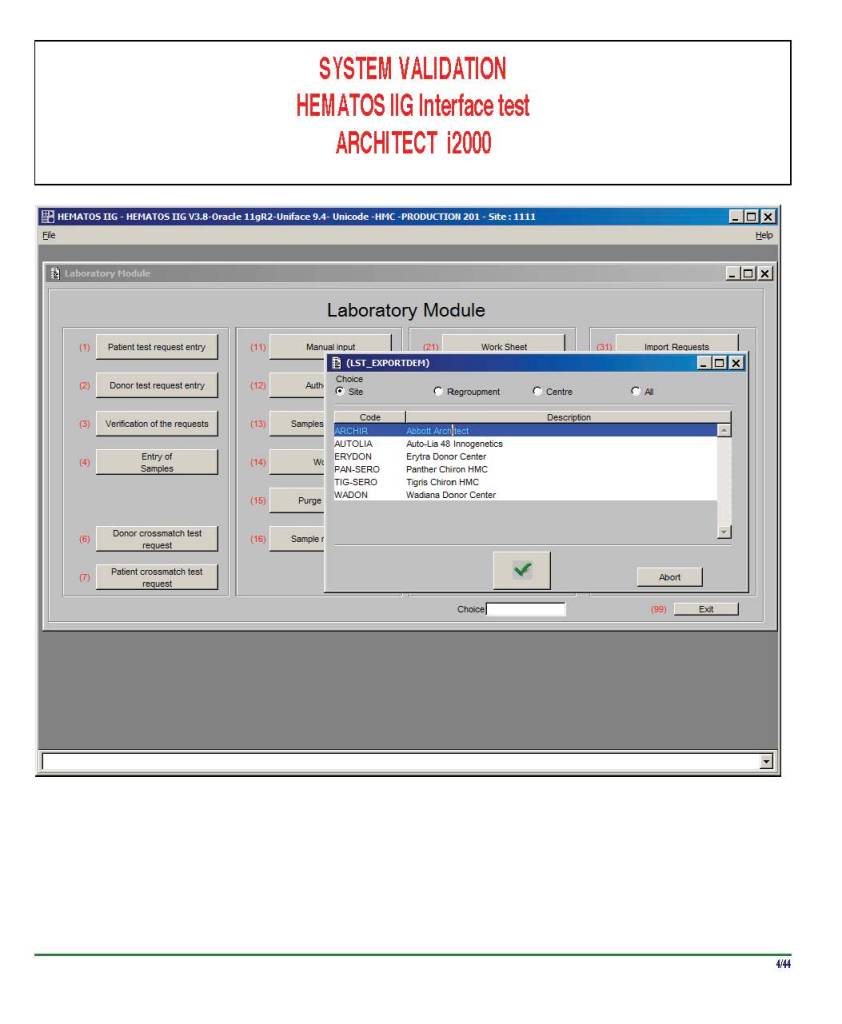
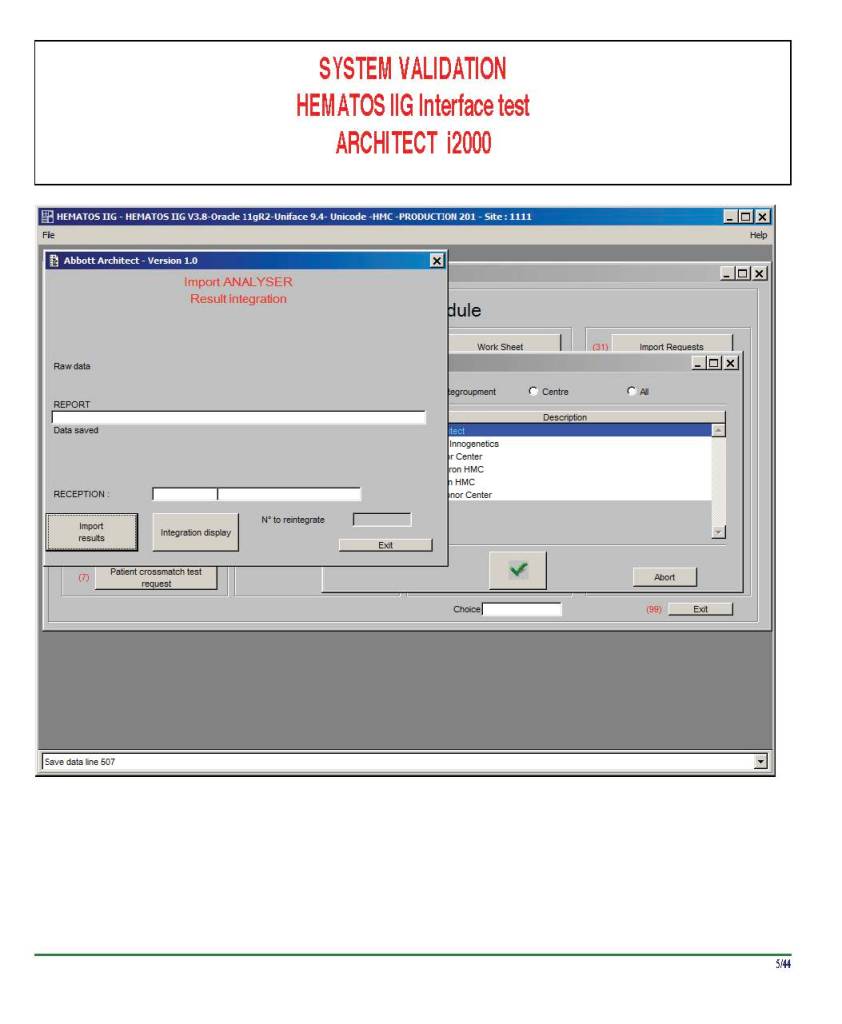
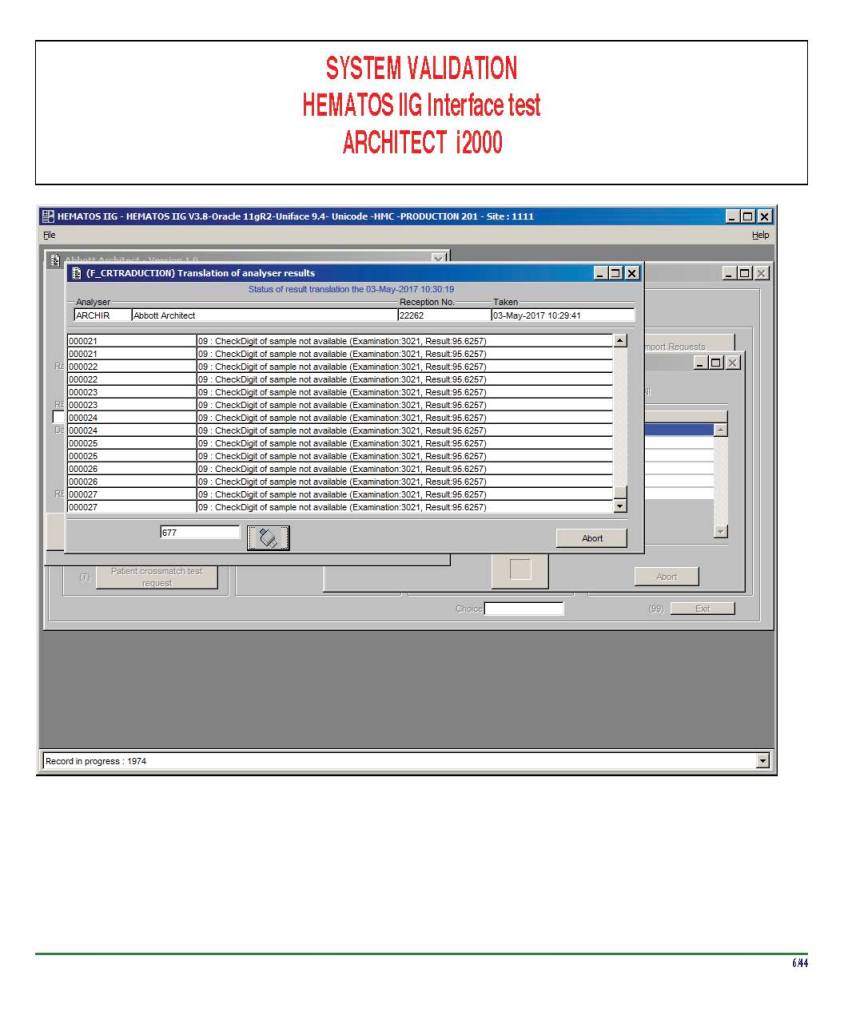
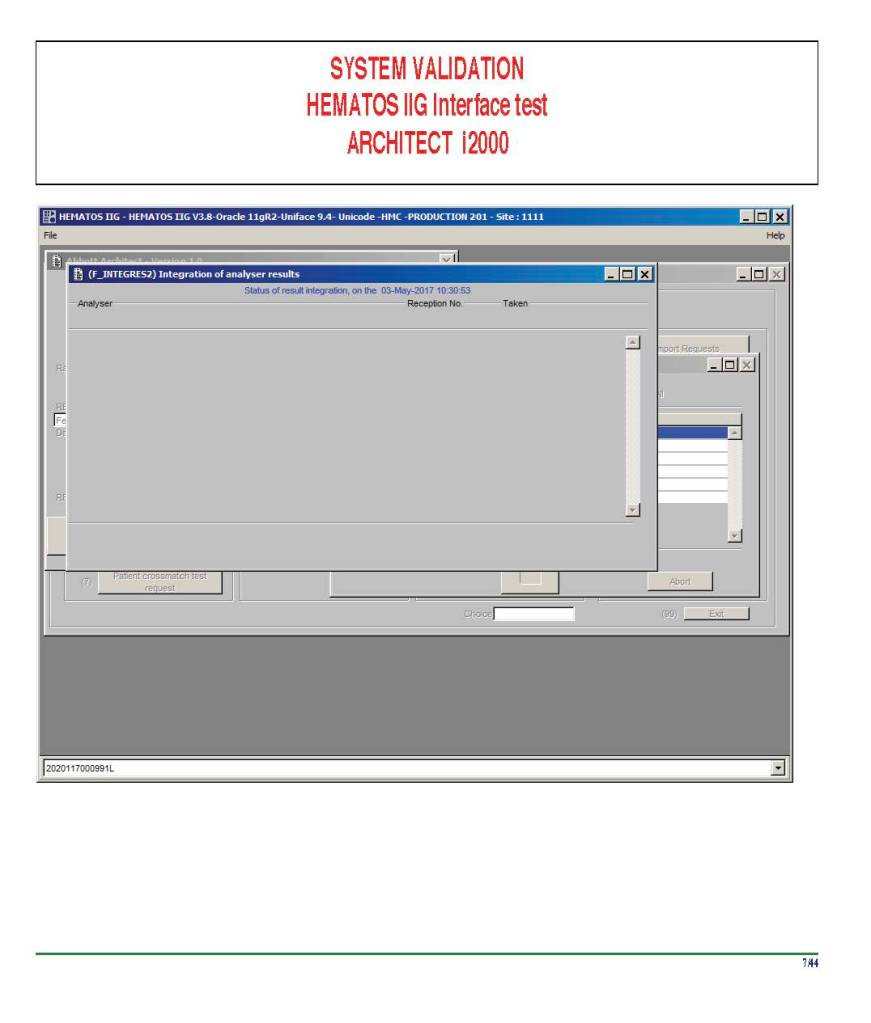
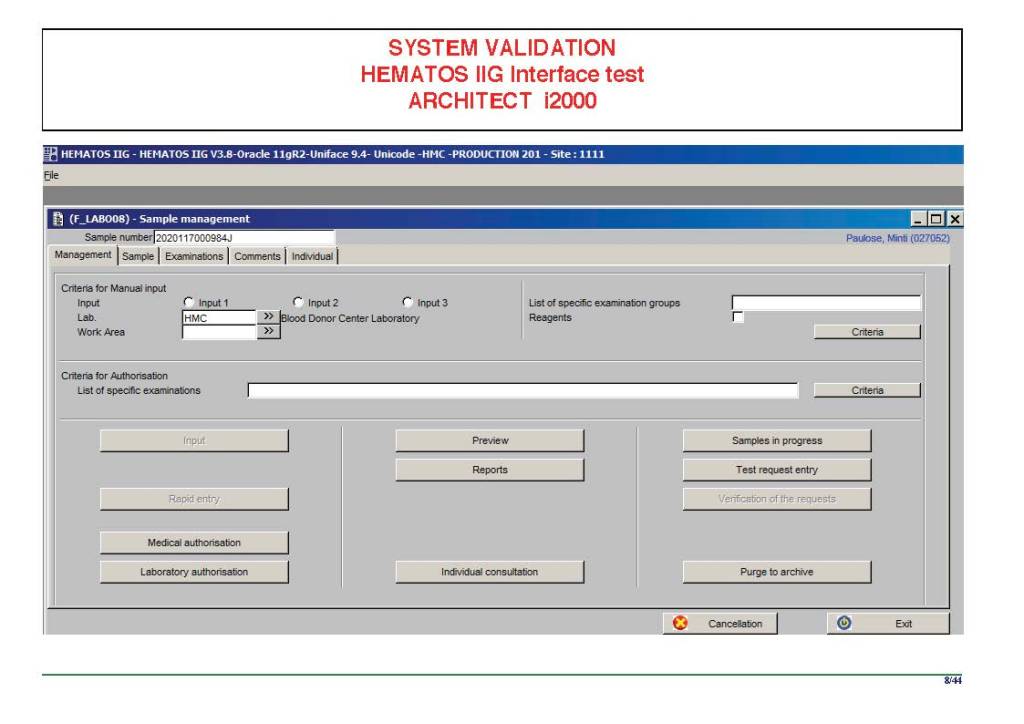
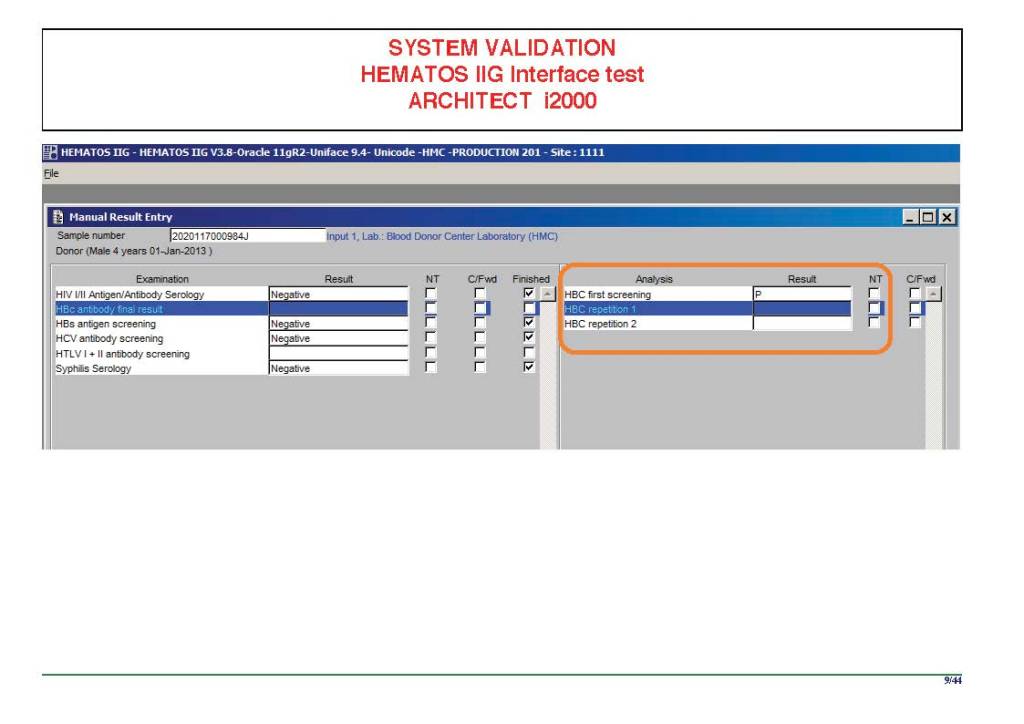
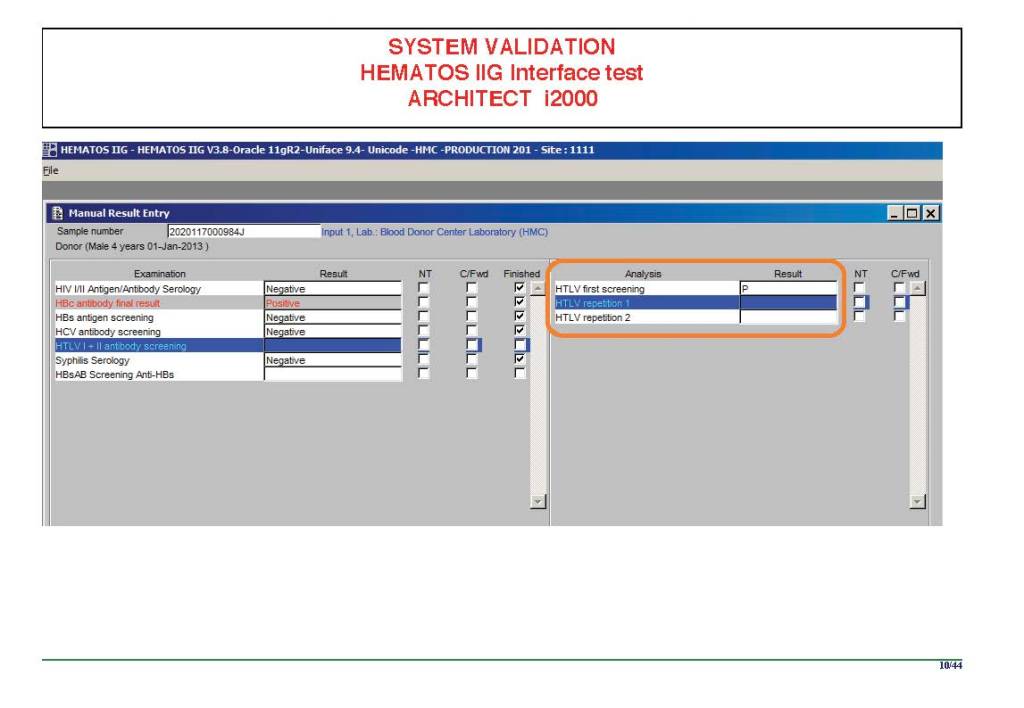
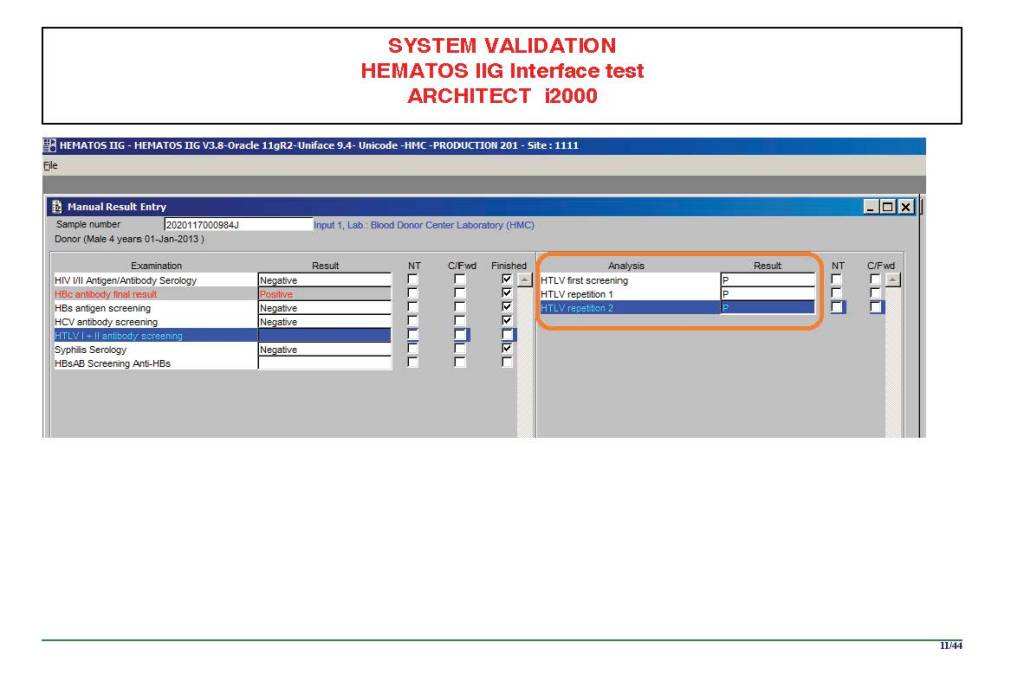
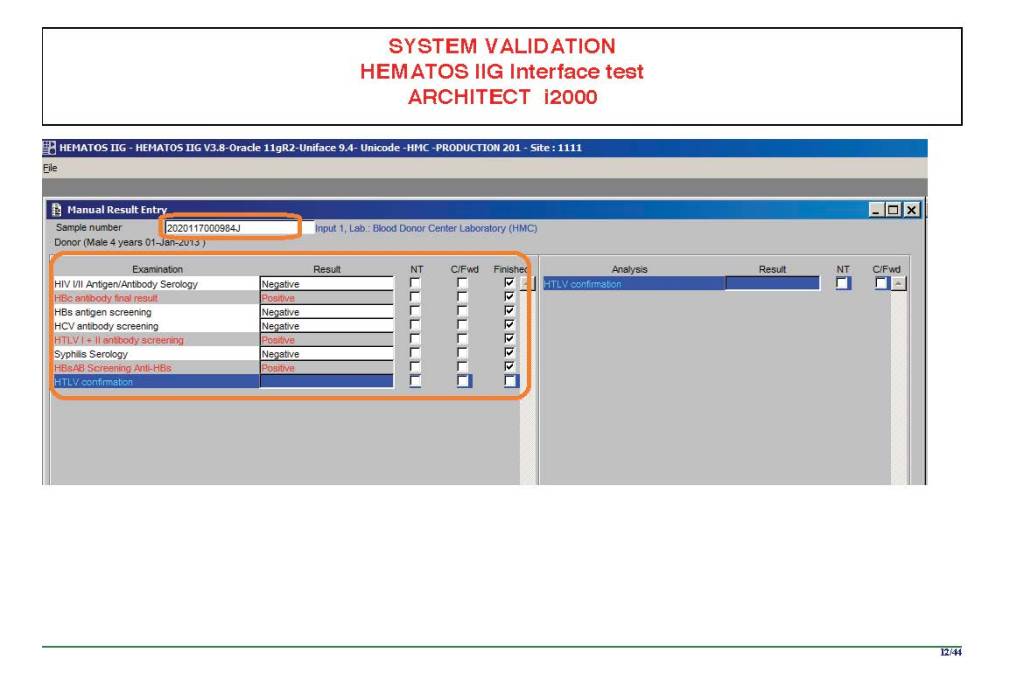
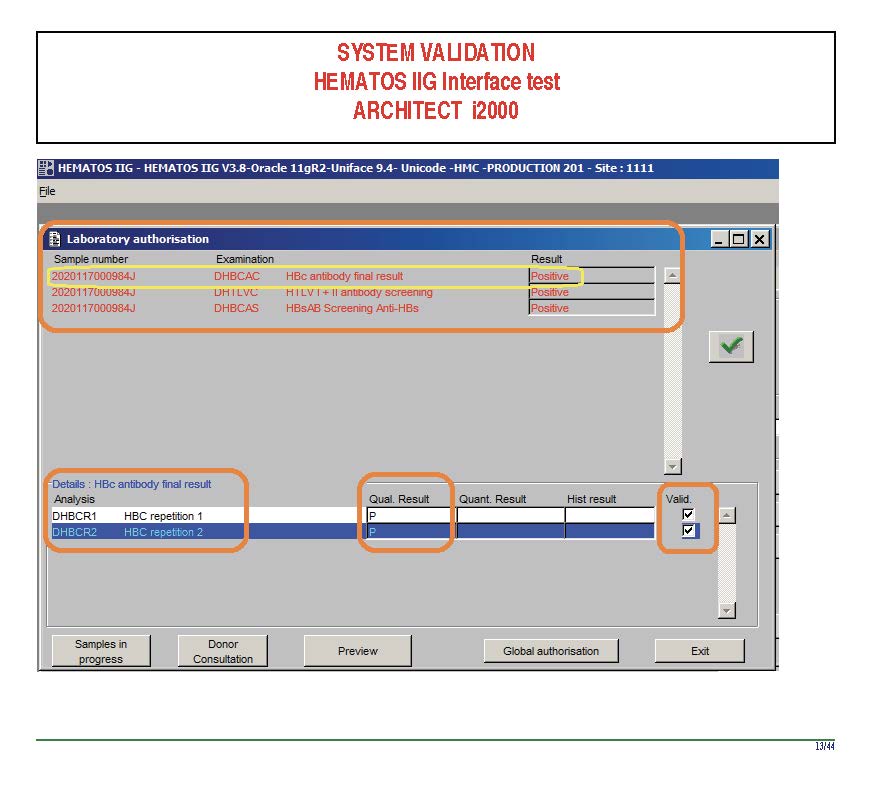
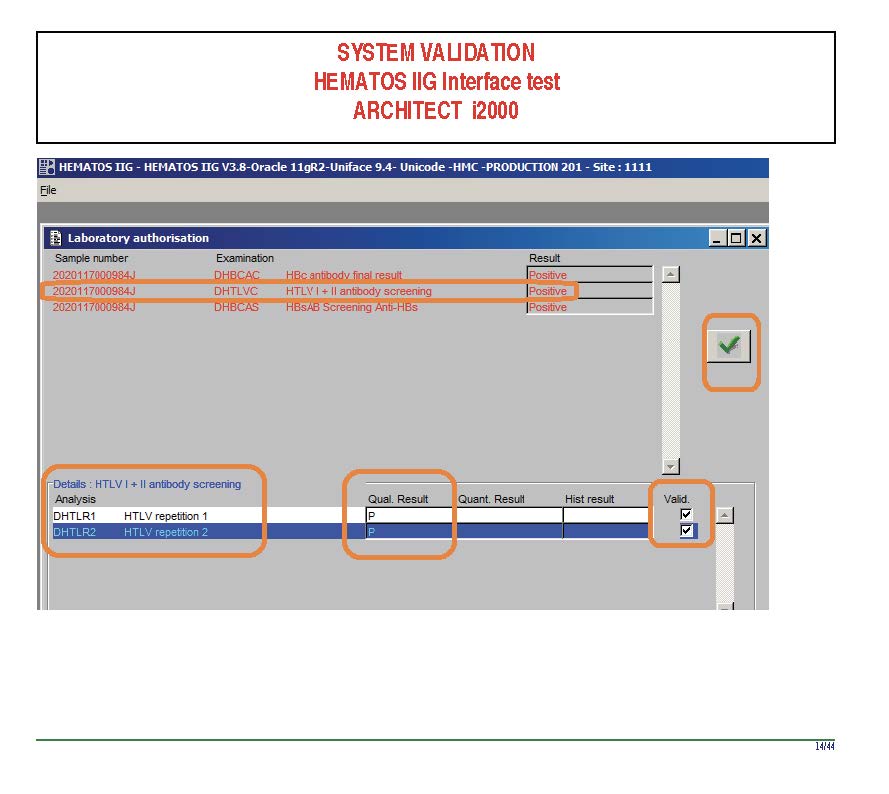
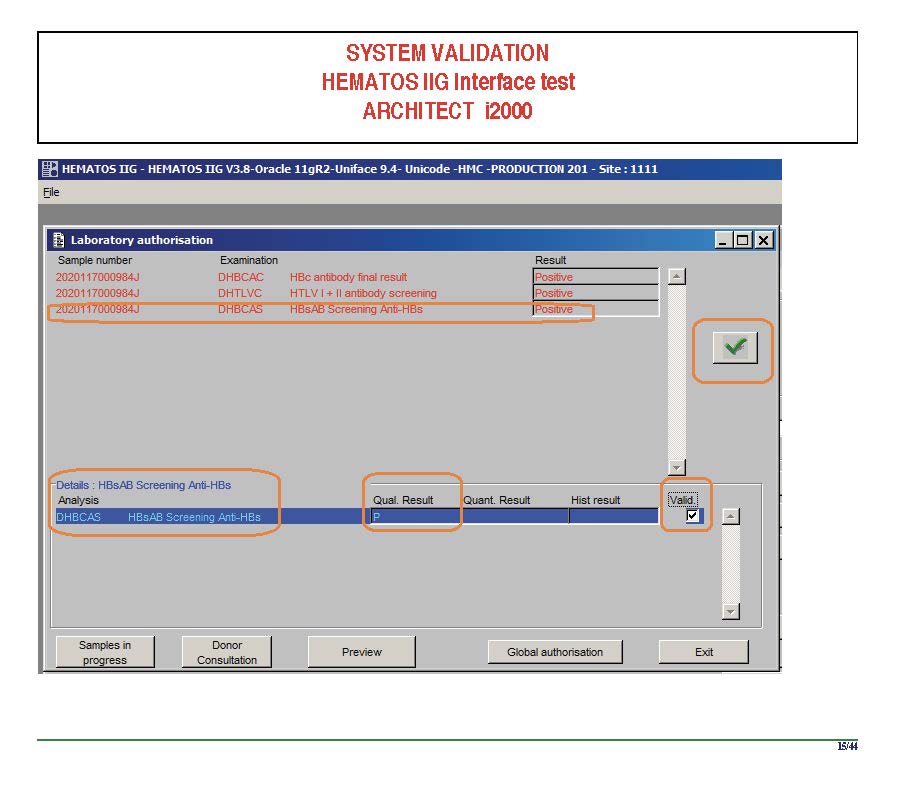
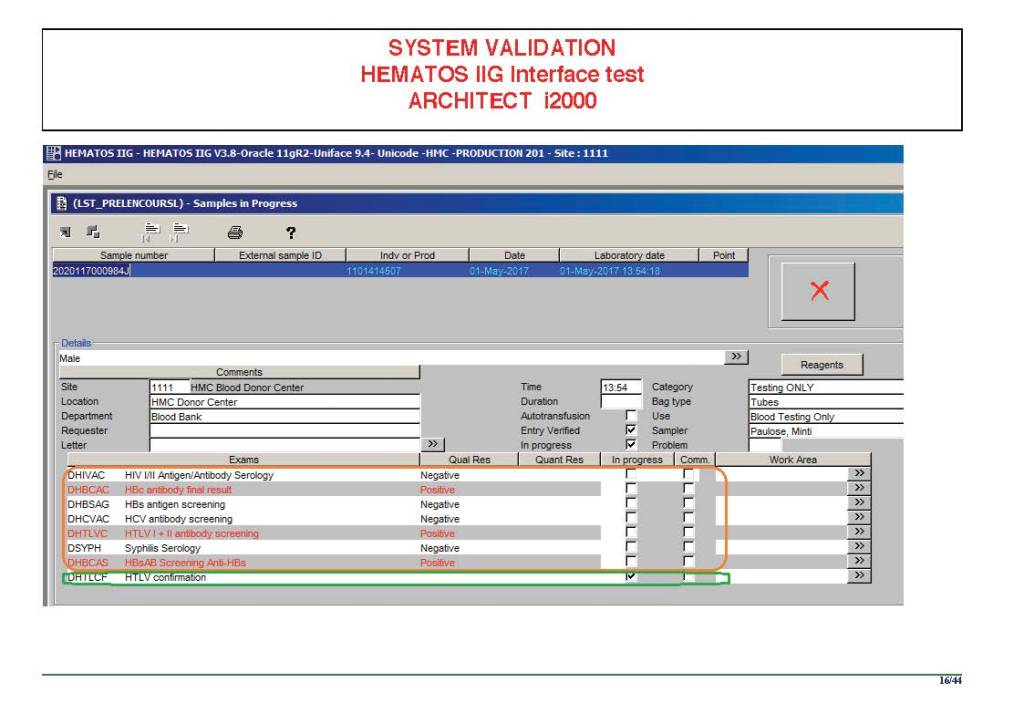
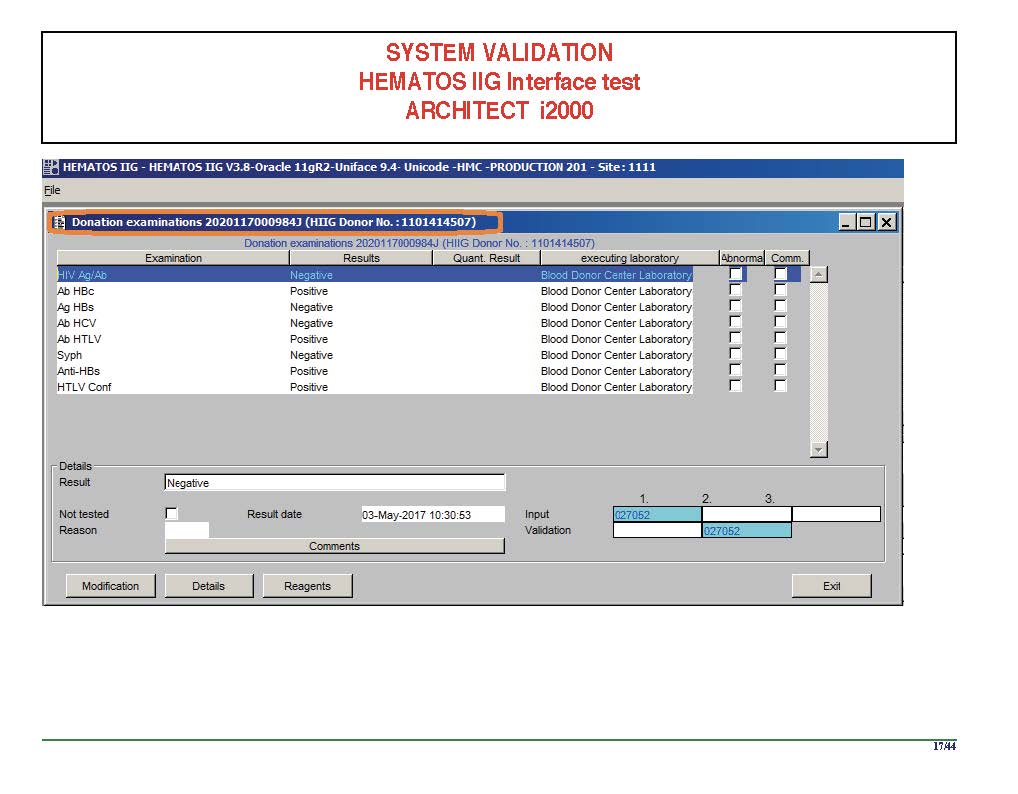
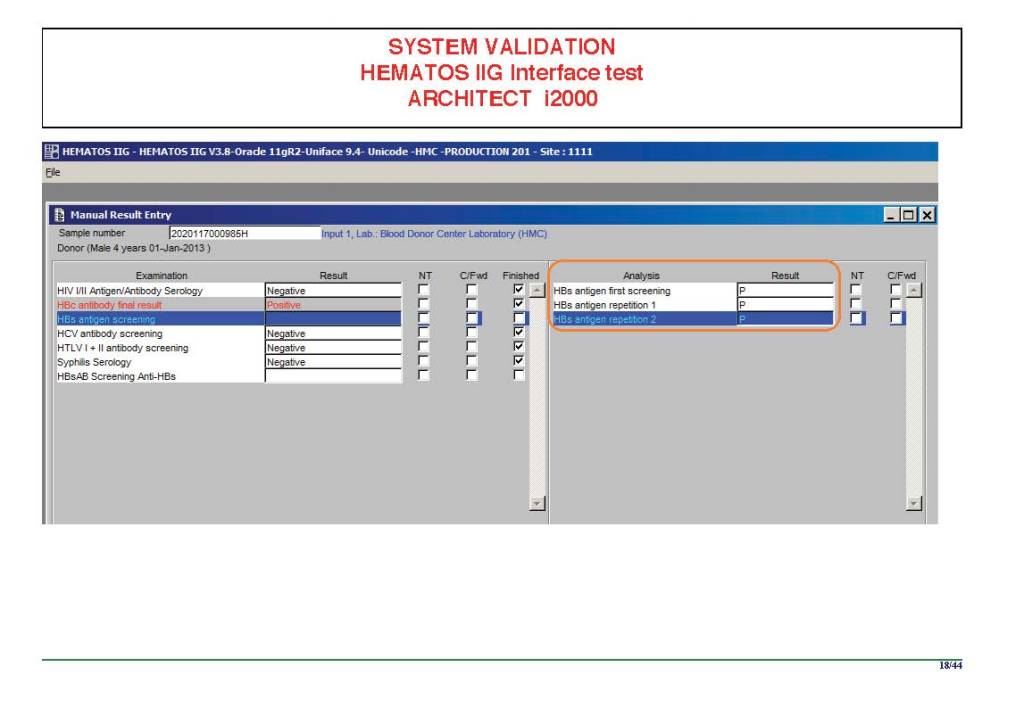
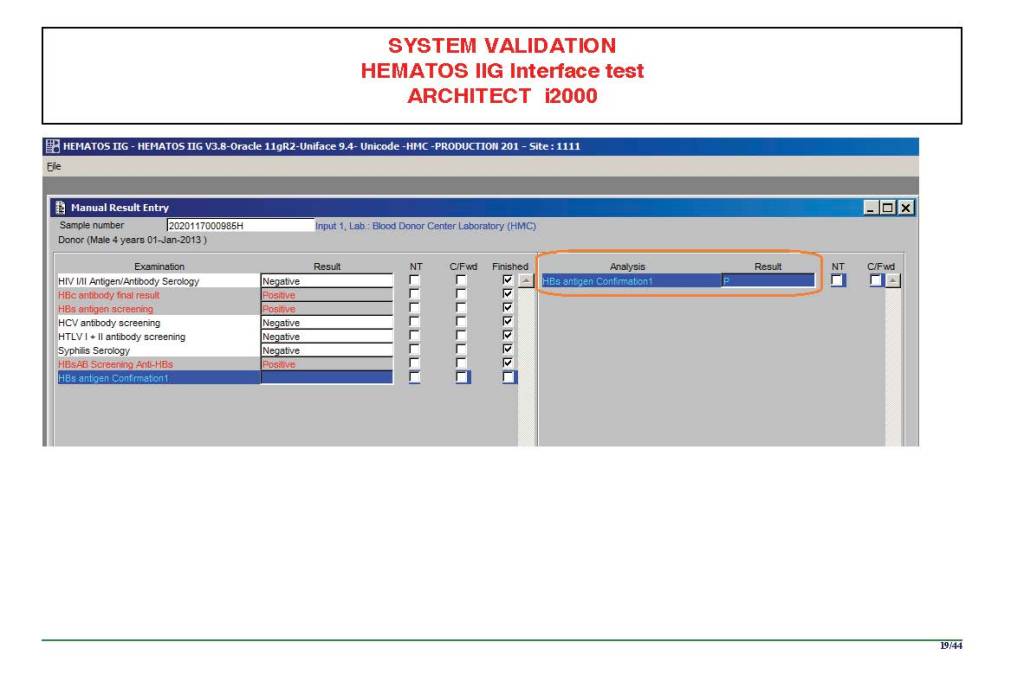
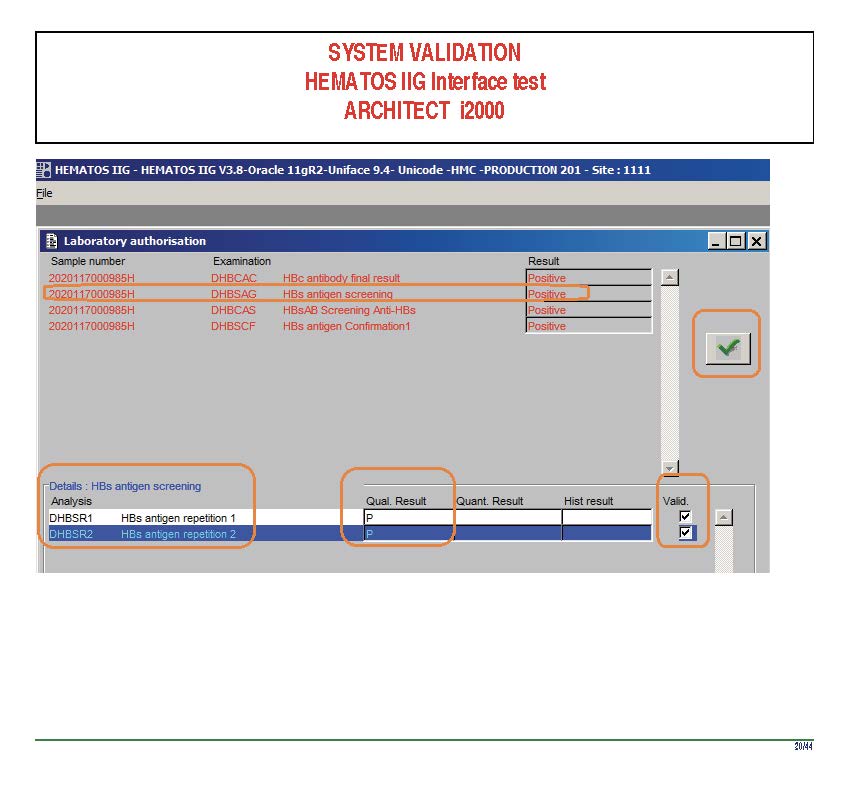
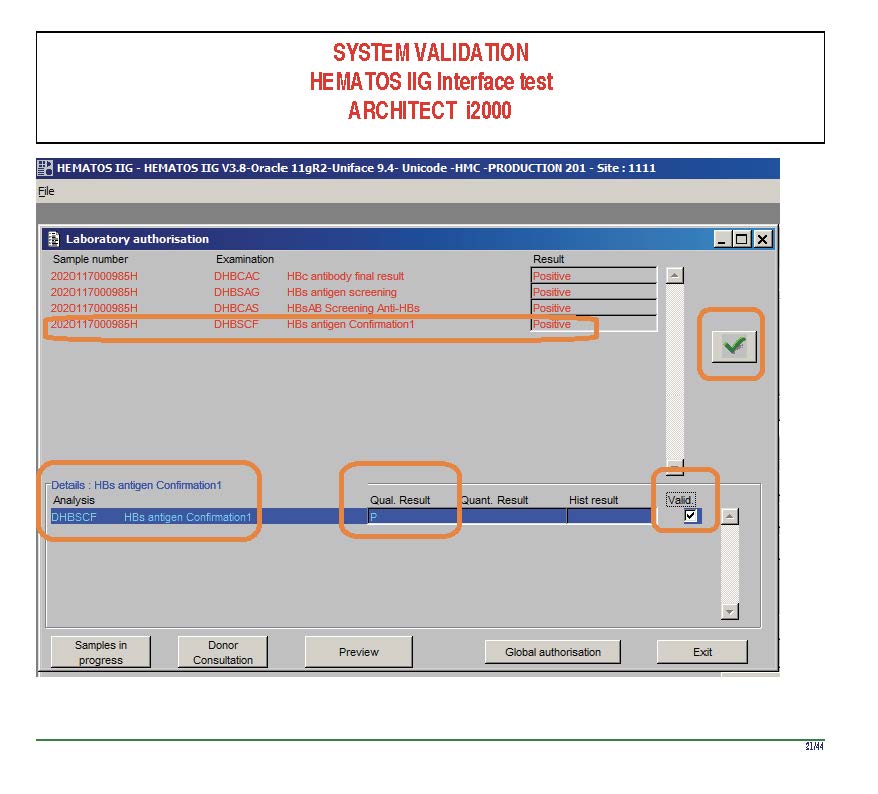
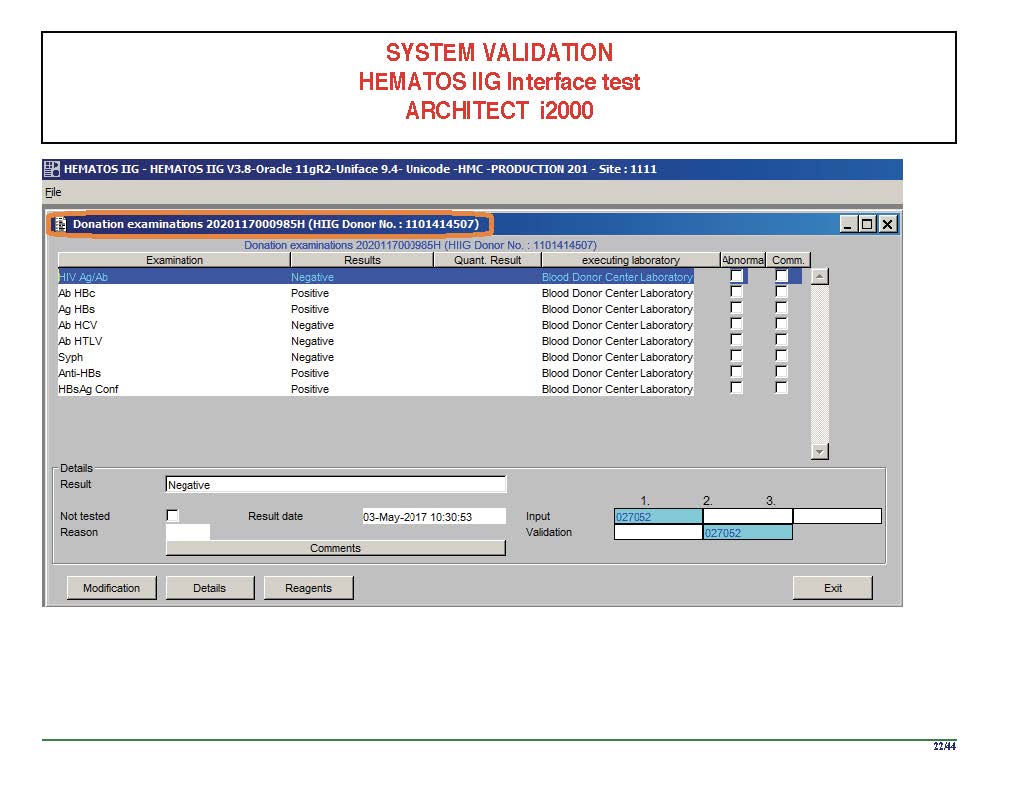
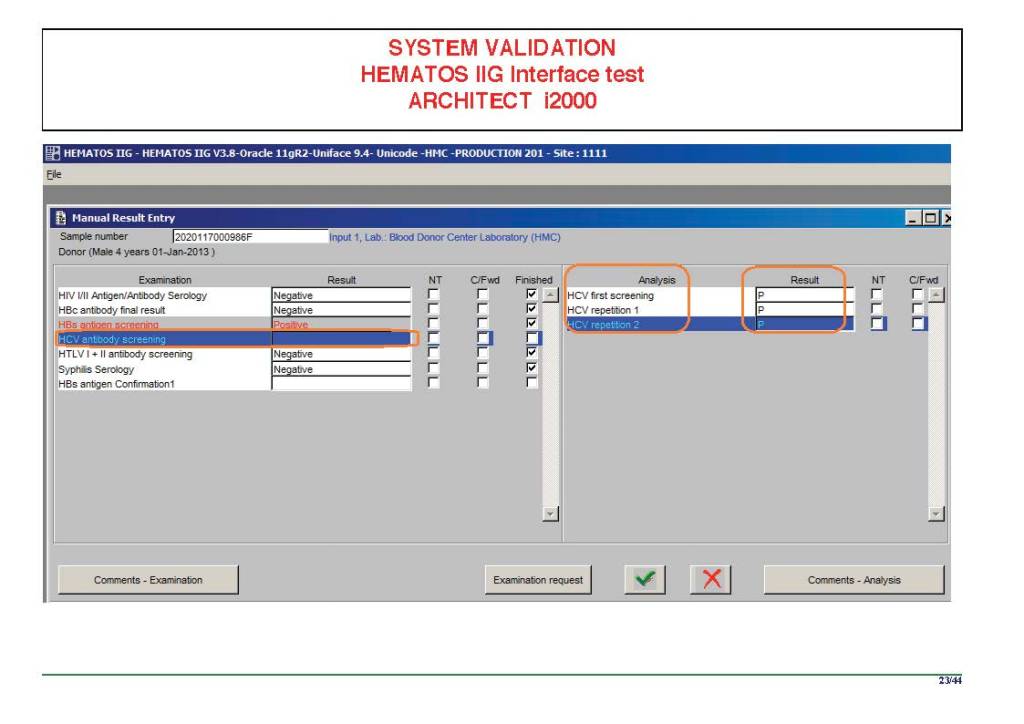
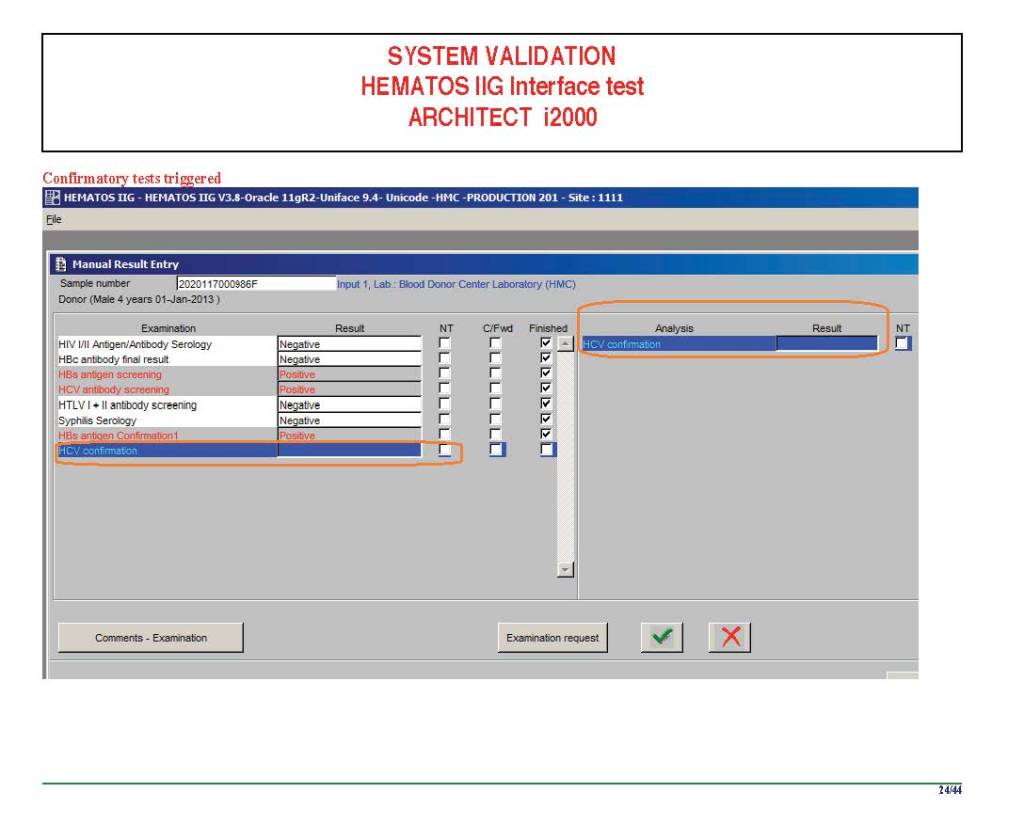
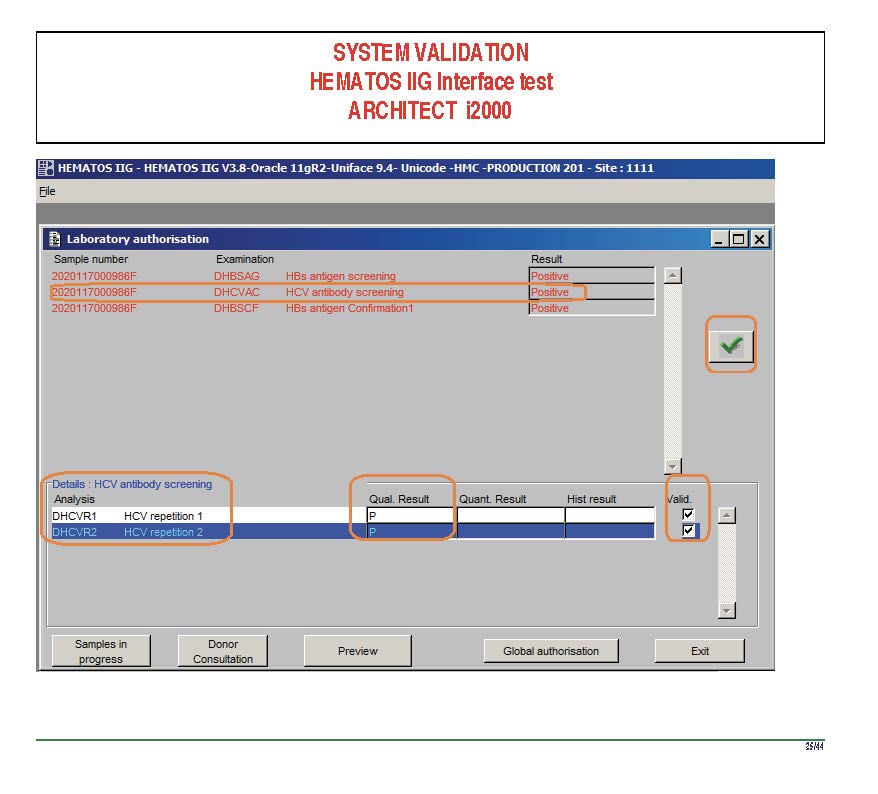
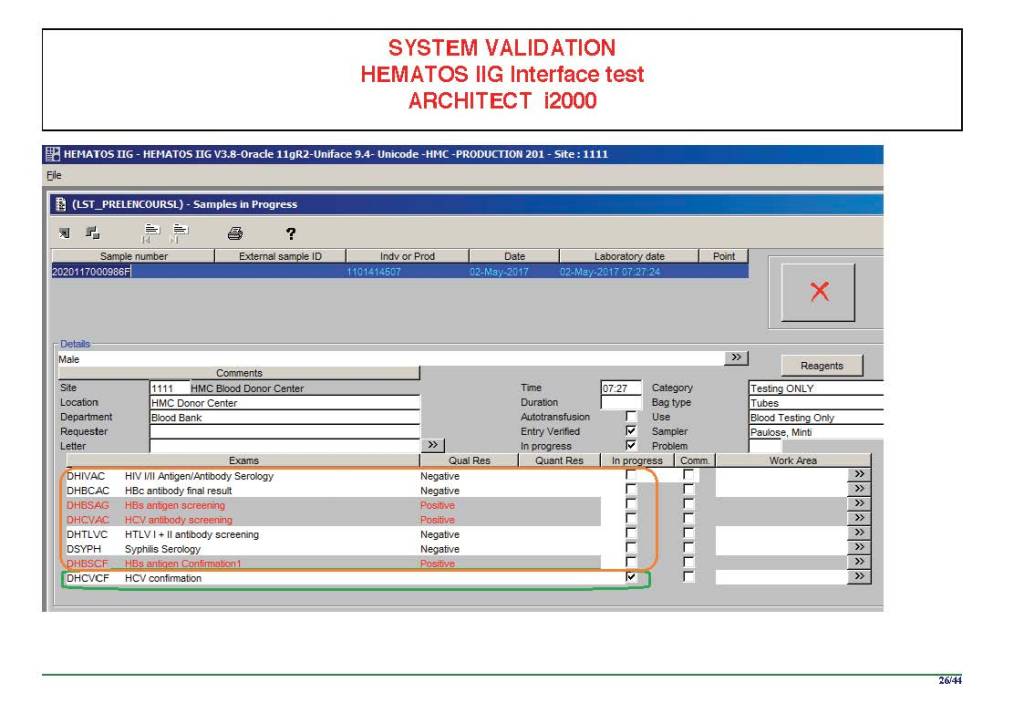
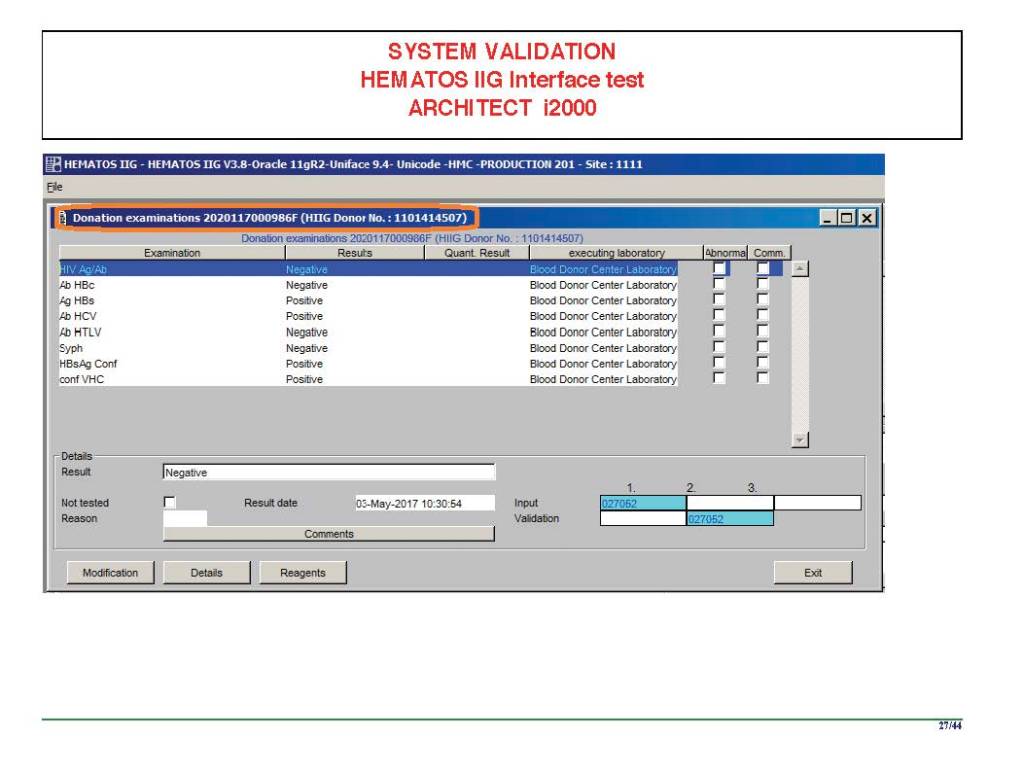
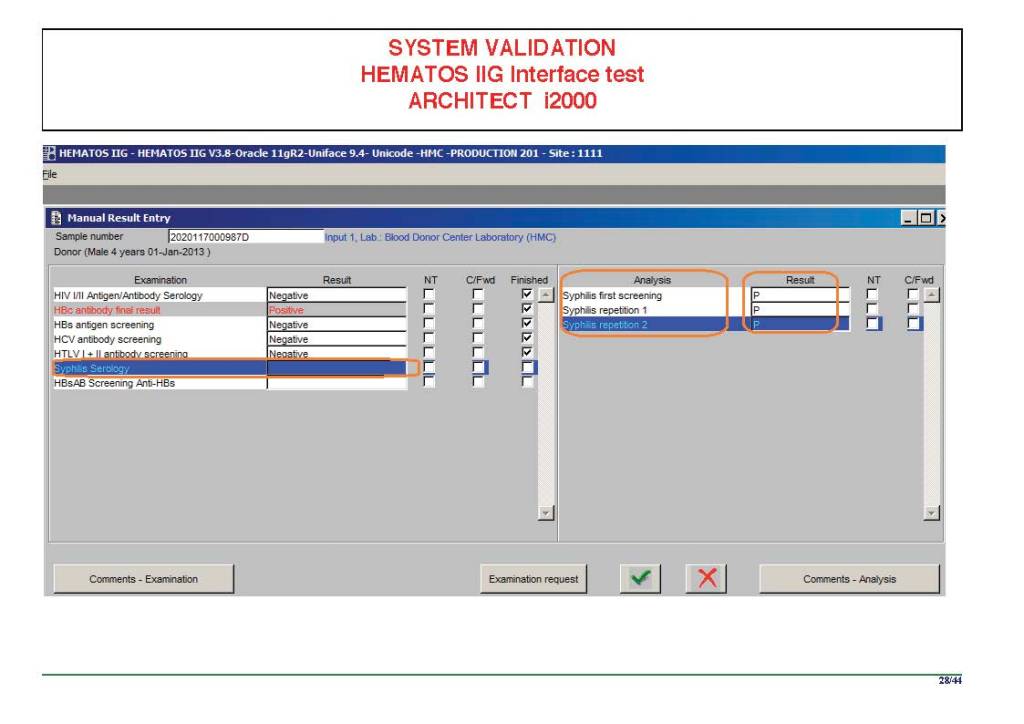
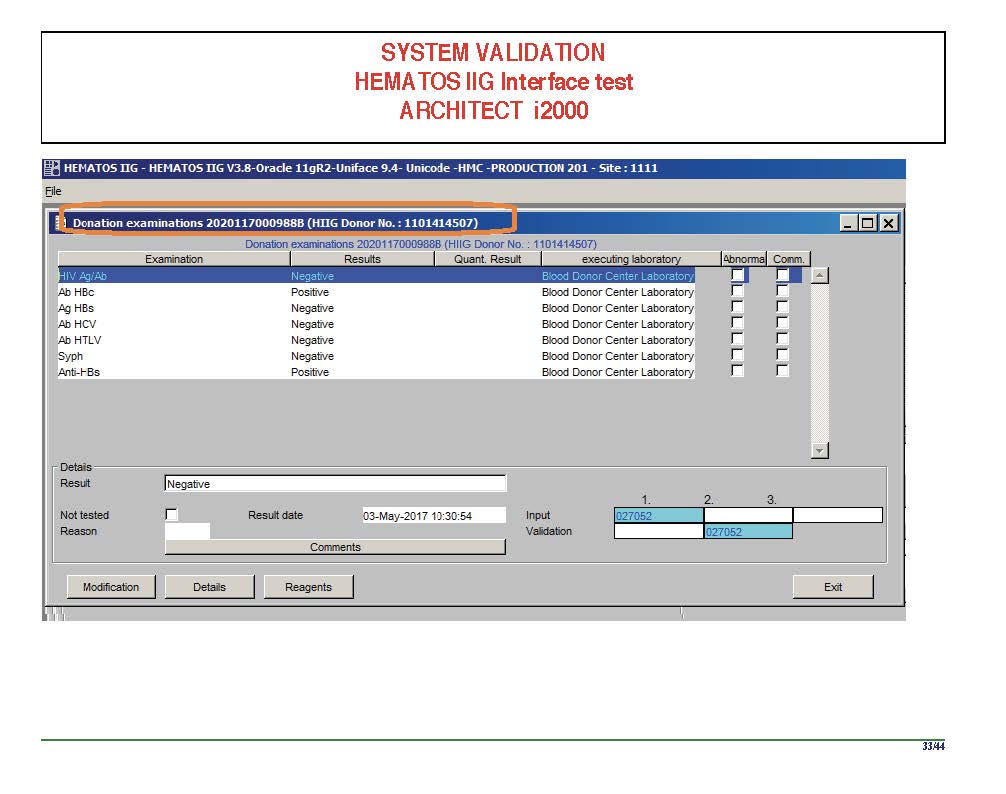
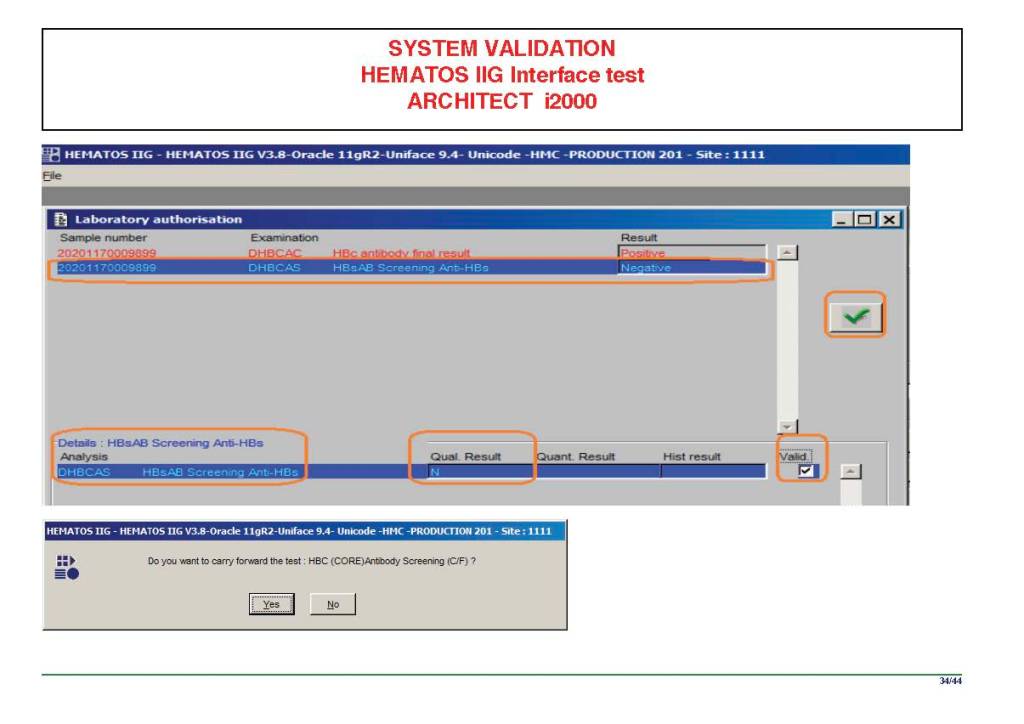
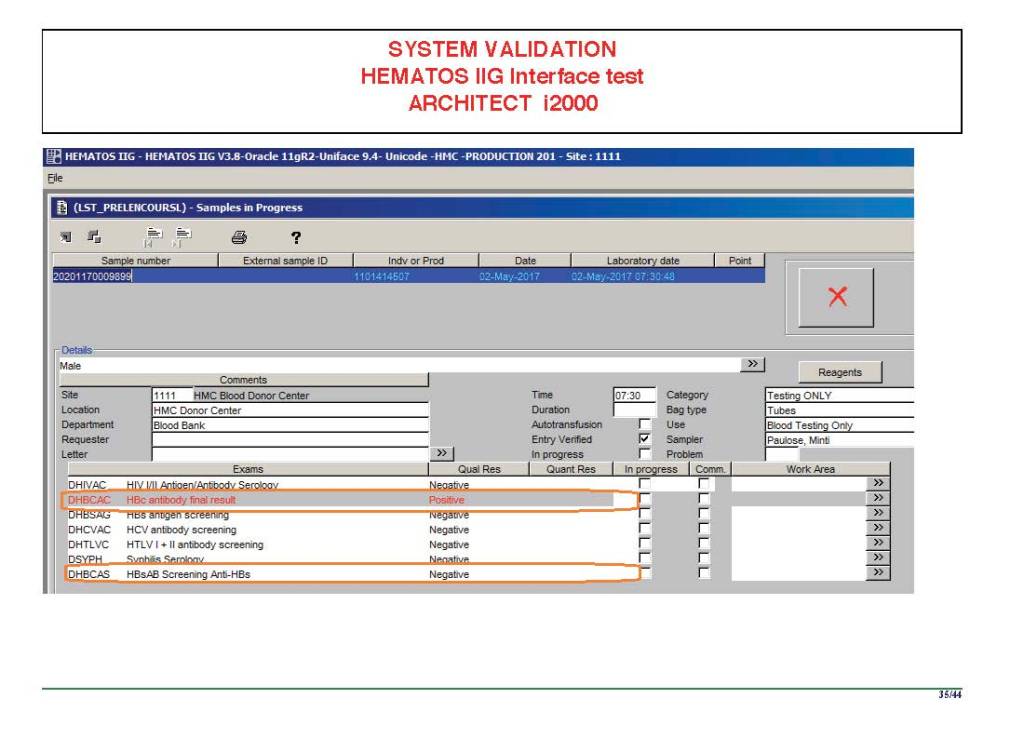
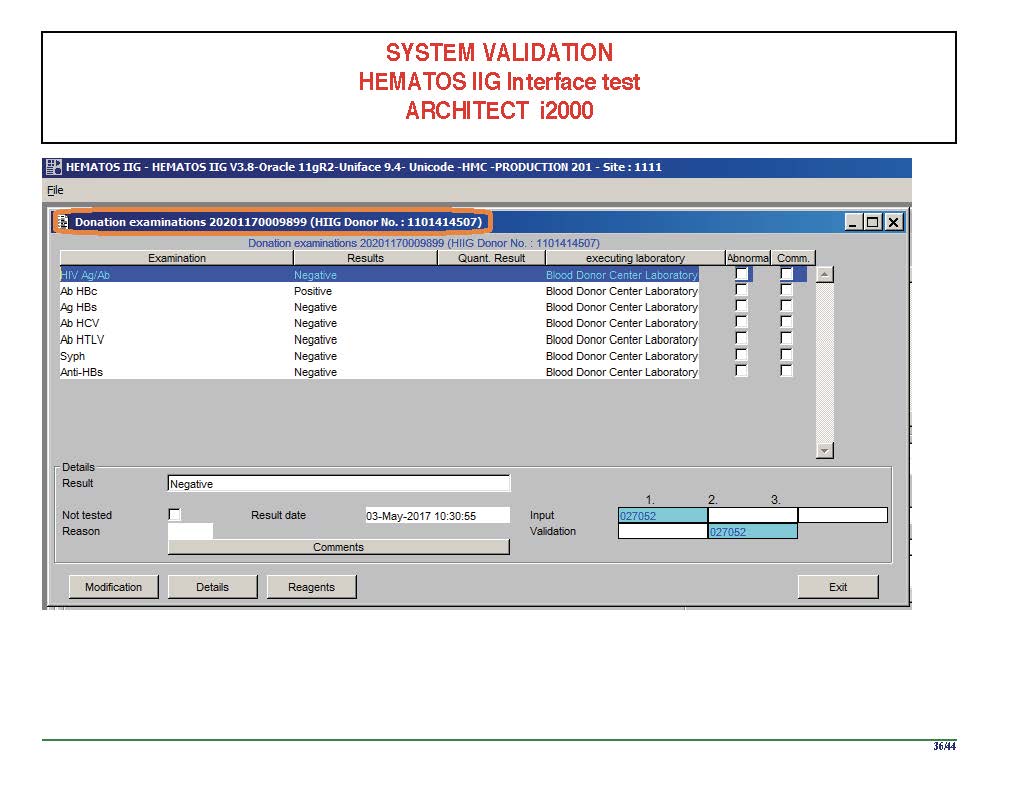
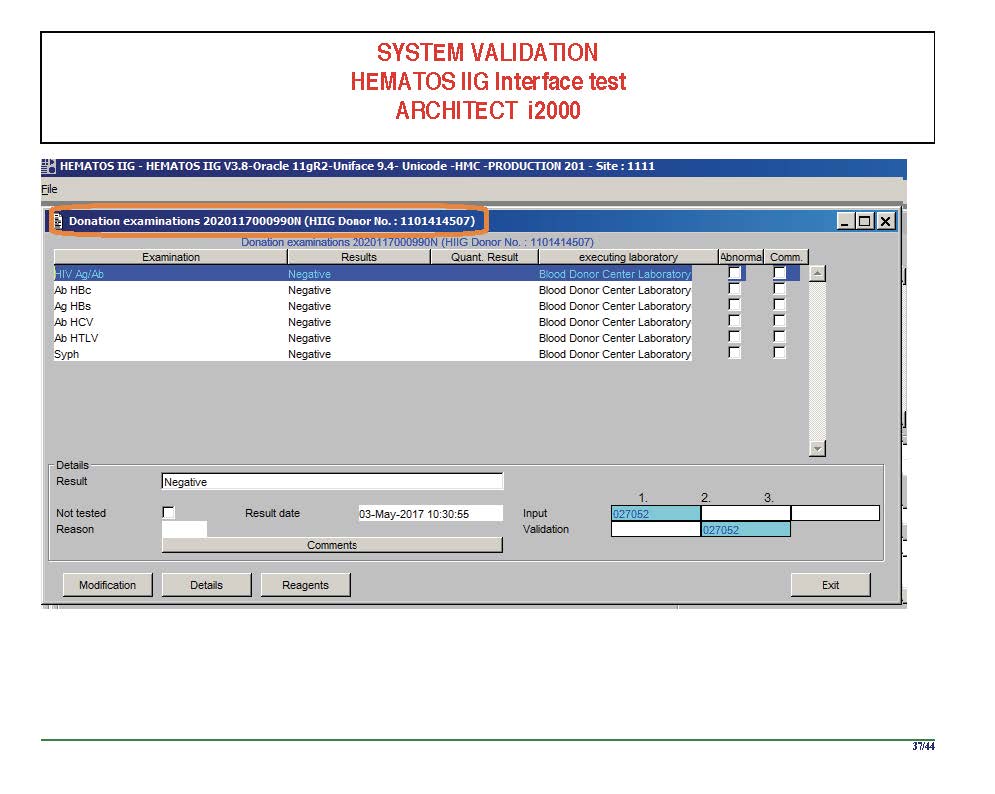
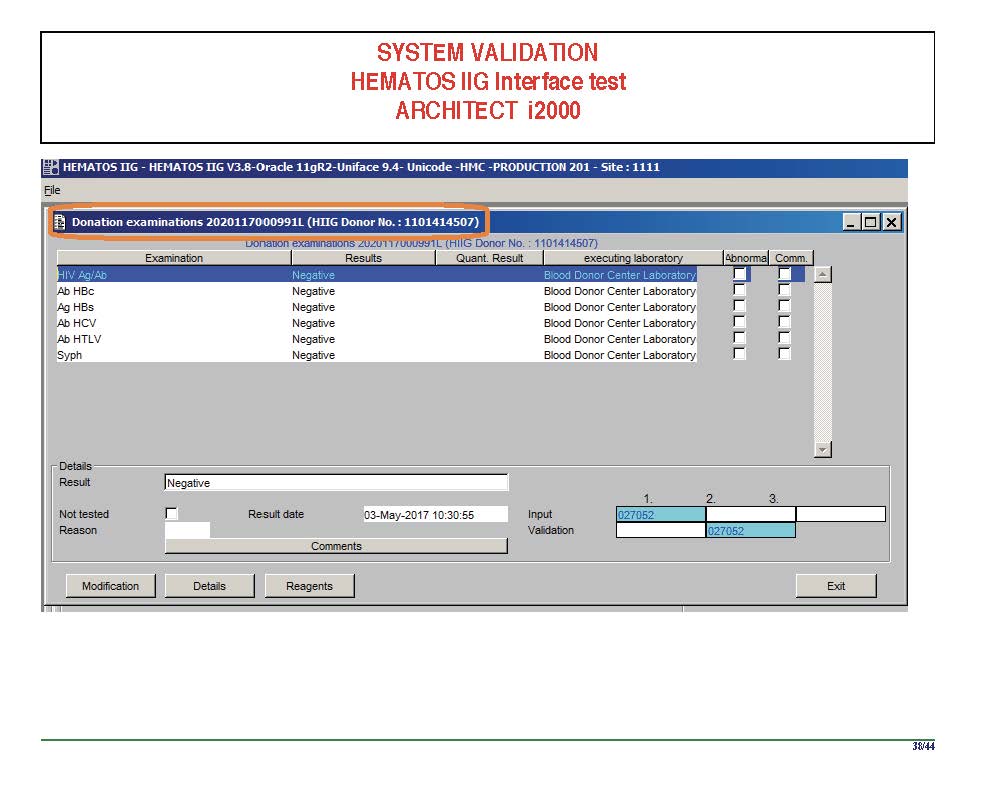
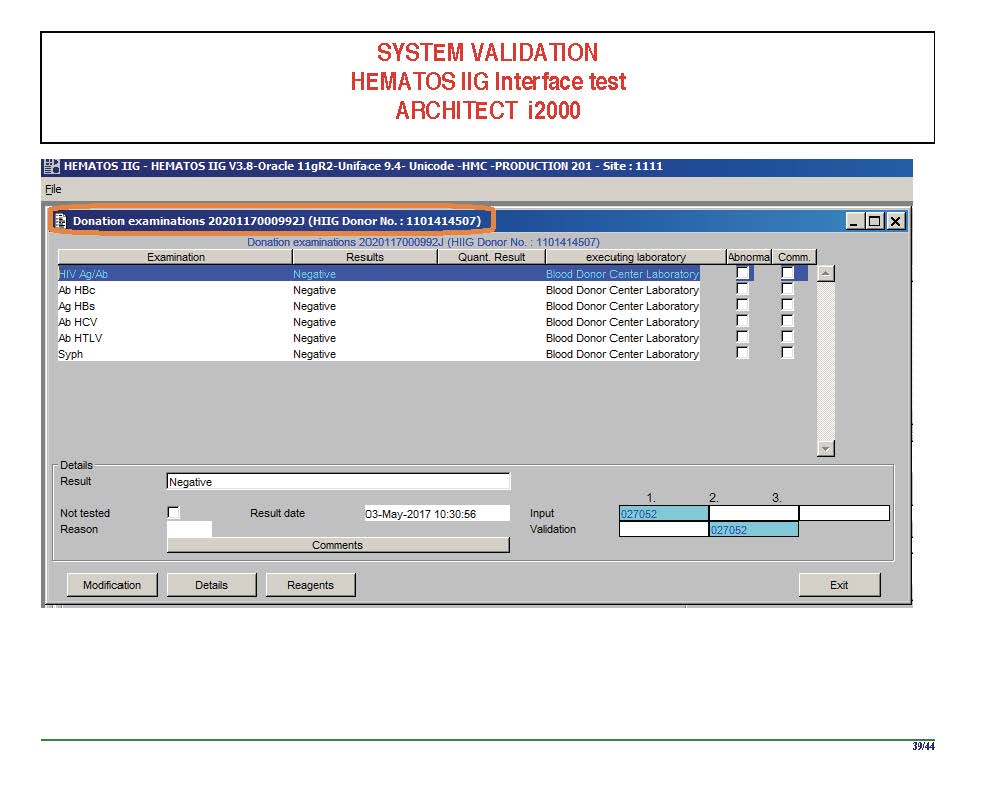
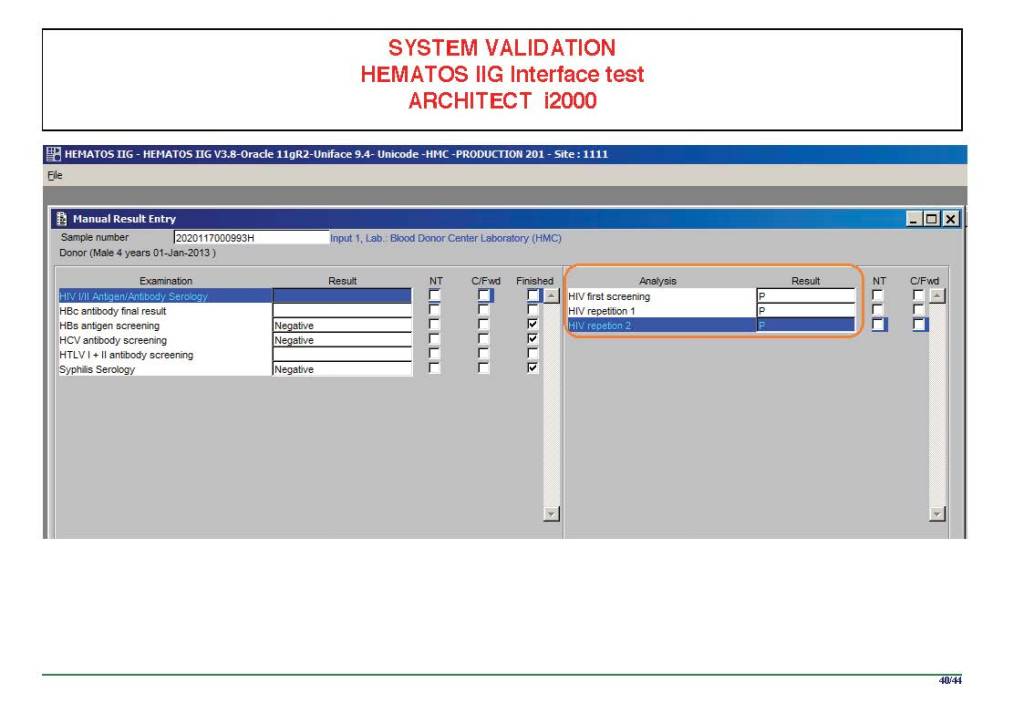
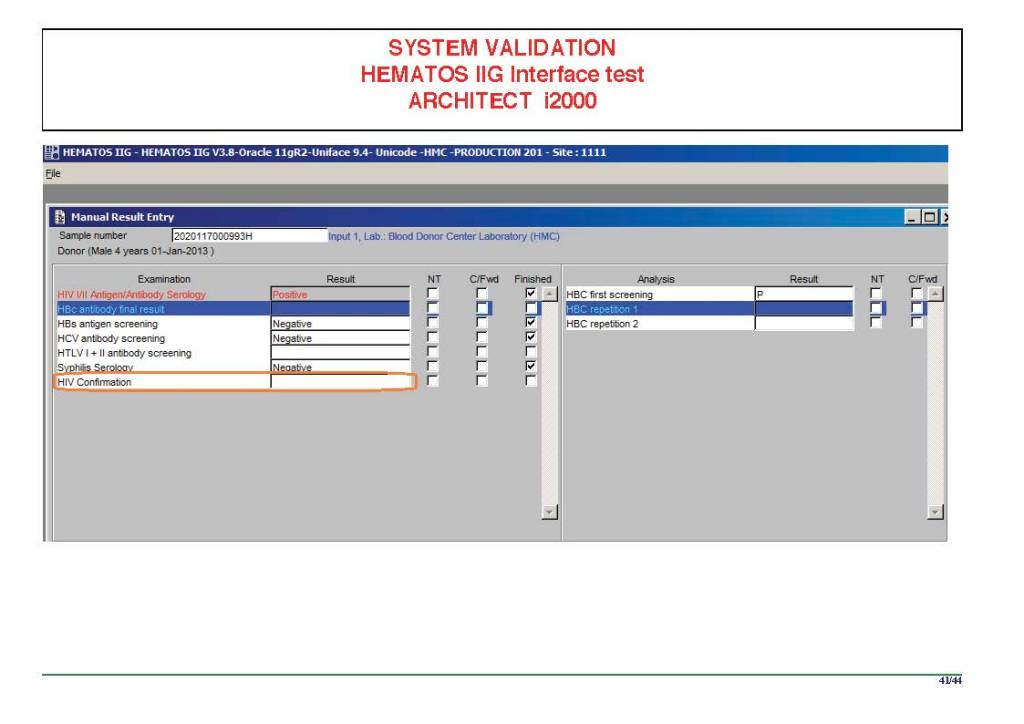
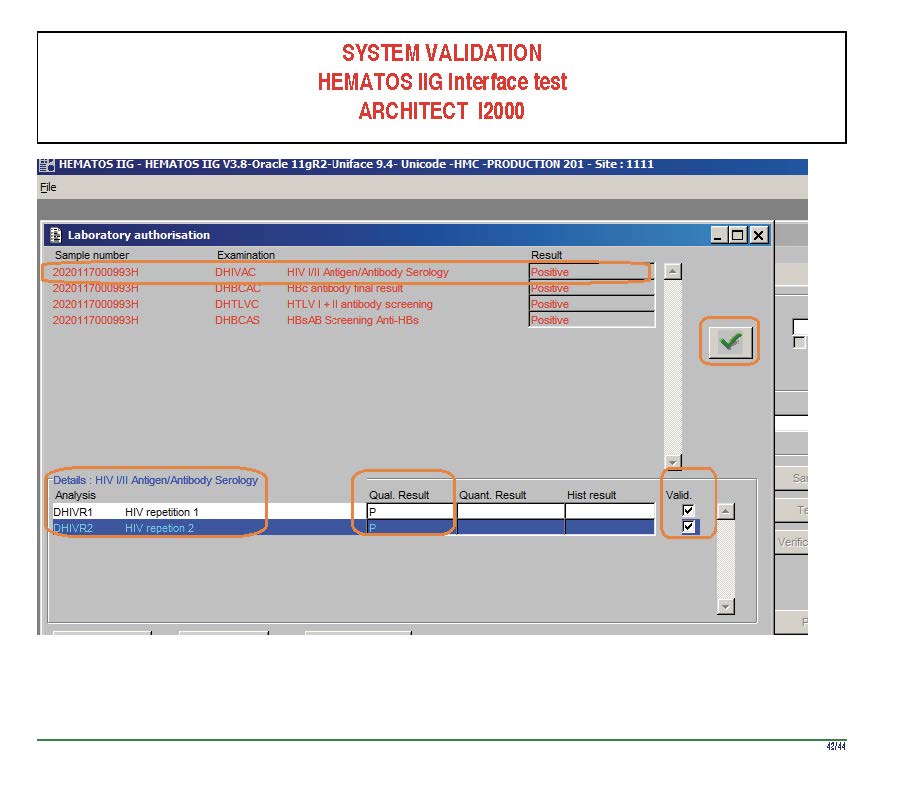
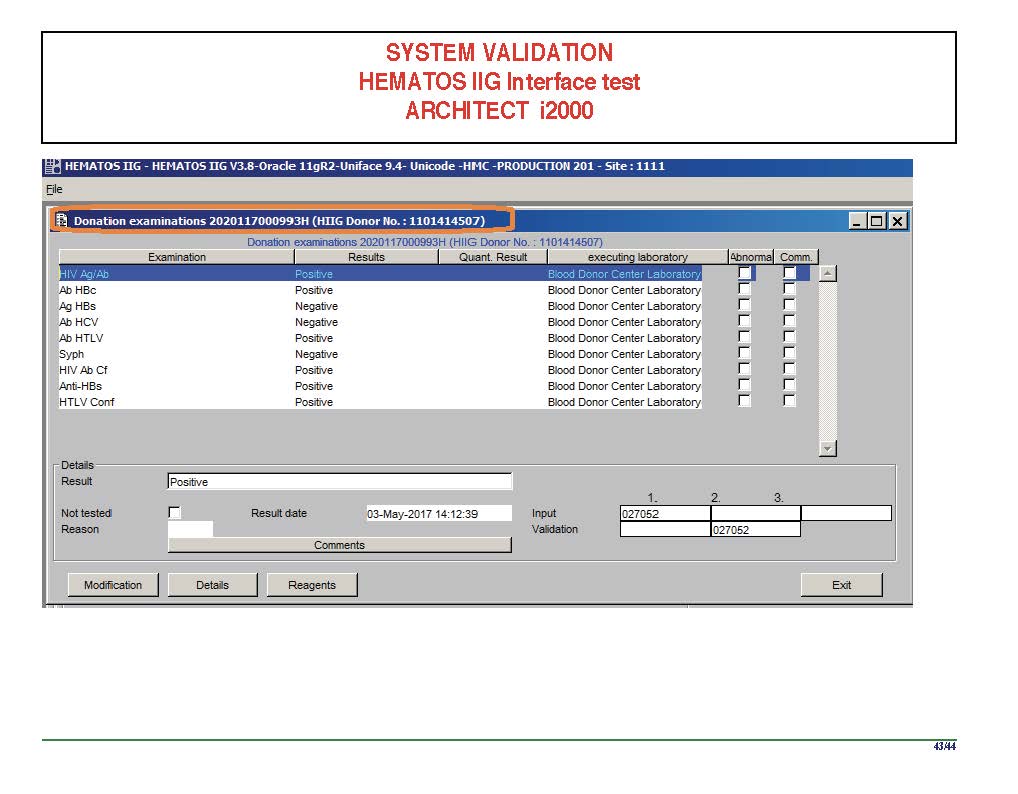
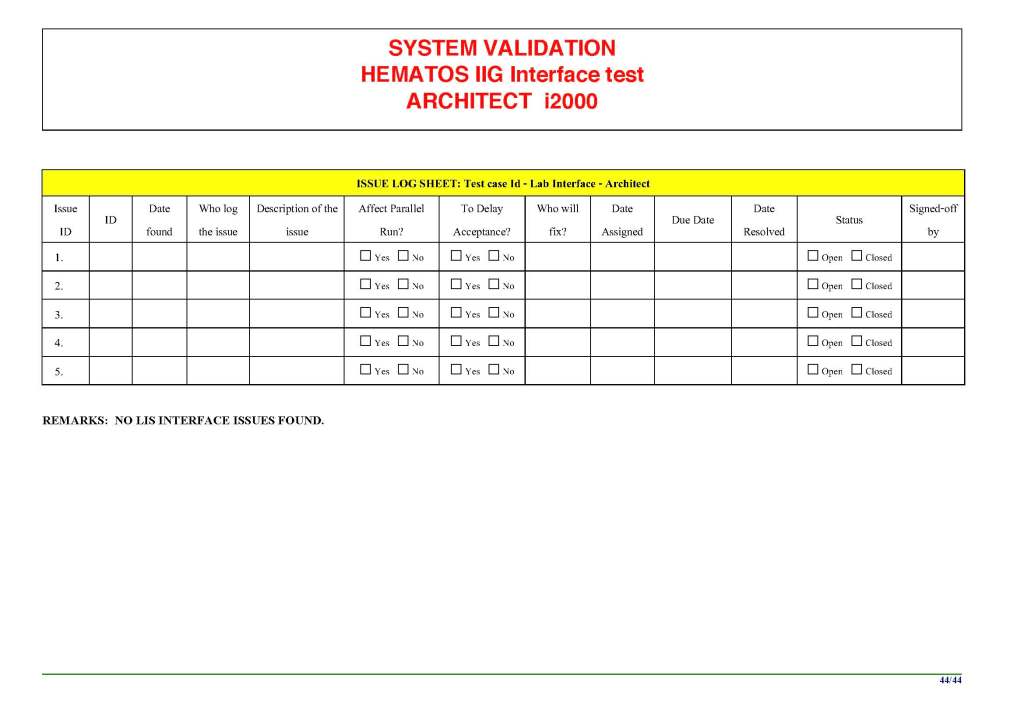
I am attaching a copy of our Abbott Architect interface as updated a few years ago.  Again, here I wrote the validation protocol and assigned the tasks to the Medinfo Super Users.  To perform this EIA testing, we still had to register donors and collect and then export the specimens to the donor marker testing laboratory before the actual interface testing could begin.  This was all done in a special test domain separate from the production domain.

I made the validation criteria and reviewed all data as Division Head of Laboratory Information Systems.  Representative screen shots were made.  All data was sent to me.  My final acceptance was required before the interface could be activated.

Automated component processing (Reveos) and component modification are more complicated and will be covered in a future post.

Attachment:

Abbott Architect Interface

To Be Continued:

24/6/20
Processes and Software Building 5: Processes

Processes and Software Building—Part Five

This post is mainly on building processes for a non-turnkey system such as the Medinfo Hematos IIG software that I have worked with in several countries, but there will be a few words about turnkey systems for general laboratories.

This has been a collaborative effort between the software vendor’s engineers, my Super Users, and myself.  This pluralistic approach has been most productive.

A turnkey system has pretty much already defined most of the basic processes—those have been specifically approved by a regulatory agency such as US FDA.  There is little customization except formatting screen and reports.  Instrument interfaces are also mainly predefined.  This requires much less thought and planning than a custom-built system designed on the sites actual workflows, but it can be an exercise of putting a round peg in a square hole.  You don’t always get what you want.

In the locations where I collaborated in setting up the Medinfo Hematos IIG program, we did not follow US FDA but mainly the Council of Europe CE standards since this was much more customizable and applicable to our needs (KSA and Qatar).  We could modify and add additional criteria specific to our country and region (e.g. rules for donor qualification for local pathogens).  This has always been my preferred approach.

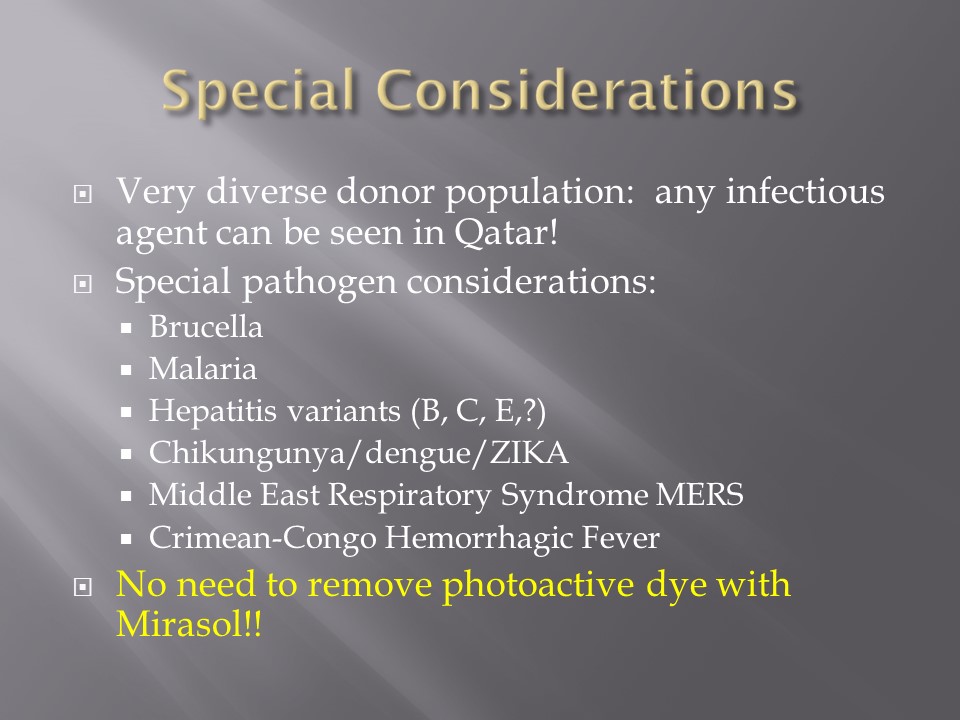
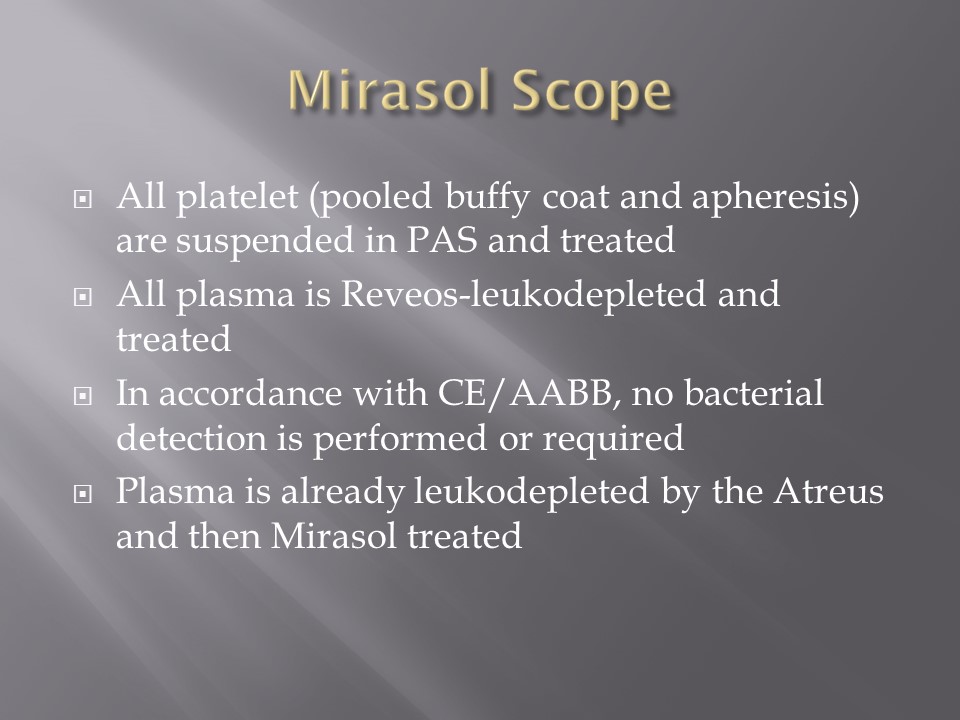
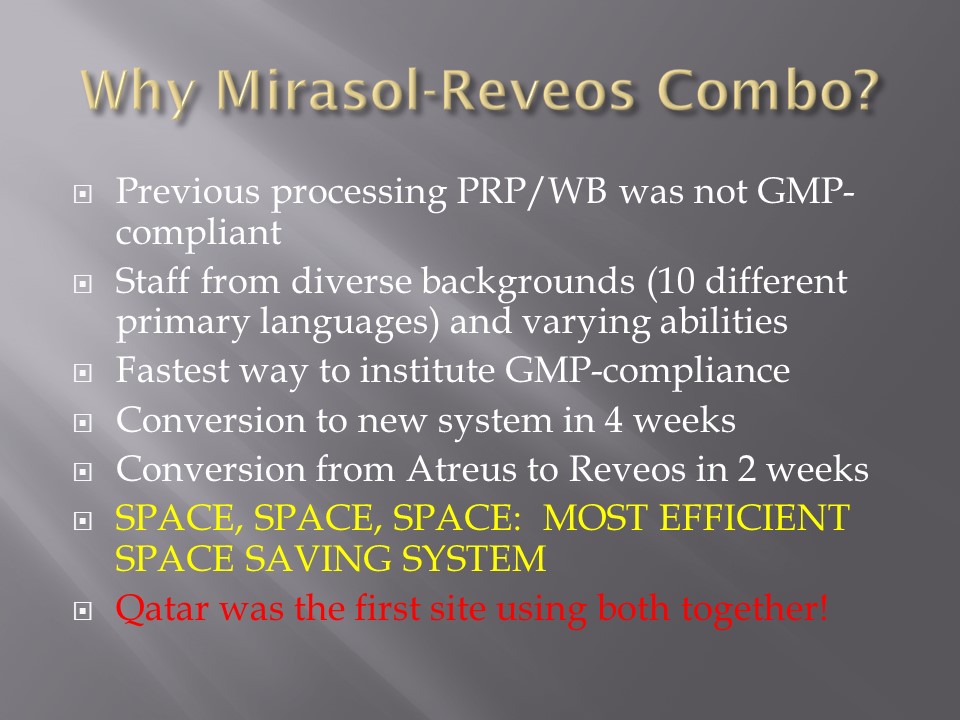
Start with a frame of reference (CE) and then try to optimize it for our local needs.  Unfortunately for blood banking, FDA has many fewer approved options than other regions, including in the preparation of blood components (e.g. prohibiting the use of pooled buffy coat platelets, automated blood component production such as Reveos, and use of world-class pathogen-inactivation technologies) such as Mirasol.

If you invested the time to make a detailed workflow across all processes and tests, much of this can be readily translated into the software processes, but first you must study the flows and determine where you can optimize them.  This requires that you study the options in the new software to see what you can use best.

I always liked Occam’s Razor, i.e. “ntia non sunt multiplicanda praeter necessitatem,”—the simpler the better as long as it meets your needs.  If the manual processes are working well and can be translated into the new system, do so.  If they need changes for optimization, then do so only if necessary.

Most of my career has been spent overseas with staff from many different countries and backgrounds, most of whom were not native in English.  The wording of the processes is very important.  Think of the additional obstacle of working with a complicated software in your non-mother tongue!  Also consider the differences between American English, British English, and international English.  I always made the Super Users read my proposed specifications and then asked them to repeat what I wrote/said.

There were many surprises discovered.  I think of the Aesop’s fable about the mother who gave birth to an ugly baby looking like a monkey.  Still, to that mother her baby was the most beautiful baby and she entered him into a beauty contest.  In other words, to the mother her child is perfect!!

It is most important to use the manufacturer’s recommendations to build tests and for the special automated processing and pathogen-inactivation processes.  For example, we had multiple ABO and D typing tests—they did not necessarily agree on what were acceptable results for automated release of results.  The same is true for many other tests. Use the manufacturer’s recommendations.

Example:  One method for Rh(D) typing stated that only results in {0, 2+, 3+, 4+} were acceptable—all other results required manual review and/or additional testing.  Another only accepted results in {0,3,4}.  Thus we had to build separate D typing processes for each methodology.

If we changed equipment at one site to that used at another site, we didn’t have to modify our software to accommodate this.  Even if you didn’t have the equipment or reagents at one site, you could always build it into the system and not activate the settings until needed.

Another consideration is whether to offer all the processes globally or restricted to one site.  I favor allowing access to all methodologies at all sites—in case of a disaster where tests had to performed at another site.   This means that if you send an order over an interface from the hospital system to the blood bank system, that at the receiving (blood bank) end, you would choose which methodology to use, i.e. it is not a one-to-one but rather a one to many mapping.

Finally, the issue of middleware.  Many instruments offer this, but one faces the problem about support and regression errors when you either update the middleware software or the blood bank computer software.  Medinfo itself could serve as the middleware so there was less chance of errors when updating the software.  In fact, I have never used any middleware when using Medinfo.

Instrument interfaces will be a future topic.

To Be Continued:

23/6/20
Processes and Software Building 4: Super Users

It is critical to engage the technical, medical , and (blood bank) nursing staff in this process,  That is why it is so important to identify a core of computer-literate users to help with the building and testing/validation.

I don’t mean finding staff who can already program or code.  Rather, I mean staff that are astute with knowing their work processes and who had good skills with Microsoft Office and Windows or equivalent.  I did not expect them to understand database structure or use structured query language.  They were chosen for their ability to learn quickly and their meticulousness.

For our blood bank system, I chose computer-literate technical staff to be involved in the build from the very beginning.  They learned how to test each module and to some degree support it.  These became my Super-Users and to this day support the system for many tasks.  These staff served as the system administrators and worked directly with me as the Division Head for Laboratory Information Systems.  They were not full-time and still had their other clinical/technical duties.  They liaised with the software vendors engineers.

Our blood bank system was NOT a turnkey system.  It was custom designed according to our workflows.  There were NO default settings!!  We had to be remember, ‘Be careful what you ask for, you might get it!’  In some countries, approved systems are turnkey and may allow only few changes to the core structure and thus may not be this optimized for the needed workflow;  often only cosmetic changes are permitted.

When we built our first dedicated blood bank computer system, the company would take a module and completely map out the current processes collaboratively with me.  After this, I analyzed the critical control points and started to map out the improved computer processes that would take over.  After that we would build that those processes in the software and test it.  If it failed, we would correct it and test again…and again if necessary.  Fortunately, the blood bank vendor did not charge us when we made mistakes.

Sadly, another vendor (non-blood bank), only gave limited opportunities to make settings.  If wrong, there might be additional charges to make corrections.  This other vendor really pushed the client to accept the default settings regardless whether or not they actually fit.  End-users were selected to make and approve the settings, but they were only minimally trained on how to make the settings.  It was a journey of the end-users being led to the slaughter—and being blamed for their settings when they accepted the vendor’s recommendations—they usually selected the defaults.  There wasn’t enough time for trial and error and correction.

The blood bank system Super Users were an important part of our process.  They were an integral part of the implement team and could propose workflows, changes, etc.—subject to my approval.  They learned the system from the start and developed invaluable skills that allowed them to support the system after the build.  Also, they could serve to validate the system according to the protocols I prepared.  Moreover, I took responsibilities for their activities and they were not left out to hang.

Every hospital blood bank location and the blood donor center had Super-Users.  These included:

  1. Blood Donor Center:
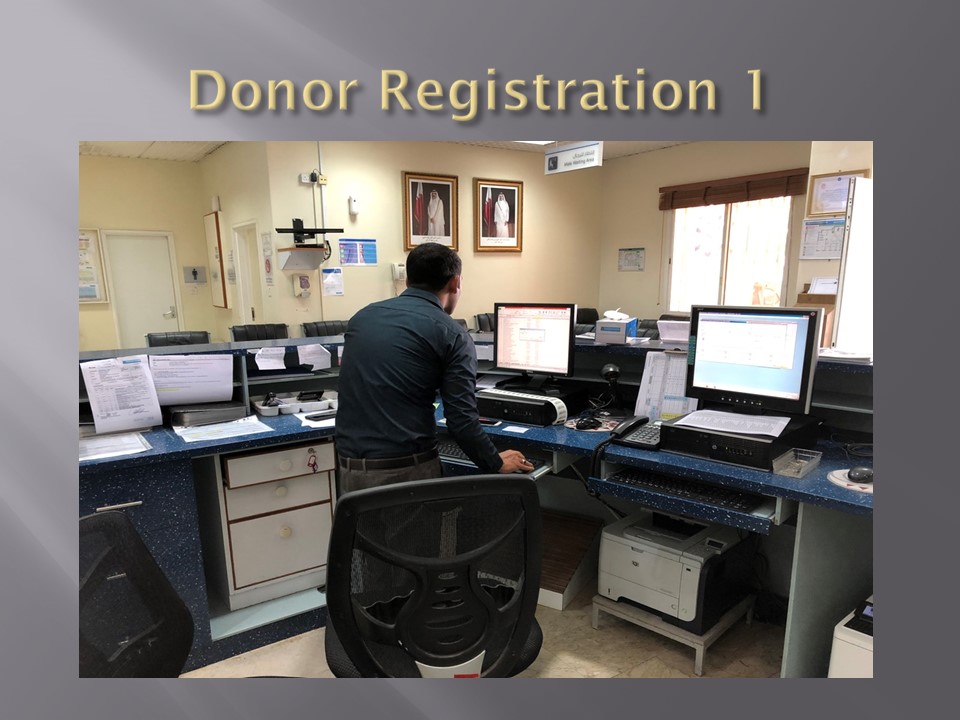
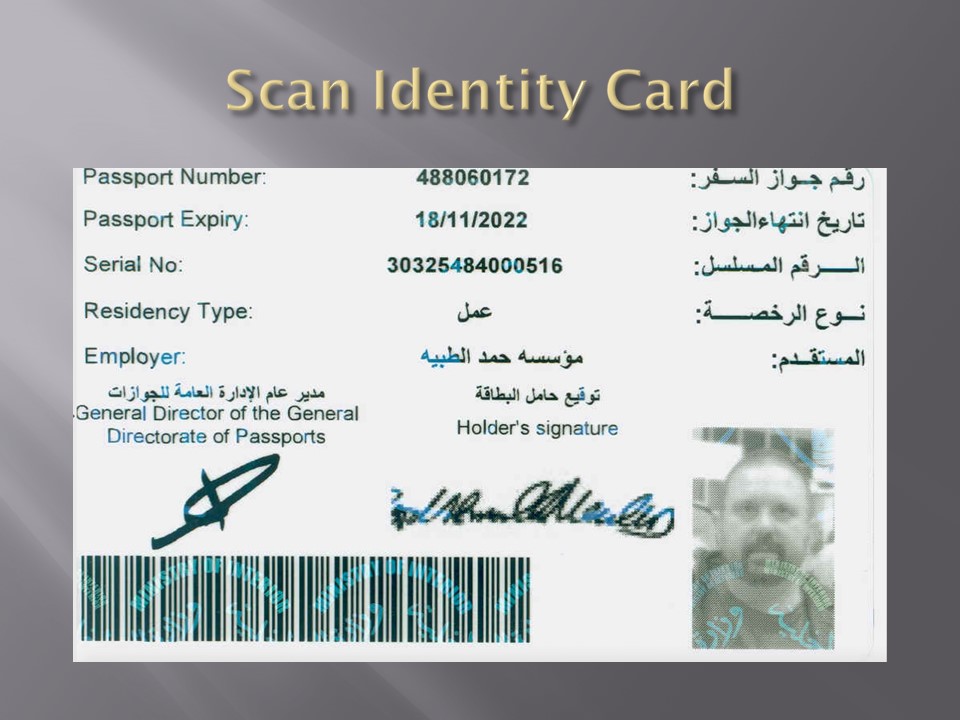
    1. Administrative Clerk for donor registration, consent, ISBT specimen labels, creation of new donors and patients for validation purposes
    2. Apheresis/Donor Nurse for donor questionnaire, donor physical examination, and donor collection
    3. Medical technologist for donor marker testing
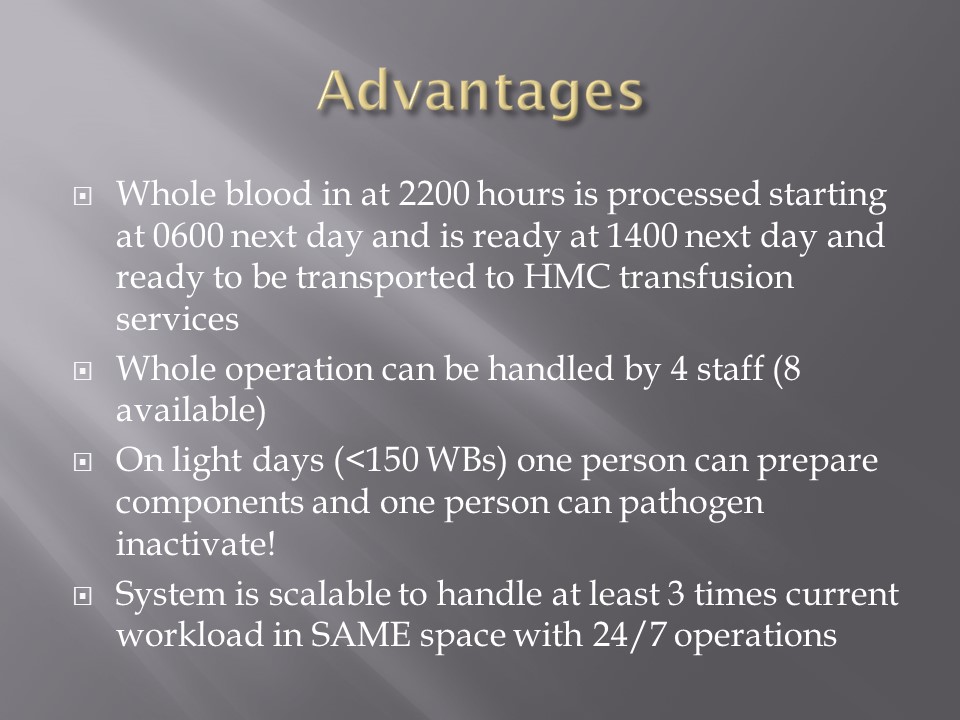
    4. Medical technologists for blood component production including Reveos, Mirasol, platelet additive solution, pooling, and leukodepletion
    5. Medical technologist for donor immunohematology testing
    6. Medical technologist for inter-depot transfer of blood components
  2. Hospital Blood Banks and Transfusion Centers:
    1. At least one technologist at each site for inter-depot transfer, component medication (washing, irradiating, aliquoting, reconstituted whole blood), immunohematology testing, component allocation and release

The cost of using these staff?  They were paid overtime and were relieved of other duties when working on Super User duties.  This was much cheaper than hiring outside consultants who may or may not know our system well enough to perform these tasks.

By having a Super User at each site, I in effect had an immediate local contact person for troubleshooting problems who could work with the technical/nursing staff.  We did not rely on the corporate IT department for support and worked directly with the software vendor.  Response time was excellent this way.

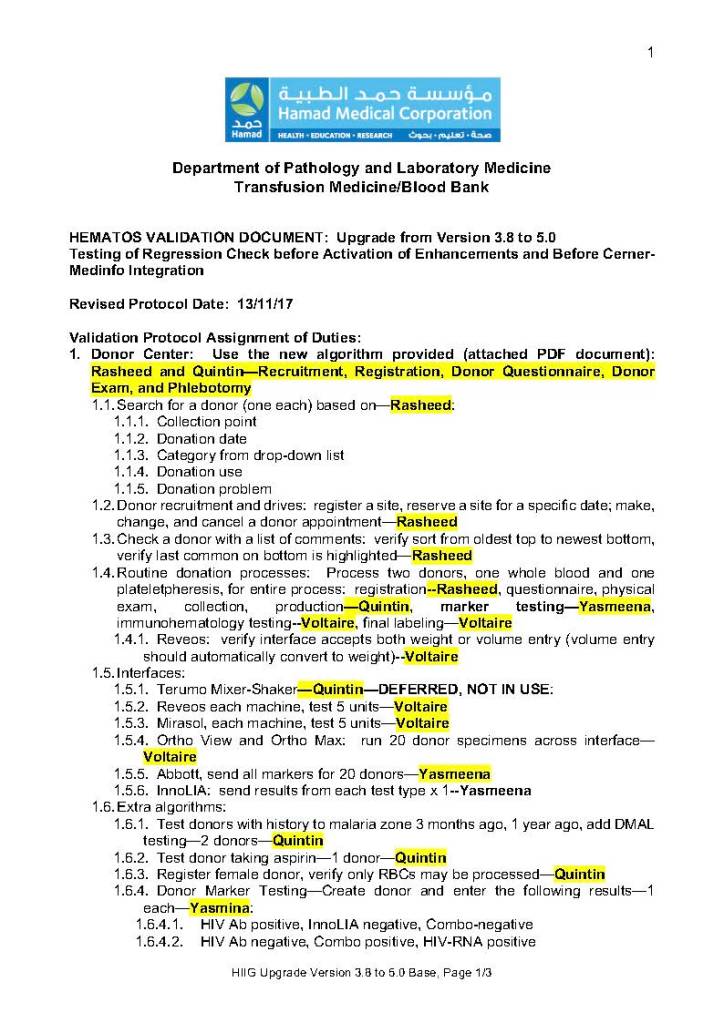
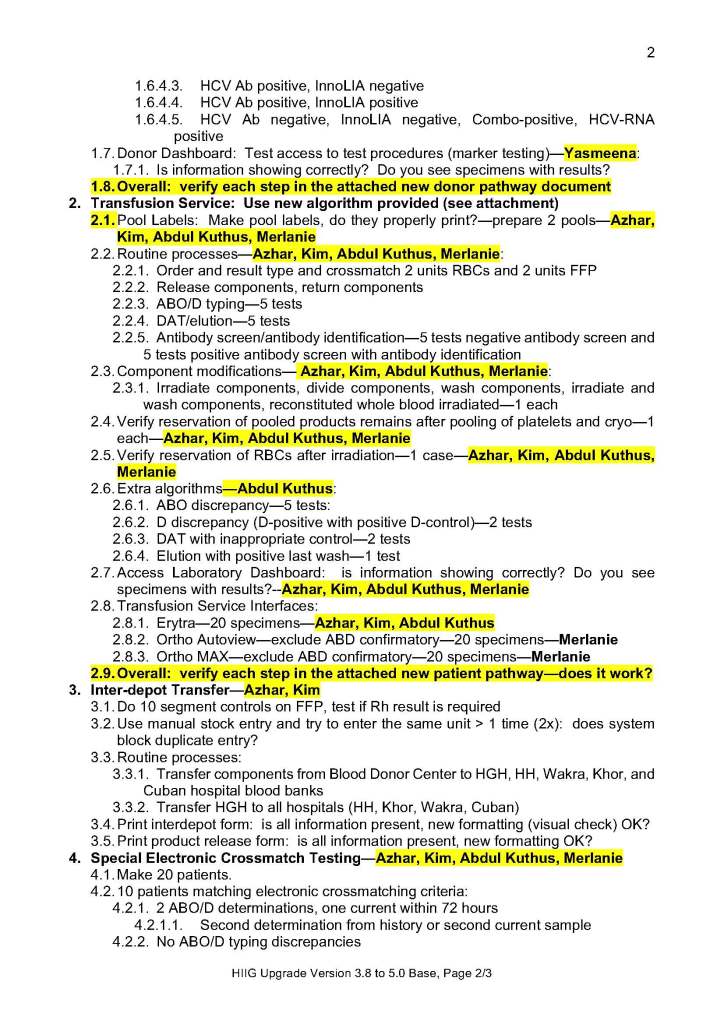
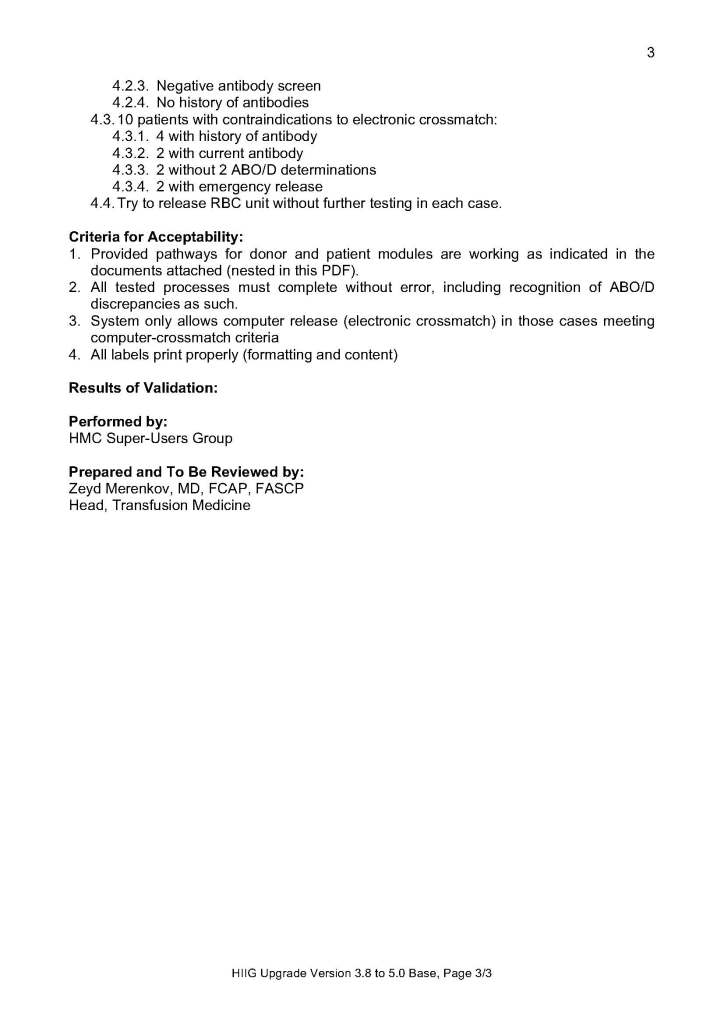
The following document is a sample document of the assigned Super User duties during a validation.

To Be Continued:

22/6/20
Processes and Software Building 3: Current State

Processes and Software Building—Part Three

Using the current state to build a new work flow can be a difficult task and balancing act.  If one changes it too much, it may be difficult for the staff to cope.  If too little, then why bother at all?  Still, we had to take the time to analyze our current system and identify areas  of improvement.  When building a new computer system, we didn’t want to capture our current system with its flaws in concrete.  Buying a new system is costly and it would be very hard to change it again,  This had to be done right.

Also, whether or not you have a pre-existing software may affect your choices.  In my opinion, it is easier to learn something new than to make some changes to a system that everyone has already learned.  Learning is easier than unlearning and relearning.

First, I studied the new system’s capabilities and took note of the features I would like to adopt to improve the current processes.  I did this especially at the critical control points.  I also studied our incident reports:  where had there been nonconformances?  How could I change things for the better, i.e. with increased safety and compliance to international standards?

I did not want to throw out a successful manual system, just to optimize it.  I tried to pick out those manual processes that worked and build those into the new workflows.  What I wanted was a system recognizable and familiar to the staff but with enhancements with the least amount of change to reach our goals. Make the least number of changes to meet the objectives!

Although the vendor did some initial testing, this was insufficient to accept the system.  I didn’t want the vendor to just show me some scenarios that they concocted.  I was always suspicious when any vendor chose their own examples and not others.  Could it be that the other processes did not work as desired?  I always insisted that I give the vendor representative scenarios and have them show me how the system reacted. This happened repeatedly with the non-blood bank software vendor so an atmosphere of distrust persisted throughout the general laboratory system (but not the blood bank) build.

It is daunting task to know what settings to make.  At one of my previous institutions, the administration recognized that they needed additional expertise from someone experienced in the new system.  They hired an outside firm in addition to the software vendor.  Still, even this was not sufficient to make the proper settings and testing.  We had to rely on ourselves!

Ultimately, the laboratory had to thoroughly test the system,  The only way to do this was to use our own resources.  Only we could test its actual functionality to the proper degree to ensure safety.  Still, where could we get the resources to do this?  Outside consultants were very expensive, especially if they have to live on-site for extended periods.  The only answer was to make use of our internal resources, i.e. our staff.

To be continued:

21/6/20
Processes and Software Building 2: Documenting Processes

My previous post emphasized how important it is to map the current state across all processes as the first step to optimize current operations and prepare for a new computer system.

One non-blood bank (hospital LIS) software vendor submitted the following as a complete representation of all current processes—across more than 4,000 tests and hundreds of instruments:
  1. Order something
  2. Collect specimen
  3. Receive specimen
  4. Perform test
  5. Report test

This was the same for each of the tests in the different sections of the laboratory—be it blood bank, anatomic pathology, chemistry, hematology, etc.  I was flabbergasted!  What were we paying for?

As Head of the Laboratory Information Systems, I rejected this.  I would have been ashamed to submit this to a client as a sufficient current state.  Even more astounding was the fact that that vendor actually mainly used the same four-step flow chart for the tests in their new computer build!!

As painful and time-consuming as it is, one must develop a specific flow for each process.  This could include:

  1. Specimen condition and acceptability criteria
  2. Possible results for each part of the test
  3. Interpretation of each result
  4. Control results
  5. Acceptability criteria
  6. Truth table
  7. Reflex testing triggered by the results

When we built our first dedicated blood bank computer system, the company would take a module and completely map out the current processes collaboratively with me.  After this, I analyzed the critical control points and started to map out the improved computer processes that would take over.  I did not want to throw out the successful manual system, just to optimize it.  After that we would build that those limited processes in the software and test it.  If it failed, we would correct it, and the vendor didn’t charge us extra for the corrections.  It was a beautiful collaboration.

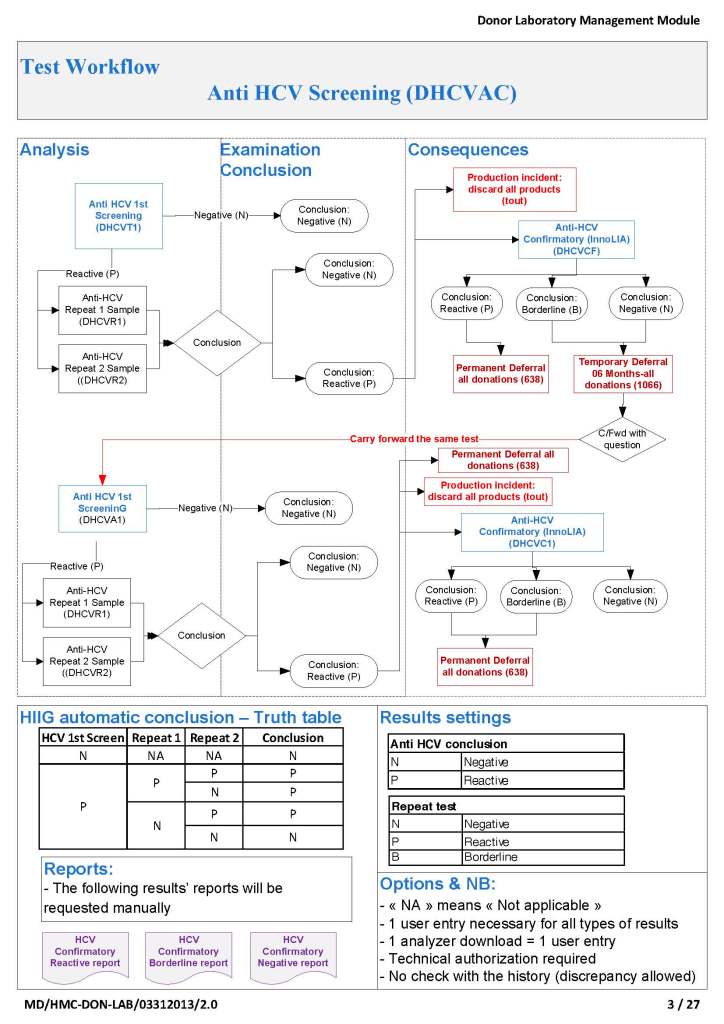
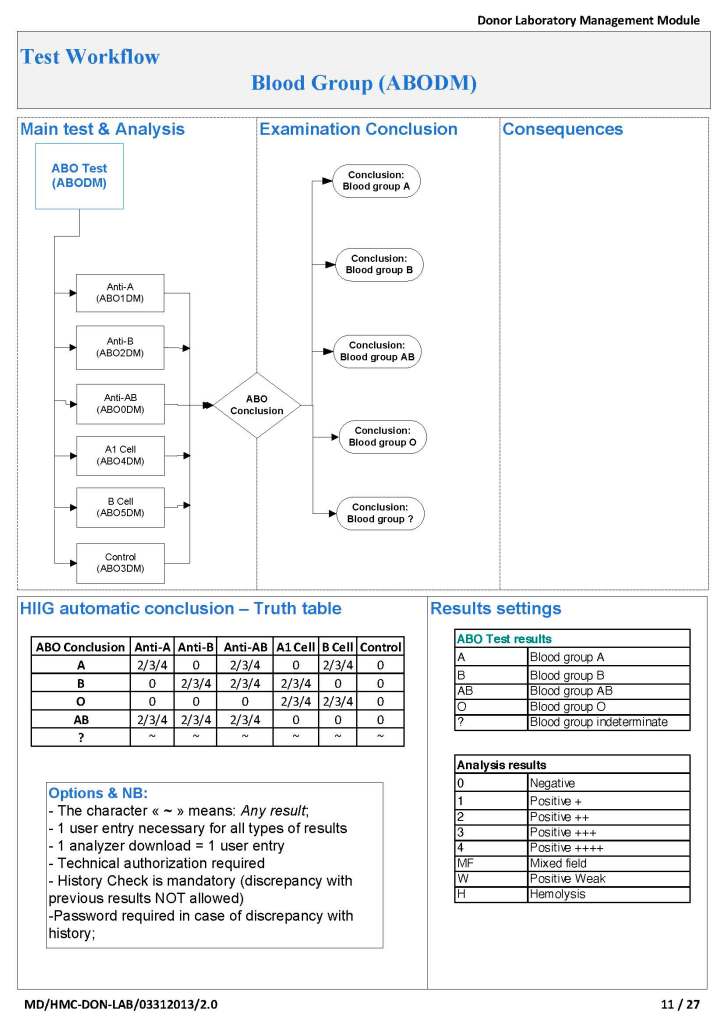
To illustrate these points, I am showing two process flows:  one for the ABO typing (forward and reverse) for donors and the other a complex testing algorithm flow for HCV donor marker testing.  These are from previous builds and have been updated subsequently.

ABO Typing: Attachment One

This consisted of six individual tests forward (anti-A, anti-B, anti-A,B), two reverse (A1 cells and B cells) and a control.  The acceptable tests for automatic typing were in {0, 2, 3, 4}, other results (mixed field, weak, 1+, hemolysis) required a manual interpretation.  There is a truth table for interpretation of all six results together.

Donor HCV Testing:  Attachment Two

This is a more complicated flow that includes multiple tests (HCV-antibody EIA, HCV-LIA, and HCV-NAT).  Results may trigger reflex testing immediately (abnormal HCV EIA triggers HCV-LIA, abnormal HCV-NAT triggers HCV-LIA, etc.) or repeat testing after six months for indeterminate results.

In each case, every possible result is listed and its interpretation and acceptability criteria.

In summary, it may take considerable time to map out all your processes, but this is time well spent and allows you build your system accurately.  There will be few surprises this way.

To Be Continued:

20/6/20

Processes and Software Building 1: Overview

In the next series of posts, I will elaborate on how I built the processes and settings for a blood bank computer system in conjunction with the vendor’s software engineers.

If you don’t know exactly what you are doing, how can you improve it?  Regardless whether you have laboratory software, you still need to optimize processes, determine critical control points, and plan improvements based on that.  A good manual system is the foundation for a good software build.

I was never taught in medical school how to do this.  I learned on-the-job at a time when software was quite rudimentary and mainly to record results.

Staffing:

For our first system, we used medical technologists to make settings for and administrate.  We thought that only those with a technical background in the field could do this.  It was moderately successful.  There was some antagonism between the technologist computer staff and the hospital computer department.  The technologists did not have a background in databases and programming;  the IT staff did not know the laboratory and were frustrated in dealing with the laboratory staff.

Later, to help reconciliate the two when a new hospital system was installed, we tried a different approach.  We found a database professional who was a very good listener.  Although he had no technical background, he could listen and map out the processes.  He was well-liked by the technologists who saw that he just wanted to understand their work and help them.  He was very successful in this endeavor.  I strongly recommend a software engineer as the lead in the project, one who can work with technical and medical staff to map out processes.

Unifying Processes Across Multiple Sites;

If your organization covers multiple sites, it is best to unify your processes as much as possible.  We built our dedicated blood bank system AFTER we had done this so the processes (except for some equipment differences) were the same everywhere.   This allowed us to move work between institutions quickly and makes system administration easy.

At one organization, they built the system based on the processes at the first site to go live, which was a small hospital with less than 10% of the work.  It was not designed for the high-volume sites, and this was major problem as the larger sites were implemented.

Capturing the Current State:

Most importantly, I cannot emphasize enough the need to capture the current state.  Take the time to do this properly and thoroughly.  This will help you whether or not you are building a computer system or just optimizing your manual processes.

At one institution in a non-blood bank system build, the administrative decision was to rush and not wait to complete this task so the actual processes were not captured—I actually rejected the proposed current state but was overruled.  The institution did not unify their processes as much as possible across sites.  The result was a suboptimal system that many/most people do not like:  should you blame the build or the limitations of the underlying software?

To be continued:

19/6/19

Inter-Depot Transfer: Further Thoughts

In my recent post, I provided sample flows and parameter mapping for delivery of blood components.  The final components from the component preparation center may be sent to various depots (freestanding location and/or hospital blood banks.  There should be complete traceability for every step (from donor reception, collection, testing, and processing) transport between locations, and finally the exact storage site, which might include which refrigerator/freezer/incubator and even shelf/position number for each component is stored.  The end of that document showed rules for type/antigen matching.

For disaster planning, rapid inventory enumeration by type is very important.  This can be very time-consuming manually.  With our Hematos blood bank system, we could quickly get total inventory across the Qatar or by hospital in less than one minute.  We could also quickly find antigen-matched units across the system and reserve it at any one site for another if necessary.

Smart blood bank dispensing refrigerators, as offered by Haemonetics and Angelatoni, may also serve as depots and take the place of a hospital blood bank for some dispensing.  These solutions can also capture vital information about the storage conditions of the components and prevent release if the storage criteria are not met.  They can also interface with blood bank computer systems and use the main system’s logic for the dispensation rules.

Upon receipt at the hospitals from the blood processing center, the forward ABO and D typing must be confirmed.  We used D reagents which detected partial D so that we would call such donor units as D-positive.  However, if a patient type reagent insensitive to partial D types were used, it is possible for a unit to be typed as D-negative whereas in the donor center it might be D-positive.  Sometimes, nothing types consistently as D-positive:  all you can say is that with a particular reagent and lot number, there is or isn’t reactivity.

The greatest complexity is for RBCs since potentially so many antigens exist.  Criteria for matching/ignoring certain antigens must be made.  Critically significant antibodies such as the Kell, Duffy, Kidd, and certain Rh (D and c) must be antigen matched.  A robust blood bank computer system can enforce these rules.

For other components, antigen/typing may be less important.  In fact, in most situations, any type of platelets can be given to anyone (except neonates).  Despite the potentially incompatible plasma, there is rarely significant hemolysis.  In fact, if pooling platelets without regard to blood types is done, a platelet transfusion is a common cause of a positive direct antiglobulin test DAT—something that is not clinically significant.  No one died of a positive DAT by itself for this reason.

Specific rules for compatible plasma types are important, but nowadays, low-titer group A plasma may be used like universal AB plasma.  The challenge is to be able to perform the ABO titration (specifically anti-B) quickly—titration can be a slow process, even with automated equipment.  A similar situation for low-titer, universal group O whole blood requires both anti-A and anti-B titration (I will return to this topic in a future post).